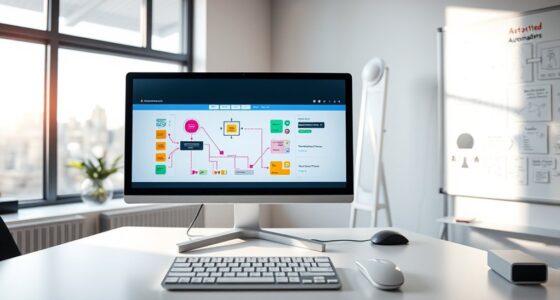

Low-code and no-code platforms let you build custom apps quickly without deep coding skills. They provide easy-to-use, visual interfaces with drag-and-drop tools and pre-built components, making automation and workflow design accessible to non-technical staff. This empowers you to create solutions faster, respond to changing needs, and improve efficiency across your organization. Keep exploring to discover how these platforms can transform your business processes even further.

Get business pricing on tech for your team
- Business-only prices and quantity discounts
- Tax-exempt purchasing
- Multiple users, one account, clear invoices
Key Takeaways
- Enable rapid application development with intuitive interfaces, drag-and-drop features, and pre-built components.
- Democratize software creation by allowing non-technical users and citizen developers to build and manage apps.
- Automate workflows like approvals, notifications, and data entry to improve operational efficiency and reduce manual errors.
- Accelerate digital transformation by enabling quick response to changing organizational needs and market dynamics.
- Reduce reliance on IT resources, fostering innovation and empowering staff to develop solutions independently.

Low-code and no-code platforms are transforming how businesses develop software by enabling users to build applications quickly without extensive coding knowledge. This shift opens up new possibilities, especially in areas like workflow automation and citizen development. You no longer need to be a professional developer to create tools that streamline your daily operations. Instead, these platforms provide intuitive interfaces, drag-and-drop features, and pre-built components that make application creation accessible to everyone. As a result, your organization can respond faster to changing needs, automate repetitive tasks, and empower non-technical staff to contribute directly to digital solutions.
Low-code and no-code platforms enable rapid application building without extensive coding skills.
Workflow automation is a key benefit you gain from low-code and no-code platforms. Automating workflows means you can set up processes that run seamlessly without manual intervention, saving time and reducing errors. For instance, you can automate approvals, notifications, data entry, and reporting, freeing up your team to focus on more strategic activities. The simplicity of these platforms allows you to map out complex workflows visually, making it easier to identify bottlenecks and optimize processes. With minimal technical skills required, you can rapidly implement automation solutions tailored to your business needs, improving operational efficiency and consistency. Additionally, understanding the importance of contrast ratio can help ensure that visual applications or interfaces developed on these platforms are clear and accessible.
Citizen development is another significant advantage. It refers to non-IT employees creating and managing their own applications to meet specific department needs. By democratizing app development, you empower team members outside of traditional IT roles to solve problems independently. This not only accelerates project timelines but also fosters innovation within your organization. For example, a marketing team member might develop a campaign tracking app, or a customer service representative could build a feedback collection tool—all without waiting for IT to handle it. Low-code and no-code platforms facilitate this by providing user-friendly environments where you can design, test, and deploy apps quickly, ultimately reducing the burden on your IT department and enhancing agility. Furthermore, selecting the right projector type based on your space can improve the visual clarity of presentations or demos within your automated workflows or collaborative app environments.
Frequently Asked Questions
How Do Low-Code Platforms Ensure Data Security?
You guarantee data security on low-code platforms by implementing robust measures like data encryption to protect sensitive information and user authentication to verify identities. These platforms often include built-in security features that help you control access and monitor activity, reducing risks of breaches. By actively managing permissions and encrypting data, you keep your information safe while enabling efficient application development without compromising security.
Can Non-Technical Users Fully Customize Applications?
Absolutely, you can fully customize applications, because who needs developers when you have a user interface that’s so intuitive? With all the customization flexibility, you’re practically a software engineer—minus the endless coding. You’ll tweak, drag, and drop until it’s just right, feeling like a tech wizard. So yes, non-technical users get total control, making app creation as easy as pie—no coding required, just a dash of imagination.
What Are the Costs Associated With Low-Code Platforms?
You’ll typically encounter various pricing models and licensing fees with low-code platforms. Some platforms charge a monthly subscription based on user numbers, while others offer tiered plans for different features. Additional costs may include onboarding, training, and support. Be sure to compare licensing fees and consider hidden costs like add-ons or scalability options to find a solution that fits your budget and project needs effectively.
How Do These Platforms Integrate With Existing Systems?
Like a skilled diplomat, you connect seamlessly with existing systems through API integration, ensuring smooth communication. You can often work with legacy system compatibility, bridging old and new technology without disruption. These platforms simplify the process, allowing you to extend functionality and enhance workflows without extensive coding. By integrating effortlessly, you turn complex IT landscapes into cohesive ecosystems, empowering your organization to innovate rapidly and stay ahead in a competitive world.
What Are the Limitations of Low-Code Development?
You might face limitations with low-code development, especially regarding complex user interfaces and scalability challenges. While it speeds up app creation, you could struggle to customize intricate UI designs or handle large-scale enterprise needs. These platforms often lack the flexibility for advanced features, making it harder to adapt as your business grows. So, you should weigh whether their ease of use outweighs potential constraints in UI and scalability for your projects.
Conclusion
As you explore low-code and no-code platforms, you’ll discover how they seamlessly fit into your workflow, often unexpectedly saving time and boosting creativity. It’s almost like these tools were made just for you, aligning perfectly with your goals. When you realize how simple it is to build solutions without deep coding knowledge, you might wonder how you ever managed without them. Embrace these platforms—they could be the missing piece you didn’t realize you needed.
Halloween Picks
halloween
As an affiliate, we earn on qualifying purchases.