
Robot vacuums in offices handle flat, hard surfaces like tile, laminate, and low-pile carpet very well, making daily maintenance quick and quiet. They reduce disruptions and keep floors clean without much human effort. However, they struggle with clutter, thick carpets, and uneven or hard-to-reach spots. Cables and small objects can cause jams. To keep things running smoothly, you’ll want to learn more about optimizing their use for your workspace.

Get business pricing on tech for your team
- Business-only prices and quantity discounts
- Tax-exempt purchasing
- Multiple users, one account, clear invoices
Key Takeaways
- Robot vacuums excel at maintaining flat, hard surfaces like tile and laminate with minimal disruption.
- They handle routine cleaning efficiently but struggle with thick carpets and cluttered areas.
- Effective in low-traffic zones, but may miss corners, edges, or hard-to-reach spots.
- They operate quietly, reducing noise disturbances during work hours and meetings.
- Regular maintenance and obstacle management are necessary for optimal performance.
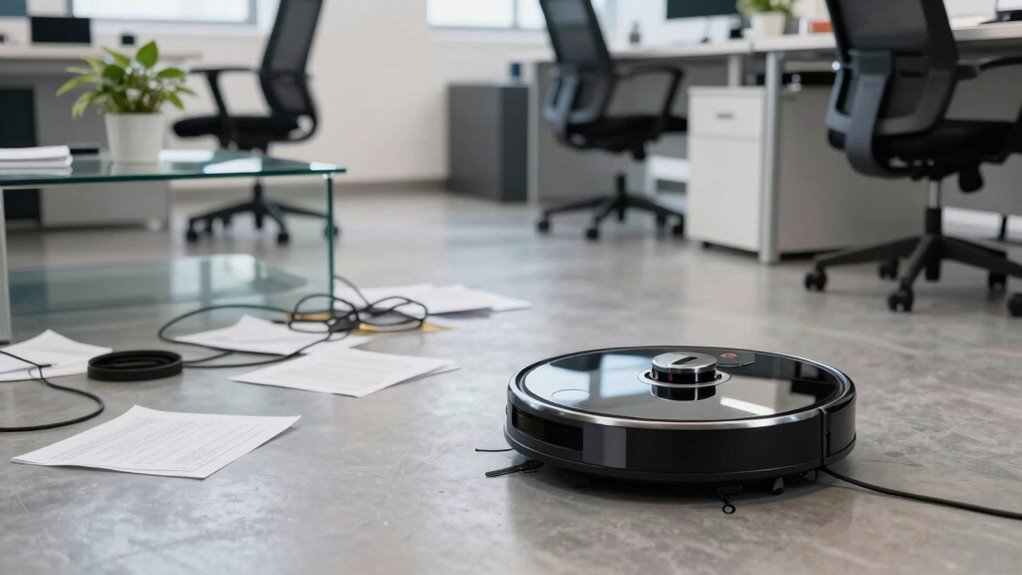
Robot vacuums are transforming the way offices stay clean, offering a fast and efficient solution to daily maintenance. Instead of relying solely on human cleaners, these devices can handle routine cleaning tasks during work hours or after hours, freeing up staff and janitorial resources. When it comes to employee productivity, robot vacuums can be a game-changer. By automating floor cleaning, employees aren’t disrupted by cleaning schedules or noisy equipment. This means fewer interruptions during busy periods, allowing staff to focus on their tasks without constant cleaning distractions. Additionally, many models operate quietly, keeping noise levels low enough that conversations, calls, or meetings aren’t disturbed. This quiet operation helps maintain a calm, productive environment where employees can concentrate without frequent interruptions.
However, while robot vacuums excel at maintaining clean floors, they do have limitations. They’re particularly effective on flat, hard surfaces like tile, laminate, or low-pile carpet. When it comes to cluttered areas, thick carpets, or uneven surfaces, these devices may struggle. They might miss corners, edges, or spots that are harder to reach, leaving some areas less clean than you’d like. Also, if your office has cables, cords, or small objects on the floor, robot vacuums can get tangled or clogged, requiring manual intervention. This means you’ll still need someone to handle those tricky spots or to periodically check on the devices to prevent issues. Proper maintenance practices and regular cleaning schedules ensure these devices continue to operate smoothly and efficiently over time. Implementing interior design considerations can also help optimize their performance and reduce potential obstacles. Additionally, understanding indoor air quality can help optimize cleaning routines for healthier indoor environments. Regularly assessing floor surface types can further improve the effectiveness of robot vacuum use in various office spaces.
robot vacuum for office tile and laminate floors
As an affiliate, we earn on qualifying purchases.
As an affiliate, we earn on qualifying purchases.
Frequently Asked Questions
How Long Do Robot Vacuums Typically Operate Before Recharging?
You can expect your robot vacuum to operate for about 60 to 120 minutes before needing a recharge, depending on its battery life and cleaning settings. Once the battery is low, it automatically heads back to its charging station. Charging time varies from 3 to 6 hours, so plan accordingly. Keep an eye on its battery life to make certain of continuous cleaning without interruptions.
Can Robot Vacuums Detect and Avoid Office Electronics?
Yes, robot vacuums can detect and avoid office electronics. They use obstacle avoidance technology, which includes sensors like infrared and ultrasonic, to identify electronics and prevent collisions. These sensors help the vacuum navigate smoothly around desks, monitors, and other equipment. Keep in mind, though, some models may have more advanced electronics detection than others, so check your specific vacuum’s features for ideal obstacle avoidance.
Are Robot Vacuums Suitable for Cleaning Large Office Spaces?
Think of a robot vacuum as a diligent scout—perfect for large office spaces. They’re great at covering vast areas, especially office carpets, and can navigate around furniture efficiently. However, their effectiveness depends on the layout. You need to guarantee they can access all zones and avoid obstacles. With proper planning, robot vacuums can help maintain cleanliness in big offices, but they might need occasional human oversight for complex furniture arrangements.
How Noisy Are Robot Vacuums During Operation?
Robot vacuums are generally moderate in noise levels, but the sound impact depends on the model. You might notice a constant hum or beeps during operation, which can be disruptive if your office is quiet or if people work closely together. If noise is a concern, look for quieter models with sound-dampening features. Overall, expect some noise, but it shouldn’t be overly disruptive during most cleaning cycles.
Do Robot Vacuums Require Regular Maintenance or Filter Replacements?
Yes, robot vacuums do require regular maintenance and filter replacements. You should check the filter longevity and follow the maintenance schedule to keep them running smoothly. Cleaning brushes, emptying dustbins, and replacing filters regularly guarantee peak performance. Staying consistent with these tasks prevents clogs, maintains suction power, and extends your vacuum’s lifespan. By sticking to a routine, you keep your office clean and your robot working efficiently.
quiet robot vacuum for workspace
As an affiliate, we earn on qualifying purchases.
As an affiliate, we earn on qualifying purchases.
Conclusion
Robot vacuums excel at quick cleaning, maneuvering tight spaces, and maintaining daily upkeep. They handle dust, debris, and routine tasks with ease, freeing you for more important work. However, they struggle with deep cleaning, avoiding obstacles, and managing complex layouts. To keep your office spotless, embrace their strengths and acknowledge their limits. Use them as allies for efficiency, but remember, some tasks still require a human touch. Together, you create a cleaner, more productive space.
robot vacuum for low-pile carpets
As an affiliate, we earn on qualifying purchases.
As an affiliate, we earn on qualifying purchases.
office robot vacuum with obstacle detection
As an affiliate, we earn on qualifying purchases.
As an affiliate, we earn on qualifying purchases.
Fall Picks
fall essentials
As an affiliate, we earn on qualifying purchases.