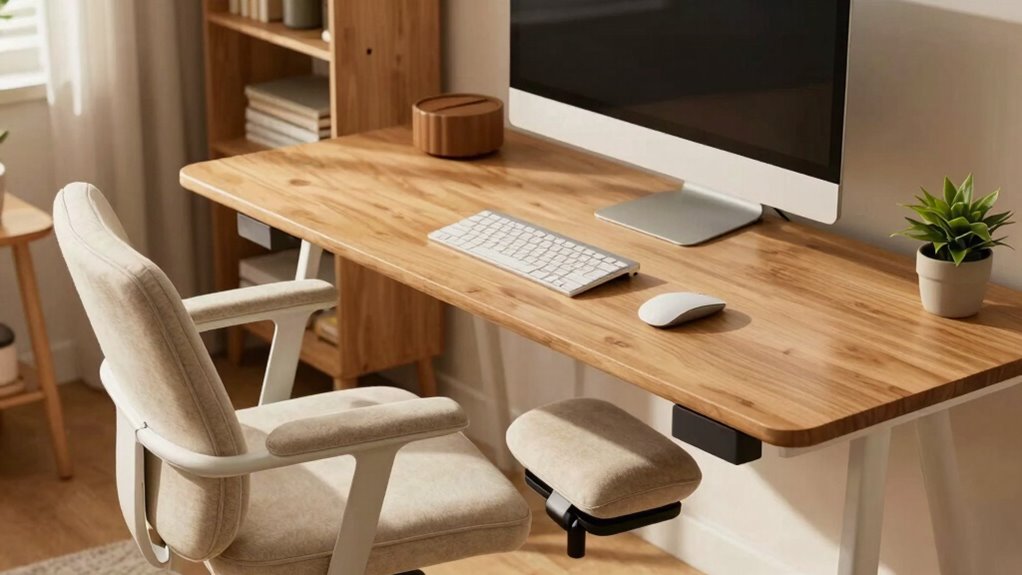
To build a comfortable support desk for long shifts, start by choosing an adjustable chair with lumbar support, armrests, and a height that lets your feet rest flat. Pair it with an adjustable desk or keyboard tray to keep your arms at a comfortable angle. Use good lighting options like daylight-mimicking LEDs and position your monitor to avoid glare. Incorporate ergonomic accessories like footrests and monitor stands. Continue exploring for more tips to create the perfect ergonomic workspace.

Get business pricing on tech for your team
- Business-only prices and quantity discounts
- Tax-exempt purchasing
- Multiple users, one account, clear invoices
Key Takeaways
- Use an adjustable desk and ergonomic chair with lumbar support to customize comfort for long shifts.
- Incorporate ergonomic accessories like wrist rests and monitor stands to promote proper posture.
- Ensure optimal lighting with glare-free, daylight-mimicking LED lights and natural light sources.
- Position monitors at eye level and keep arms at a 90-degree angle to reduce strain.
- Regularly adjust your workspace setup to maintain comfort and prevent fatigue during extended periods.
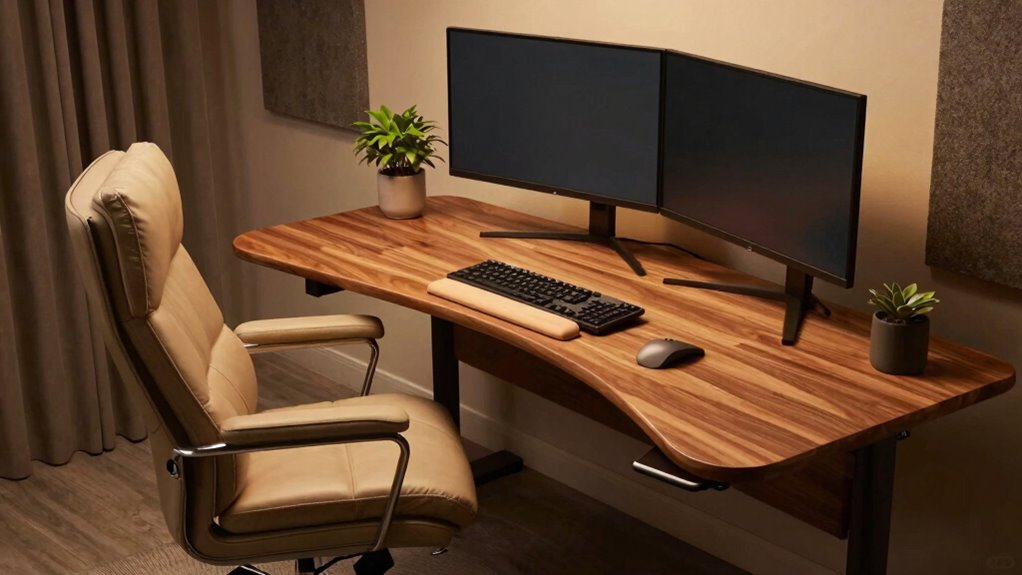
Long shifts can take a serious toll on your comfort and productivity if your support desk isn’t set up properly. To avoid fatigue and discomfort, you need a workspace that supports your body and minimizes strain. Incorporating ergonomic accessories is essential. Start with a good chair that offers adjustable height, lumbar support, and armrests. Your chair should allow your feet to rest flat on the floor, with knees at a 90-degree angle, to reduce pressure on your lower back and legs. Pair that with an adjustable desk or keyboard tray so your arms are at a comfortable angle, preventing shoulder and wrist strain. Ergonomic accessories like wrist rests, monitor stands, and footrests can further enhance your comfort, encouraging proper posture throughout long hours. Additionally, selecting ergonomic accessories that suit your specific needs can significantly improve your overall comfort during extended periods of work. Proper posture is also crucial to prevent musculoskeletal issues and maintain efficiency over long shifts.
Lighting solutions also play a critical role in creating a supportive workstation. Poor lighting can cause eye strain, headaches, and fatigue, especially during extended shifts. Natural light is ideal, so position your desk near windows if possible. When natural light isn’t available or insufficient, choose adjustable, glare-free LED lighting that mimics daylight. A desk lamp with adjustable brightness and color temperature allows you to customize lighting based on the time of day and task, reducing eye strain. Make sure your monitor is positioned to avoid screen glare from windows or overhead lights, and keep the workspace evenly lit to prevent shadows and harsh contrasts that can tire your eyes. Proper lighting conditions are essential for maintaining comfort and focus during long work hours. Incorporating ergonomic principles into your setup can further help prevent discomfort and improve your overall work environment. Remember, a well-designed workspace tailored to ergonomic standards can make a significant difference in your daily comfort.
adjustable ergonomic office chair with lumbar support
As an affiliate, we earn on qualifying purchases.
As an affiliate, we earn on qualifying purchases.
Frequently Asked Questions
What Are the Best Materials for a Durable Support Desk?
For a durable support desk, choose materials like solid hardwood or steel frames for strength. Opt for a sturdy, adjustable height surface to accommodate long shifts comfortably. Incorporate cable management features to keep cords organized and prevent clutter. These materials guarantee longevity, stability, and functionality, making your workspace more efficient. Combining durable surfaces with adjustable height options and cable management solutions creates a support desk that withstands daily use and enhances your comfort.
How Can I Customize My Desk for Ergonomic Comfort?
Did you know that 86% of workers report relief from discomfort when customizing their workspace? To boost ergonomic comfort, focus on desk height adjustment to match your natural arm position, reducing strain. Pair it with an ergonomic chair selection that offers lumbar support and adjustable features. These tweaks help you stay comfortable during long shifts, preventing fatigue and promoting better posture throughout your workday.
What Accessories Improve Long Shift Productivity?
To boost productivity during long shifts, you should add accessories like a monitor stand and ergonomic keyboard. Improve desk organization with drawer dividers and cable management solutions to keep clutter at bay. A comfortable mouse pad and a footrest can reduce fatigue. These accessories help you stay focused, reduce strain, and maintain a tidy workspace, ensuring you work efficiently and comfortably throughout your long shifts.
How Do I Prevent Back Pain During Extended Desk Work?
To prevent back pain during extended desk work, maintain an ergonomic posture by sitting with your feet flat on the floor, knees at a 90-degree angle, and your back supported by a lumbar pillow. Take regular stretch breaks every 30 minutes to alleviate muscle tension and improve circulation. These habits reduce strain, promote comfort, and help you stay focused during long shifts.
What Lighting Options Reduce Eye Strain?
To keep eye strain at bay, you need lighting that hits the sweet spot. Use a combination of ambient lighting to reduce overall glare and task lighting focused on your work area. Bright but soft bulbs, like LEDs with adjustable brightness, work best. Remember, too much contrast can tire your eyes, so aim for even, diffused light. This way, your eyes stay comfortable, and you stay focused longer.
As an affiliate, we earn on qualifying purchases.
Conclusion
Creating a comfortable support desk transforms long shifts from exhausting marathon to manageable task, turning your workspace into a sanctuary of productivity. When you prioritize ergonomic design, proper organization, and personalized touches, you’ll find yourself effortlessly conquering even the most intimidating days. Remember, a well-crafted desk isn’t just furniture—it’s your secret weapon against fatigue. With these tips, you’ll elevate your workspace to legendary status, making every shift feel like a breeze and your comfort an unstoppable force.
ergonomic monitor stand for desk
As an affiliate, we earn on qualifying purchases.
As an affiliate, we earn on qualifying purchases.
glare-free daylight LED desk lamp
As an affiliate, we earn on qualifying purchases.
As an affiliate, we earn on qualifying purchases.
Halloween Picks
halloween
As an affiliate, we earn on qualifying purchases.