

To optimize your analytics workstation, guarantee you have at least 32GB of RAM, upgrading to 64GB or more for larger datasets. Choose a strong GPU with ample VRAM for visualization or deep learning tasks, and combine SSDs for quick data access with HDDs for large storage needs. Proper planning boosts performance, reduces delays, and streamlines workflows. Keep exploring to discover how to fine-tune these components for your specific tasks and workflows.

Get business pricing on tech for your team
- Business-only prices and quantity discounts
- Tax-exempt purchasing
- Multiple users, one account, clear invoices
Key Takeaways
- Ensure at least 32GB RAM for standard analytics; upgrade to 64GB+ for large datasets to prevent bottlenecks.
- Choose a GPU with sufficient VRAM based on visualization or deep learning needs, balancing performance and cost.
- Combine SSDs for quick data access with HDDs for large, less-frequent storage to optimize cost and speed.
- Expand RAM and GPU capabilities to support seamless cloud integration and hybrid workflows.
- Align storage setup with data flow and cloud strategy to improve responsiveness and reduce latency.
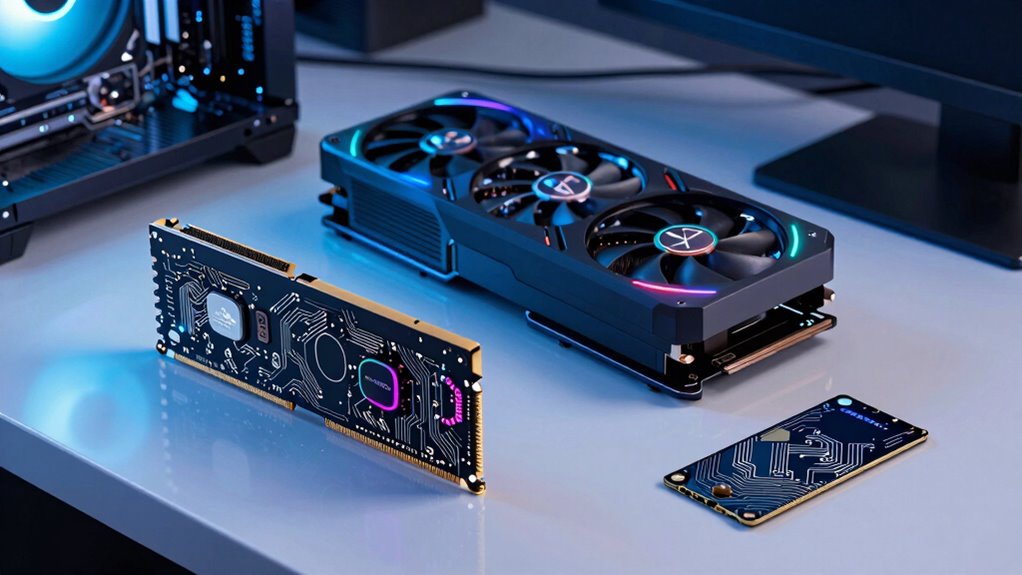
When building or upgrading analytics workstations, careful planning of RAM, GPU, and storage is essential to guarantee peak performance. Your goal is to ensure that your hardware can handle large datasets, complex computations, and demanding visualizations without bottlenecks. To do this effectively, you need to consider how each component interacts with the others and how they align with your overall workflow.
Start with RAM. It’s the foundation for smooth data processing. If you’re working with sizable datasets or running multiple applications simultaneously, you’ll want ample memory. At least 32GB is recommended for most analytics tasks, but if you handle particularly large or complex data, upgrading to 64GB or more might be necessary. Adequate RAM allows your workstation to load and process data quickly, reducing delays and improving efficiency. It’s also crucial to consider how RAM upgrades can complement your hardware setup, especially if you’re integrating cloud solutions. For instance, expanding RAM locally can lessen reliance on cloud-based processing, reducing latency and bandwidth use. Conversely, if you plan to offload some computations to the cloud, ensure your local memory supports seamless data transfer and pre-processing. Proper RAM capacity also helps prevent performance bottlenecks during intensive data analysis.
Adequate RAM ensures smooth data processing, reducing delays and supporting seamless integration with cloud solutions for analytics workflows.
Next, the GPU plays a critical role, especially when visualizations or machine learning models are involved. A powerful GPU accelerates rendering and parallel computations, which can significantly shorten analysis times. When planning your GPU, think about the types of tasks you perform most frequently. For data visualization, a mid-range GPU with ample VRAM may suffice, but if you’re doing deep learning or complex simulations, investing in a high-end graphics card makes sense. Remember, a hardware upgrade that includes a robust GPU can also enhance your ability to leverage cloud integration more effectively. Many cloud platforms offer GPU-accelerated instances; having a strong local GPU can complement these services, enabling hybrid workflows that maximize speed and efficiency. Additionally, understanding the role of GPU acceleration can help you optimize both local and cloud processing for intensive tasks. Ensuring your GPU has enough VRAM is especially important for handling large-scale visualizations and models.
Storage is often overlooked but equally vital. You need fast, reliable storage solutions that can keep pace with your data flow. Solid-state drives (SSDs) are a must-have for quick data access and system responsiveness. For large datasets, consider combining SSDs with high-capacity HDDs for cost-effective storage. When planning your storage, think about how it aligns with your cloud strategy. Cloud integration can offload some storage needs, but local SSDs ensure rapid access to frequently used data, reducing dependence on cloud bandwidth and potential latency issues. An efficient storage setup allows your analytics workstation to handle big data tasks smoothly, supporting a seamless workflow whether your data resides locally, in the cloud, or in a hybrid environment. Proper storage planning is also critical for maintaining data security and backup strategies, especially when dealing with sensitive or critical information. Incorporating cloud storage options can further enhance flexibility and scalability for your data needs.
Products Worth Considering

Apple MacBook Air 13-inch Laptop with M5 Chip, 16GB Memory, 512GB SSD, 12MP Center Stage Camera, Touch ID, Wi-Fi 7, Midnight

LG UltraGear 32GX850A-B 32-inch 4K UHD Glossy OLED Gaming Monitor

Kindle Paperwhite 16GB (2024) – 7 Glare-Free Display, Weeks Battery Life – Black
As an affiliate, we earn on qualifying purchases.
Frequently Asked Questions
How Do I Determine the Ideal RAM Size for Specific Analytics Tasks?
To determine the ideal RAM size for analytics tasks, you should consider the data volume and complexity of your analysis. Guarantee enough memory to prevent memory bottlenecks, which slow down processing. Focus on cache optimization by selecting sufficient RAM to hold frequently accessed data. Monitor your system’s performance during typical workloads, and upgrade if you notice frequent swapping or delays, ensuring smooth, efficient data handling.
What Are the Latest GPU Models Optimized for Data Analytics Workloads?
You’ll be amazed by the NVIDIA RTX 6000 Ada Generation, a GPU that’s practically a rocket for data analytics. It’s optimized for AI acceleration and excels at parallel processing, making complex workloads lightning-fast. Recently, AMD’s MI250X and NVIDIA’s A100 also stand out for their powerful data crunching abilities. These models enable you to handle massive datasets efficiently, transforming your analytics workstations into supercharged engines of insight.
How Does Storage Speed Impact Analytics Processing Performance?
Storage speed directly impacts analytics processing performance by affecting data transfer rates. Faster storage minimizes storage bottlenecks, allowing your system to access and process data quickly. When storage is slow, it creates delays that slow down overall analytics workflows. Upgrading to high-speed SSDs or NVMe drives helps guarantee rapid data retrieval, reducing bottlenecks and improving the efficiency of your analytics tasks, leading to faster insights and better decision-making.
Can I Upgrade RAM, GPU, or Storage Components After Initial Setup?
Just like fixing a broken bridge, upgrading your workstation’s hardware is doable if you follow proper procedures. You can upgrade RAM, GPU, or storage later, but guarantee hardware compatibility before starting. Familiarize yourself with the upgrade procedures specific to your system to avoid issues. With careful planning and the right tools, you’ll extend your workstation’s life and boost performance, much like a master renovator restoring a classic masterpiece.
What Cost Considerations Should I Keep in Mind for Planning?
When planning your budget, consider hardware compatibility to avoid costly upgrades later. Allocate funds thoughtfully across essential components, ensuring you don’t overspend on features you won’t need immediately. Budget for future upgrades by choosing scalable hardware, and factor in costs for potential compatibility issues. Additionally, don’t forget to include expenses for peripherals, warranties, and software, so your analytics workstation remains efficient without unexpected financial surprises.
Conclusion
Balancing RAM, GPU, and storage isn’t just about specs—it’s about understanding your workload’s true needs. While a powerful GPU can accelerate complex analytics, insufficient RAM can bottleneck your performance, just as limited storage hampers your data access. Think of your workstation as a symphony: each component must harmonize perfectly. When you fine-tune these elements, your analytics become not just faster, but smarter—transforming raw data into impactful insights with precision and speed.