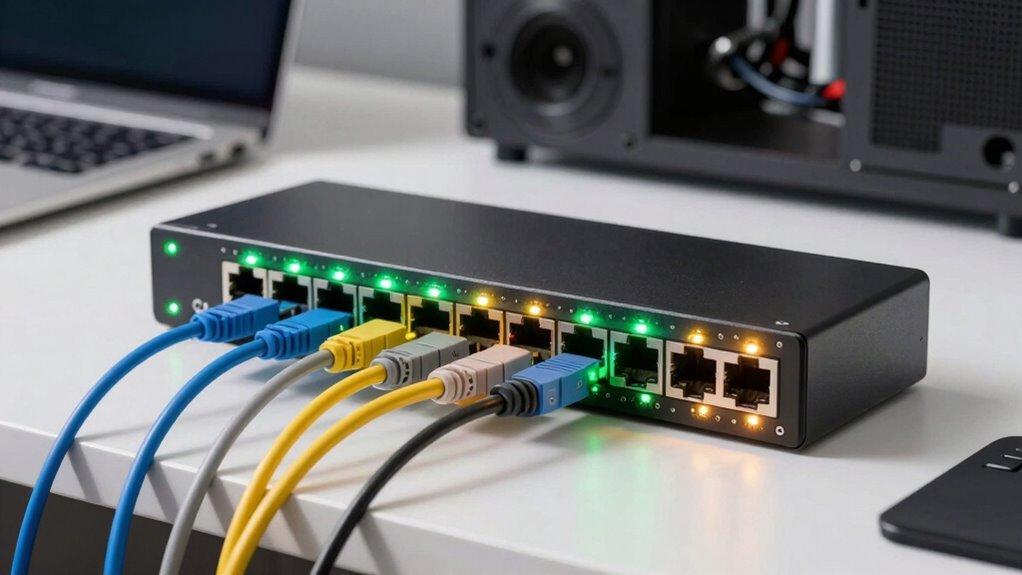

A network switch in your home lab connects multiple devices, allowing quick and efficient data exchange. It helps you manage traffic, reduce congestion, and improve security by segmenting your network with VLANs. Switch stacking enables multiple switches to act as one, simplifying management and boosting bandwidth. Mastering these concepts helps you build a reliable, scalable setup. If you’re curious about how to optimize your home network further, keep exploring these core ideas.

Get business pricing on tech for your team
- Business-only prices and quantity discounts
- Tax-exempt purchasing
- Multiple users, one account, clear invoices
Key Takeaways
- Network switches connect multiple devices within a home lab for efficient and organized data exchange.
- VLANs enable logical network segmentation, improving security and traffic management for development environments.
- Switch stacking simplifies management by allowing multiple switches to operate as a single unit with a shared interface.
- Proper switch configuration ensures scalable, secure, and high-performance home lab networks.
- Understanding switch functions helps troubleshoot issues and optimize network setup for development needs.

Have you ever wondered how computers in a local network communicate so efficiently? The secret often lies in understanding how network switches work, especially in a developer home lab setup. At the core, switches connect multiple devices, allowing them to exchange data swiftly. To optimize this communication, you need to grasp concepts like VLAN configuration and switch stacking. VLANs, or Virtual Local Area Networks, let you segment your network into smaller, isolated sections even if they share the same physical switch. This improves security and traffic management because devices within the same VLAN can talk directly, while traffic between VLANs requires routing. Setting up VLAN configuration on your switches isn’t overly complicated but requires careful planning. You assign different ports to specific VLANs, which effectively creates separate virtual networks on the same physical hardware. This way, you can keep your development tools, servers, and personal devices isolated, preventing unnecessary traffic congestion and boosting security. Additionally, understanding network segmentation can help you design a more organized and secure environment. Knowing how network switches facilitate communication is fundamental for building a reliable network infrastructure. Mastering network topology principles can further enhance your ability to design efficient layouts.
Switch stacking, on the other hand, allows you to connect multiple switches to act as a single logical unit. Instead of managing each switch separately, you configure them to work together seamlessly, which simplifies network management and enhances performance. When switches are stacked, they share a common management interface, making configuration and troubleshooting more straightforward. This is especially useful in a home lab where you might have several switches to connect multiple devices and VLANs. By stacking switches, you minimize the complexity of cabling and reduce potential points of failure. Plus, it increases bandwidth between switches because the data can travel over a high-speed stacking link rather than through slower uplinks or traditional cascaded connections. Furthermore, understanding switch management is crucial for maintaining an efficient network setup and troubleshooting issues quickly.
Both VLAN configuration and switch stacking are essential tools in creating an efficient, flexible, and secure home lab network. They give you the ability to control traffic flow precisely and scale your network as your needs grow. With VLANs, you segment your network logically, improving security and reducing unnecessary traffic. With switch stacking, you streamline your hardware management, boost performance, and ensure your network remains robust and easy to maintain. As you set up your home lab, understanding these concepts will empower you to design a network that’s not only functional but also scalable and resilient. Whether you’re testing new software, hosting services, or just learning about network management, mastering VLANs and switch stacking can make your environment much more effective and enjoyable to work with.
managed network switch for home lab
As an affiliate, we earn on qualifying purchases.
As an affiliate, we earn on qualifying purchases.
Frequently Asked Questions
How Do I Choose the Right Switch for My Home Lab?
To choose the right switch for your home lab, consider your needs for firmware updates and Power over Ethernet (PoE). Opt for a switch with regular firmware updates to guarantee security and performance. If you plan to connect PoE devices like cameras or access points, pick a switch that supports PoE. Prioritize features like port count, speed, and manageability to match your current and future lab expansion plans.
What Are the Differences Between Managed and Unmanaged Switches?
Managed switches offer more control, allowing you to configure switch port security to restrict unauthorized access and enable features like Power over Ethernet (PoE) for powering devices directly through the switch. Unmanaged switches are simpler, plug-and-play, but lack these advanced features. If you need network security and PoE support for your home lab, a managed switch is the better choice. Otherwise, unmanaged switches work for basic setups.
How Do I Configure VLANS on a Home Network Switch?
Did you know that properly configured VLANs can improve network security by isolating traffic? To set up VLANs on your home switch, access its management interface, create VLAN IDs, and assign ports to each VLAN. Use VLAN security features to protect data and enable switch isolation, preventing unauthorized access between segments. Save your configuration, and your network will be more organized, secure, and efficient.
Can I Use a Regular Switch for Network Segmentation?
Yes, you can use a regular switch for network segmentation, but it depends on its capabilities. For effective VLAN setup and switch security, make sure your switch supports VLANs and advanced management features. Basic switches might limit segmentation options and security controls, so consider a managed switch for better control, isolation, and security. Proper VLAN configuration helps protect sensitive data and improves network performance, making it essential for a secure, segmented home lab.
What Are Common Troubleshooting Steps for Switch Connectivity Issues?
When troubleshooting switch connectivity issues, start by checking the physical connections and ensuring cables are secure. Next, verify the switch ports are enabled and functioning properly through port troubleshooting. If problems persist, update the firmware to fix bugs or compatibility issues. Additionally, test different ports or devices to isolate the issue. These steps help you identify hardware or software problems quickly and restore network stability efficiently.
As an affiliate, we earn on qualifying purchases.
Conclusion
Imagine your home lab as a busy city, with a network switch acting like a skilled traffic conductor, guiding data smoothly along its paths. By understanding these basics, you’re setting the foundation for a well-orchestrated environment where information flows effortlessly. With each connection, you’re painting a picture of a vibrant, interconnected community. Keep exploring, and soon you’ll have the confidence to manage your network traffic like a seasoned city planner, ensuring everything runs seamlessly.
As an affiliate, we earn on qualifying purchases.
As an affiliate, we earn on qualifying purchases.
Fall Picks
fall essentials
As an affiliate, we earn on qualifying purchases.