

When choosing office Wi-Fi hardware for your startup, prioritize reliable, secure, and scalable options that support the latest standards like Wi-Fi 6 and WPA3. Confirm compatibility with your existing devices and infrastructure for smooth performance. Look for features like built-in firewalls, guest networks, and management tools to keep your network secure and manageable as you grow. Stay ahead of future needs by selecting hardware that’s easy to update and expand—more details await if you keep exploring.
Key Takeaways
- Prioritize hardware supporting the latest Wi-Fi standards (e.g., Wi-Fi 6) for faster, more reliable connectivity.
- Ensure built-in security features like WPA3, firewalls, and guest networks to protect sensitive startup data.
- Choose scalable devices that support future growth and automatic firmware updates to reduce upgrade costs.
- Verify compatibility with existing infrastructure and a variety of devices to prevent performance bottlenecks.
- Opt for network management tools that simplify monitoring, maintenance, and security enforcement for long-term efficiency.
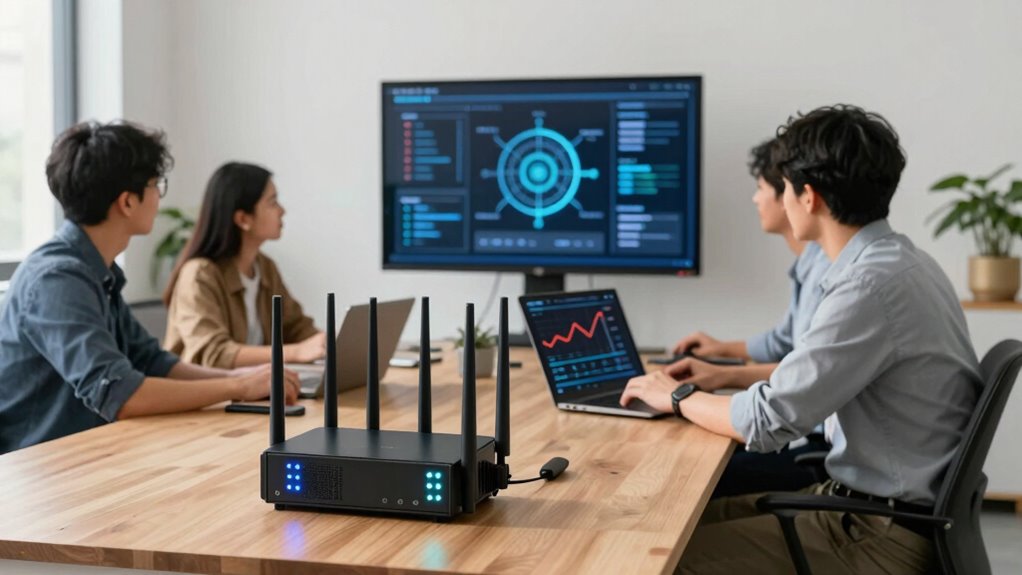
Selecting the right Wi-Fi hardware is essential for your startup’s productivity and growth. When you’re setting up your office network, the hardware you choose can markedly impact how smoothly your team collaborates, shares files, and accesses online resources. To make an informed decision, you need to contemplate not just speed and coverage but also security protocols and hardware compatibility. These factors guarantee your network is both reliable and protected against potential threats.
Security protocols are critical because they safeguard sensitive business data from cyber threats. Look for Wi-Fi hardware that supports the latest security standards, like WPA3, which offers stronger encryption and better protection against hacking attempts. Older protocols, such as WPA2, are still common but less secure, so prioritizing newer security features is wise. Many high-quality routers and access points also offer built-in firewalls, intrusion detection, and guest network options, allowing you to control who accesses your network and how. By selecting hardware with robust security protocols, you reduce the risk of data breaches, ensuring your startup’s information remains safe.
Hardware compatibility is another key aspect. Your chosen Wi-Fi equipment needs to seamlessly integrate with your existing devices and infrastructure. Check that the routers and access points support the necessary Wi-Fi standards, such as 802.11ac or 802.11ax (Wi-Fi 6), which provide faster speeds and better handling of multiple devices. If your team uses a mix of laptops, smartphones, tablets, or IoT devices, ensure the hardware can accommodate them all without performance issues. Compatibility also extends to your network infrastructure—make sure the hardware interfaces easily with your modem and switches, and that it supports the right ports and connection types. This prevents bottlenecks and compatibility problems down the line. Additionally, understanding security protocols can help you select devices that are resistant to cyber threats and compatible with your network security policies. Moreover, considering the scalability of your hardware ensures your network can adapt and grow with your startup’s expanding needs. Selecting hardware with automatic firmware updates can help maintain security and performance over time. Future-proofing your network by choosing hardware that supports future-proofing features will allow you to upgrade your network as technology advances, saving costs and effort in the long run. Also, thorough research into network management tools can simplify the process of monitoring and maintaining your network, especially as it scales.
As an affiliate, we earn on qualifying purchases.
Frequently Asked Questions
How Often Should Wi-Fi Hardware Be Upgraded in a Startup?
You should upgrade your Wi-Fi hardware every 2-3 years to keep up with network scalability needs and hardware compatibility. As your startup grows, your network demands increase, so upgrading guarantees your Wi-Fi can handle more devices and higher speeds. Regular updates prevent slowdowns and security issues. Keep an eye on the latest standards, like Wi-Fi 6, and plan upgrades accordingly to stay ahead and maintain a reliable connection.
What Security Features Are Essential for Startup Office Wi-Fi?
You need to prioritize security features like strong network encryption and access control for your startup Wi-Fi. Use WPA3 encryption to protect data transmitted over the network, preventing eavesdropping. Implement access control measures, such as device authentication and user permissions, to restrict who can connect. These features safeguard sensitive information, prevent unauthorized access, and guarantee your team’s network remains secure as your startup grows.
Can Existing Hardware Support Future Team Expansion?
Yes, your existing hardware can support future team expansion if it offers good hardware compatibility and network scalability. Check if your current devices can handle increased traffic and new connections without performance drops. If they’re outdated or lack scalability features, consider upgrading or investing in more adaptable hardware now. This way, you’ll guarantee smooth growth without frequent replacements, saving time and money as your startup expands.
Is It Better to Choose Wired or Wireless Connections?
Sure, opting for wired connections might seem old-fashioned, but they actually offer reliable network bandwidth and better device compatibility. Wireless sounds tempting—until you realize frequent drops and interference disrupt your flow. So, for your startup team, choosing wired connections guarantees a stable, faster network, saving you frustration and time. Sometimes, sticking with the tried-and-true wired setup is the smarter move for long-term growth.
How Do I Troubleshoot Wi-Fi Connectivity Issues Quickly?
To troubleshoot Wi-Fi connectivity issues quickly, start by checking for network congestion and signal interference. Move closer to your router to see if the signal improves, and reduce nearby electronic devices that might cause interference. Restart your router to clear temporary glitches, and verify that your device is connected to the correct network. Updating your network drivers or firmware can also resolve persistent issues. These steps help restore a stable connection efficiently.
As an affiliate, we earn on qualifying purchases.
Conclusion
Choosing the right office Wi-Fi hardware is like planting a sturdy tree—you want strong roots that support growth. When my startup upgraded our router, our team’s productivity soared, much like a tree reaching new heights. Remember, the right hardware guarantees your team stays connected and productive, no matter how big your ideas grow. Invest wisely, and your network will be the foundation that helps your startup flourish, just like a well-nourished tree.
As an affiliate, we earn on qualifying purchases.
As an affiliate, we earn on qualifying purchases.