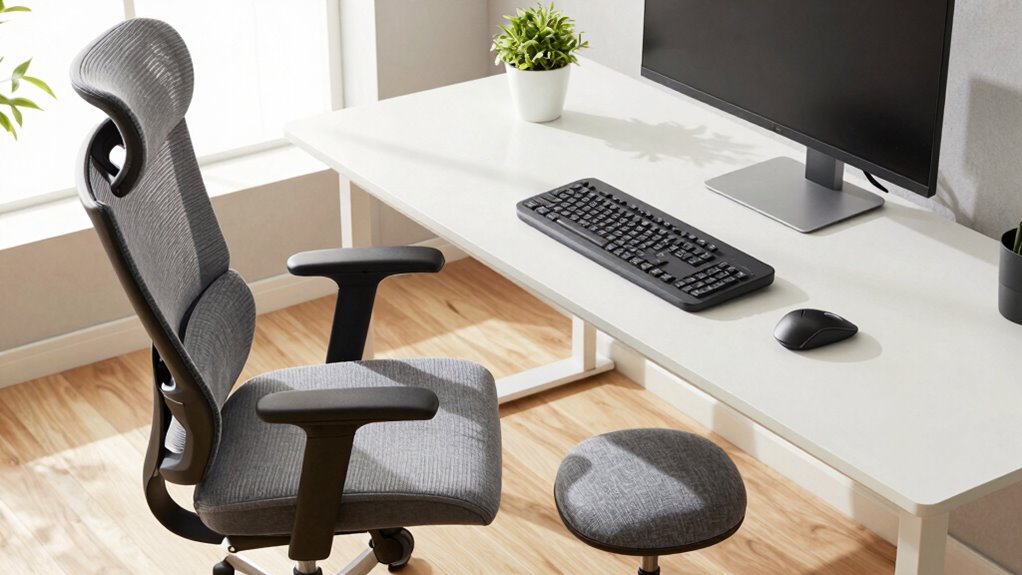

To make remote work less painful, invest in ergonomic add-ons like adjustable monitor stands that keep your screen at eye level and wrist supports to reduce strain. These tools help you maintain proper posture, decrease discomfort, and prevent long-term injuries like carpal tunnel syndrome. Small, affordable upgrades can boost your comfort and productivity over time. Keep exploring, and you’ll find even more ways to create a healthier, more sustainable workspace.

Get business pricing on tech for your team
- Business-only prices and quantity discounts
- Tax-exempt purchasing
- Multiple users, one account, clear invoices
Key Takeaways
- Adjustable monitor stands help align screens at eye level, reducing neck strain and improving posture.
- Ergonomic keyboard accessories like wrist rests and split keyboards minimize wrist and hand discomfort.
- Combining ergonomic tools creates a supportive workspace that promotes better posture and prevents repetitive strain injuries.
- Affordable, easy-to-install add-ons enable small adjustments that significantly enhance comfort and reduce fatigue.
- Prioritizing ergonomic upgrades supports long-term physical health, boosting productivity and overall remote work satisfaction.
As remote work becomes increasingly common, ensuring your workspace supports your health and productivity is more important than ever. One of the most effective ways to do this is by investing in ergonomic add-ons that reduce strain and prevent discomfort. These tools aren’t just luxuries—they’re essentials for maintaining your well-being during long hours at your desk.
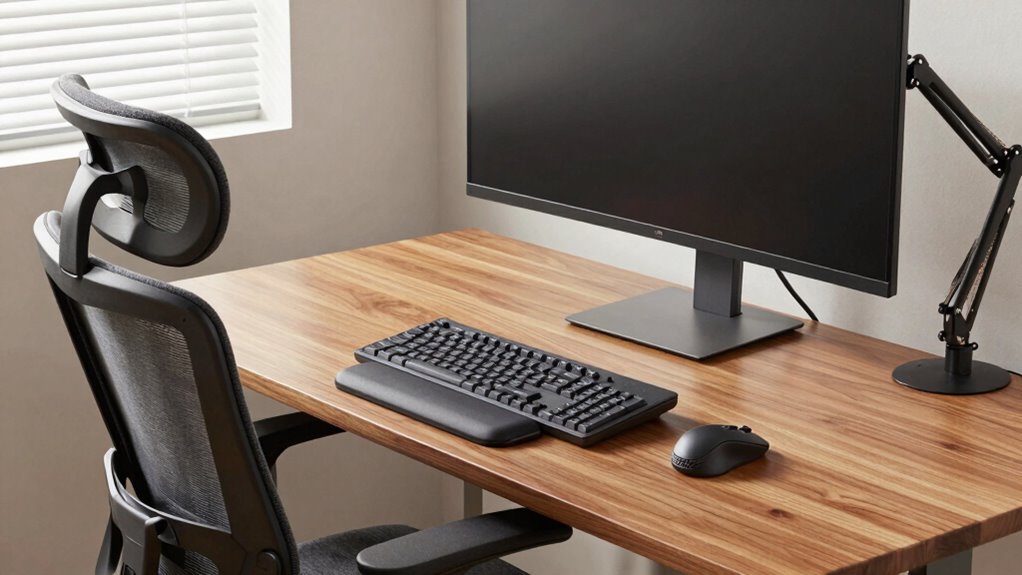
Adjustable monitor stands are a game-changer. They allow you to elevate your screen to eye level, preventing you from hunching over or tilting your head forward. When your monitor sits at the right height, you reduce neck and shoulder tension, which can lead to chronic pain if left unaddressed. Plus, adjustable stands are versatile; you can fine-tune the height and angle to match your posture perfectly. This flexibility keeps you aligned, minimizes eye strain, and helps you stay focused without the distraction of discomfort.
Adjustable monitor stands keep your screen at eye level, reducing neck tension and enhancing focus for a comfortable workspace.
Alongside a good monitor setup, ergonomic keyboard accessories make a significant difference. Standard keyboards can force your wrists into awkward angles, causing fatigue and even repetitive strain injuries over time. Ergonomic keyboard accessories, such as split or curved keyboards and wrist rests, encourage a more natural hand and wrist position. These accessories distribute pressure evenly and reduce strain on your tendons and nerves. Using a wrist rest, in particular, can help keep your wrists straight and supported, preventing soreness and carpal tunnel syndrome. The goal is to create a workspace that encourages good posture and minimizes unnecessary movement or tension.
Pairing adjustable monitor stands with ergonomic keyboard accessories creates a cohesive ergonomic environment. When your monitor is at eye level and your keyboard is positioned comfortably, you’re less likely to develop bad habits like slouching or reaching awkwardly. This setup not only helps alleviate pain but also boosts your productivity. You’ll find it easier to concentrate when your body isn’t fighting against discomfort or fatigue.
Incorporating these ergonomic add-ons doesn’t require a complete overhaul of your workspace. Many options are affordable and easy to install. The key is to prioritize your comfort and health, making small adjustments that have a lasting impact. By doing so, you’ll create a remote work environment that supports your physical well-being, helps you stay energized, and keeps pain at bay. Prioritizing ergonomic principles ensures your workspace remains healthful and sustainable over time. Your body will thank you for these thoughtful upgrades, making your work-from-home experience more comfortable and sustainable over the long haul.
As an affiliate, we earn on qualifying purchases.
Frequently Asked Questions
Are Ergonomic Add-Ons Suitable for All Body Types?
Ergonomic add-ons are generally suitable for most body types because they often include customization options. You can adjust chairs, supports, and accessories to fit your specific needs, accommodating body diversity. However, it is crucial to choose products that offer these options, ensuring comfort and proper support. Take the time to find adjustable features that match your body, making your remote work setup both comfortable and beneficial for your unique physical needs.
How Do I Choose the Right Ergonomic Accessories?
To choose the right ergonomic accessories, you should identify your specific needs and consider ergonomic myths that might influence your decision. Look for accessories with ergonomic certification, ensuring they meet safety and effectiveness standards. Test different options if possible, and prioritize adjustability and comfort. Remember, the best accessories support your body naturally, reducing strain and pain during remote work.
Can Ergonomic Products Improve Productivity?
Yes, ergonomic products can boost your productivity by improving posture and reducing muscle strain. For example, a remote worker who switches to an ergonomic chair reports fewer back pains and feels more focused. When you prioritize posture improvement, you lessen discomfort, allowing you to work longer and more efficiently. As muscle strain decreases, your energy levels stay higher, helping you stay productive throughout the day.
What Is the Cost-Benefit of Investing in Ergonomic Gear?
Investing in ergonomic gear offers significant cost savings by reducing health-related absences and long-term medical expenses. The health benefits are clear: less strain, discomfort, and injury, which boost your overall well-being and productivity. While there’s an upfront cost, the improved comfort and reduced health risks mean you’ll likely save money over time, making ergonomic investments a smart choice for maintaining your health and work efficiency.
How Often Should Ergonomic Equipment Be Replaced or Adjusted?
You should adjust ergonomic equipment as needed, ideally every few months, to maintain comfort and support. Pay attention to signs of wear or discomfort, which indicate a need for adjustment or replacement. Generally, ergonomic equipment’s lifespan is around 5 to 10 years, but ongoing adjustments are vital for continued effectiveness. Regularly reviewing your setup ensures you stay comfortable and avoid strain during remote work.
ergonomic wrist rest for keyboard
As an affiliate, we earn on qualifying purchases.
As an affiliate, we earn on qualifying purchases.
Conclusion
Imagine your workspace as a garden—you’re the gardener, and ergonomic add-ons are your tools. Just like a well-tended garden yields vibrant blooms, investing in ergonomic accessories transforms your workday from a painful chore into a smooth, productive flow. I once saw someone switch to an ergonomic chair, and within days, their back pain disappeared like weeds pulled from the soil. Small changes can cultivate comfort and keep your remote work thriving.
As an affiliate, we earn on qualifying purchases.
As an affiliate, we earn on qualifying purchases.
Halloween Picks
halloween
As an affiliate, we earn on qualifying purchases.