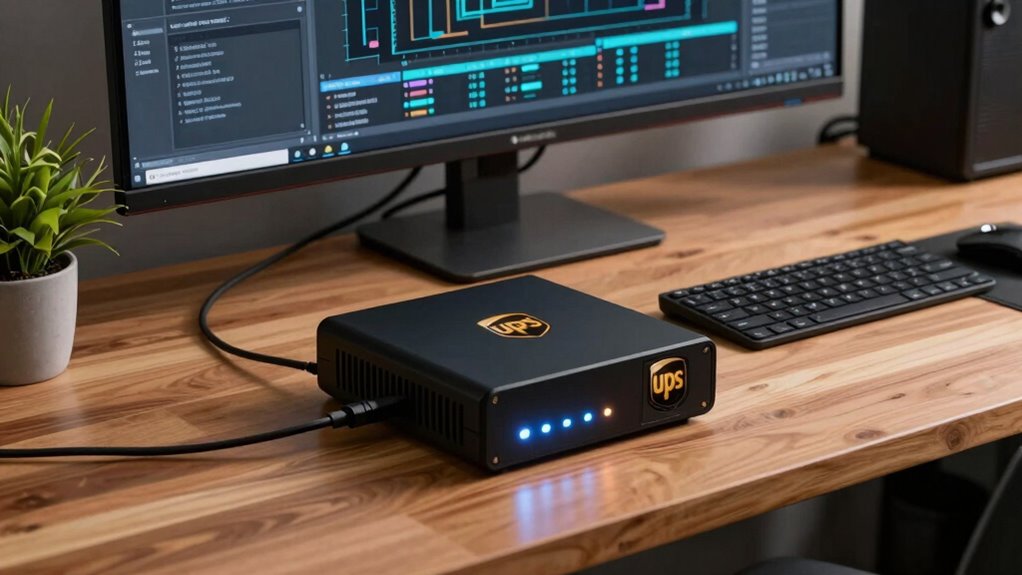

As a remote worker with critical equipment, you need a reliable UPS to keep your devices running during power outages and protect them from surges. A UPS acts as a backup power source, prevents damage from electrical spikes, and helps extend your equipment’s lifespan with proper battery maintenance. Regularly checking the health of your UPS and keeping batteries in top condition ensures your setup stays secure and operational. Continue exploring to discover essential tips for ideal UPS care.

Get business pricing on tech for your team
- Business-only prices and quantity discounts
- Tax-exempt purchasing
- Multiple users, one account, clear invoices
Key Takeaways
- Ensure your UPS provides sufficient backup time for critical devices like computers and communication equipment.
- Regularly test and maintain UPS batteries to guarantee reliable power during outages.
- Use surge protection features to prevent electrical damage from lightning and power fluctuations.
- Keep firmware updated and perform routine system checks for optimal UPS performance.
- Maintain backup batteries and record replacements to ensure readiness for unexpected power disruptions.

For remote workers with vital setups, understanding the basics of UPS backup systems is necessary to guarantee your work remains uninterrupted during power outages. A UPS, or Uninterruptible Power Supply, acts as a safeguard by providing backup power when your main electrical supply fails. But beyond just keeping your devices running, a UPS offers essential features like power surge protection and helps you maintain your equipment’s longevity through proper battery maintenance. Recognizing these aspects guarantees you’re prepared for unexpected outages and can protect your valuable data and hardware.
Power surge protection is one of the key benefits a UPS provides. Power surges happen suddenly, often caused by lightning strikes, utility switching, or other electrical disturbances. These surges can damage sensitive components in your computer, monitor, and networking equipment. A UPS with built-in surge protection acts like a barrier, absorbing and redirecting excess voltage away from your devices. This prevents costly damage and extends the lifespan of your equipment. When choosing a UPS, look for models that specify surge protection capabilities and have certifications like UL or IEEE standards, which indicate they meet safety and performance benchmarks.
Power surge protection prevents damage by absorbing excess voltage, extending your equipment’s lifespan and ensuring reliable performance.
Battery maintenance is equally vital. The UPS relies on its internal batteries to supply power during outages, but these batteries need regular attention to guarantee they function properly when needed. Over time, batteries degrade, losing their ability to hold a charge or deliver power efficiently. To prevent surprises, you should routinely check your UPS’s battery status through the manufacturer’s software or indicator lights. Many UPS units also have self-test features that automatically assess battery health. If you notice the warning signs of weakening batteries, such as frequent alarms or reduced runtime, plan to replace them promptly. Proper maintenance prolongs the life of your UPS and assures reliable backup power, giving you peace of mind during outages. Additionally, understanding battery lifespan can help you schedule timely replacements and avoid unexpected failures. Regularly inspecting the battery health helps ensure your UPS continues to perform optimally in critical moments. Incorporating routine checks into your maintenance schedule can further safeguard your setup from unexpected power issues. Keeping a record of battery replacements can also streamline future maintenance and ensure consistent backup reliability.
Additionally, it’s wise to keep backup batteries on hand, especially if your work depends heavily on continuous power. Regularly updating your UPS firmware and following the manufacturer’s maintenance schedule can prevent unexpected failures. Being aware of power surge protection helps you understand how your devices are shielded from electrical disturbances and enhances your overall preparedness. By understanding how power surge protection shields your equipment and keeping your batteries in peak condition, you prepare yourself against power disruptions effectively. This way, your vital setups stay protected and operational, no matter what electrical surprises come your way. Investing time in these fundamentals ensures your remote work environment remains resilient, secure, and uninterrupted.
UPS backup power supply for computers
As an affiliate, we earn on qualifying purchases.
As an affiliate, we earn on qualifying purchases.
Frequently Asked Questions
How Long Should a UPS Power My Setup During an Outage?
You should choose a UPS with enough power capacity to keep your setup running during an outage, ideally for at least 15-30 minutes. This gives you time to save work and shut down safely. Keep in mind, the battery lifespan affects how long your UPS can sustain power — as batteries age, runtime decreases. Regularly maintaining or replacing batteries helps guarantee reliable backup during critical moments.
Can a UPS Protect Against Power Surges and Spikes?
Did you know that power surges and spikes can cause up to $15,000 in equipment damage? A UPS not only provides backup power but also offers surge protection, shielding your devices from harmful power spikes. By absorbing or blocking these spikes, a UPS keeps your equipment safe and maintains stable operation. So, yes, a UPS is essential for protecting your setup against unexpected power surges and spikes.
What Maintenance Is Required for a UPS System?
You need to regularly perform battery calibration to guarantee your UPS’s batteries deliver maximum backup power. Check the system’s user manual for specific calibration procedures, typically involving full discharges and charges. Additionally, maintain proper ventilation—keep your UPS in a cool, well-ventilated area—to prevent overheating. Regularly inspect for dust and debris, and schedule maintenance checks at least once a year to prolong its lifespan and assure reliable protection during outages.
Are There Specific UPS Types Recommended for Sensitive Equipment?
Did you know that nearly 40% of data loss occurs during power outages? For sensitive equipment, you should choose a line-interactive or online UPS, as they offer superior surge protection and cleaner power. These types help extend your UPS battery lifespan and guarantee your critical devices stay protected. They’re designed to handle fluctuations better, giving you peace of mind that your sensitive equipment remains safe during unexpected outages.
How Does Battery Aging Affect UPS Performance Over Time?
Battery aging causes degradation over time, reducing your UPS’s performance. As batteries age, their capacity diminishes, leading to shorter backup durations during outages. Aging effects mean your UPS might not provide dependable power when needed most, especially if the batteries aren’t replaced regularly. To maintain peak performance, monitor battery health and replace batteries proactively, ensuring your critical equipment stays protected even as batteries age.
surge protector UPS with battery backup
As an affiliate, we earn on qualifying purchases.
As an affiliate, we earn on qualifying purchases.
Conclusion
Now that you’ve got the essentials down, investing in a reliable UPS guarantees your critical setups stay powered through any storm—be it a blackout or a thunderbolt. Remember, in this digital age, your work is your livelihood, and no hero wore a cape without a backup plan. Like a trusty knight’s shield, a UPS guards your data and peace of mind, so you can keep forging ahead, even when the lights go out.
As an affiliate, we earn on qualifying purchases.
uninterruptible power supply for remote work
As an affiliate, we earn on qualifying purchases.
As an affiliate, we earn on qualifying purchases.
Fall Picks
fall essentials
As an affiliate, we earn on qualifying purchases.