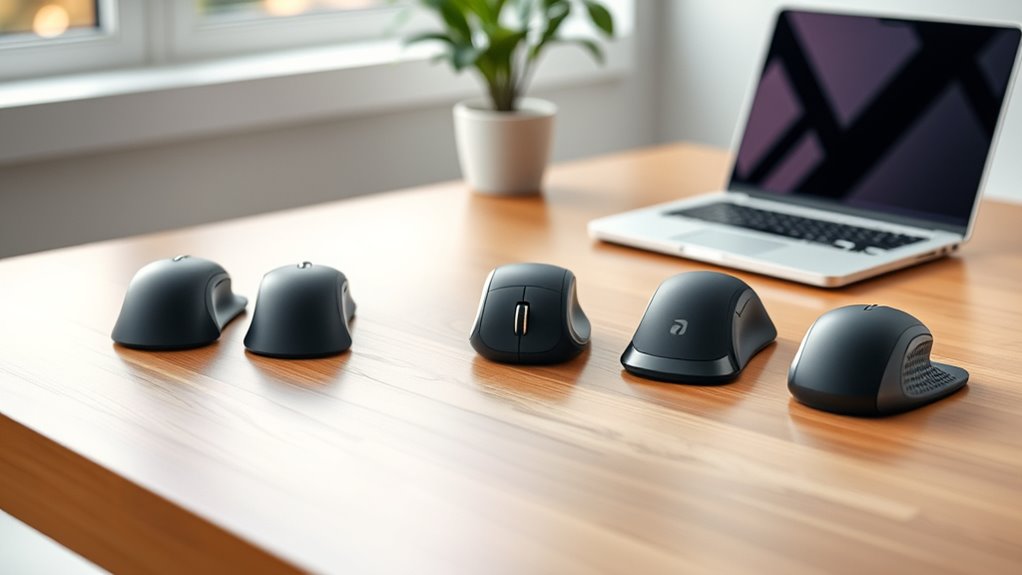

If you’re dealing with carpal tunnel symptoms, choosing an ergonomic mouse can help reduce strain and discomfort. The Logitech Lift stands out as the best overall for its comfortable vertical design and quiet clicks. The TECKNET Ergonomic Wireless Vertical Mouse offers affordability without sacrificing essential features, while the Logitech MX Vertical provides a premium experience for those seeking top-tier comfort. These mice differ in price, build quality, and feature sets, making it tricky to pick the right one. Keep reading for a detailed breakdown to help you find the best fit for your needs.

Get business pricing on tech for your team
- Business-only prices and quantity discounts
- Tax-exempt purchasing
- Multiple users, one account, clear invoices
Key Takeaways
- Vertical design alone isn’t enough; adjustable DPI and button customization matter for personalized comfort.
- Build quality and material influence long-term durability and comfort, especially with frequent use.
- More expensive models often offer better ergonomics and higher quality, but affordable options can still provide relief.
- Wireless connectivity reduces cable clutter, but some users prefer wired for consistency and lower latency.
- Choosing a mouse with quiet clicks can significantly reduce overall desk noise and improve focus.


| ergonomic mice for carpal tunnel | Compatibility | Buttons | Connectivity | DPI |
|---|---|---|---|---|
| Logitech Lift Vertical Ergonom | Windows, macOS, iPadOS, Chrome OS, Linux | 6 | Bluetooth Low Energy or Logi Bolt USB | — |
| TECKNET Ergonomic Wireless Ver | Windows 11/10/8/7/XP, Mac OS X 10.4+ | 6 total, including forward/back | Bluetooth 5.0/3.0 & 2.4G | 800-4800 adjustable |
| TECKNET 2.4G Ergonomic Vertica | Windows 11/10/8/7/XP, Mac OS, Linux | 6 including side forward/back | — | 4800/3200/2400/1600/800 |
| Logitech MX Vertical Wireless | — | — | — | 4000 |
| TECKNET Ergonomic Wireless Ver | Windows, Mac, Chrome, Linux | — | Bluetooth 5.0/3.0, 2.4GHz USB receiver | 4800/3200/2400/1600/1200/800 |
| TECKNET Ergonomic Vertical Wir | — | — | — | 4800 |
| Anker 2.4G Wireless Vertical E | — | — | — | — |
| UGREEN Vertical Wireless Bluet | Windows, Mac, Linux, ChromeOS, Android | 5 | — | — |
| TECKNET Wireless Mouse | Windows, Mac, Chrome OS, Linux | 6 | Wireless, USB-A receiver | 800/1200/1600/2000/2600 |
| LEKVEY Wireless Vertical Ergon | Windows, Linux, Mac OS | 6 | Wireless via Nano USB | — |
| Logitech Lift Vertical Ergonom | Windows, macOS, iPadOS, Chrome OS, Linux | 6 | Bluetooth Low Energy or Logi Bolt USB | — |
More Details on Our Top Picks
Logitech Lift Vertical Ergonomic Mouse, Wireless, Bluetooth or Logi Bolt USB Receiver, Quiet Clicks, 6 Buttons, Compatible with Windows/macOS/iPadOS, Laptop, PC – Graphite
The Logitech Lift stands out for its vertical design that promotes a natural wrist posture, making it ideal for those seeking relief from chronic discomfort. Unlike the MX Vertical, which offers a more robust feature set, the Lift emphasizes comfort with quiet, customizable buttons and a sleek, lightweight build. Its compatibility across multiple operating systems and an impressive battery life of up to 2 years make it a flexible choice for varied setups. However, its vertical orientation may feel less intuitive for users accustomed to traditional mice and could be less suitable for small or medium right-hand users with limited desk space. The reliance on Bluetooth or a USB receiver might also be a drawback for those wanting a wired or more straightforward connection.
Pros:- Ergonomic vertical design supports natural wrist posture
- Quiet, customizable buttons reduce noise and improve focus
- Battery life lasts up to 2 years, reducing frequent charging
Cons:- Vertical orientation may feel unnatural to some users
- Limited to small and medium right-hand users
Best for: Users who prioritize wrist health and need a versatile, quiet mouse compatible with multiple OS platforms.
Not ideal for: Gamers or users who prefer traditional mice with more buttons or wired options.
- Connectivity:Bluetooth Low Energy or Logi Bolt USB
- Buttons:6
- Compatibility:Windows, macOS, iPadOS, Chrome OS, Linux
- Battery Life:Up to 2 years
- Design:Vertical ergonomic shape
- Material:Certified post-consumer recycled plastic
Our verdict“This is a strong choice for those seeking an ergonomic, quiet mouse that supports long-term comfort across multiple devices.”
TECKNET Ergonomic Wireless Vertical Mouse, Bluetooth & 2.4G, Rechargeable, 4800 DPI, Quiet Clicks – Black
The TECKNET Wireless Vertical Mouse offers a highly adjustable DPI up to 4800, making it suitable for precise tasks like design work or gaming. Compared with the Logitech MX Vertical, this mouse provides a more aggressive DPI range, catering to users who need fine control. Its 52° ergonomic angle reduces wrist strain effectively, and the quiet clicks benefit shared workspaces. Nonetheless, the absence of forward/back buttons on Mac OS limits productivity for some users, and the rechargeable battery, while convenient, requires frequent charging if used intensively. Its larger DPI range makes it a flexible choice, but it may be less intuitive for users who prefer simpler controls or wired reliability.
Pros:- High adjustable DPI up to 4800 for precise control
- Ergonomic 52° vertical angle reduces wrist strain
- Quiet clicks minimize noise, suitable for shared environments
- Multiple connectivity options with stable wireless connection
Cons:- Forward/back buttons not available on Mac OS
- Requires USB-C charging cable included
Best for: Creative professionals or gamers who want high precision and a comfortable vertical grip for extended sessions.
Not ideal for: Casual users or those who prefer wired mice or fewer adjustable features.
- Connectivity:Bluetooth 5.0/3.0 & 2.4G
- Battery:600mAh rechargeable, 1.5 hours charge for 2 months use
- DPI:800-4800 adjustable
- Buttons:6 total, including forward/back
- Design:52° ergonomic vertical angle
- Compatibility:Windows 11/10/8/7/XP, Mac OS X 10.4+
Our verdict“This mouse suits users needing high DPI flexibility and a comfortable grip for intense, prolonged use.”
TECKNET 2.4G Ergonomic Vertical Wireless Mouse – Pink, 4800 DPI
The TECKNET 2.4G Vertical Mouse emphasizes broad system compatibility and quiet operation, making it a practical choice for multi-device environments. Its adjustable DPI up to 4800 offers precise control, comparable to the more expensive MX Vertical, but with a more straightforward, less refined ergonomic shape. The design supports a natural arm and wrist position, reducing strain during long work or gaming sessions. However, reliance on batteries (not included) may be inconvenient for some, and the side buttons are not compatible with Mac OS, limiting productivity enhancements. This mouse is a solid pick for users who want a balance between affordability, comfort, and broad compatibility.
Pros:- Ergonomic design reduces wrist and arm stress
- Adjustable DPI up to 4800 for accuracy
- Quiet clicking minimizes noise disturbance
- Wide compatibility across multiple systems
Cons:- Side buttons not compatible with Mac OS
- Batteries not included, requiring extra purchase
Best for: Multi-device users seeking an ergonomic, quiet mouse for both work and leisure on various operating systems.
Not ideal for: Users needing wired reliability or those primarily using Mac OS with advanced button customization.
- DPI:4800/3200/2400/1600/800
- Connection:2.4G USB-A wireless
- Battery:2 x AAA batteries (not included)
- Range:49 feet
- Buttons:6 including side forward/back
- Compatibility:Windows 11/10/8/7/XP, Mac OS, Linux
Our verdict“This mouse suits users who want a versatile, comfortable device for multi-platform use without sacrificing quiet operation.”
Logitech MX Vertical Wireless Mouse – Ergonomic Design, Rechargeable, Graphite
The Logitech MX Vertical is tailored for users who spend hours at their desk, offering a highly ergonomic 57° vertical angle that significantly reduces muscle fatigue. Its high-precision 4000 DPI sensor, with adjustable speed, allows for detailed work without sacrificing comfort. Compared to the Lift, the MX Vertical is more feature-rich, with a focus on professional users needing accuracy and comfort. Its design is more substantial, and the price reflects its premium build and performance. The main tradeoff is that it relies on a dedicated USB receiver, which adds to desktop clutter, and its higher cost may be a barrier for casual users.
Pros:- Reduces muscle strain with an ergonomic 57° vertical angle
- High-precision 4000 DPI sensor with adjustable DPI
- Rechargeable battery with long-lasting performance
- Ergonomist-approved design for prolonged comfort
Cons:- Higher price point compared to typical mice
- Requires USB receiver for wireless connection
Best for: Professionals who require long hours of ergonomic comfort and precise control during detailed tasks.
Not ideal for: Casual users or those seeking a budget-friendly, lightweight mouse without extensive features.
- Connection:Wireless (USB receiver)
- Color:Graphite
- DPI:4000
- Angle:57° vertical
- Battery:Rechargeable
- Material:Textured rubber surface
Our verdict“This mouse excels for professionals needing ergonomic comfort combined with high accuracy for extended workflows.”
TECKNET Ergonomic Wireless Vertical Mouse, Bluetooth & 2.4GHz, 4800 DPI, Quiet Clicks, Compatible with Windows, Mac, Linux
The TECKNET Wireless Vertical Mouse combines broad system compatibility with a highly adjustable DPI range up to 4800, making it suitable for diverse workflows. Its right-handed ergonomic design reduces wrist pressure, and quiet clicks make it appropriate for quiet environments. The 36-month warranty offers peace of mind, and the deep sleep mode extends battery life, making it ideal for users who prioritize reliability and multi-platform use. However, it’s limited to right-handed users and requires two AAA batteries, which can be inconvenient for some. Compared to the MX Vertical, this model is more budget-friendly but might lack some of the premium feel or advanced features.
Pros:- Ergonomic design reduces wrist strain
- Multiple connectivity options with seamless switching
- Quiet clicks suitable for quiet workspaces
- Long-lasting battery with deep sleep mode
Cons:- Designed exclusively for right-handed users
- Requires 2 AAA batteries (not included)
Best for: Office workers or multi-device users seeking a reliable, ergonomic mouse with excellent battery longevity.
Not ideal for: Left-handed users or those preferring wired mice with more tactile feedback.
- DPI:4800/3200/2400/1600/1200/800
- Connectivity:Bluetooth 5.0/3.0, 2.4GHz USB receiver
- Battery:2 AAA batteries (not included)
- Compatibility:Windows, Mac, Chrome, Linux
- Design:Right-handed ergonomic vertical
- Silent Clicks:Yes
Our verdict“This mouse offers a practical, multi-platform ergonomic solution for users needing long-lasting comfort and quiet operation.”
TECKNET Ergonomic Vertical Wireless Mouse with 4800 DPI, 2.4GHz, USB Receiver, 12-Month Battery Life, Quiet Clicks, for Laptop and PC – Green Purple
This TECKNET model stands out for its ergonomic vertical design, which effectively reduces wrist strain during extended use, making it an excellent choice for those suffering from carpal tunnel issues. Its adjustable 4800 DPI ensures precise cursor control, outperforming many basic models like the TECKNET 2.4G Pink, which offers lower sensitivity. The long 12-month battery life minimizes interruptions, although its need for a USB-A port can be limiting for newer ultrabooks. Compared with the Logitech MX Vertical, this mouse is more budget-friendly but slightly less refined in build quality. It’s ideal for users seeking a comfortable, plug-and-play device without sacrificing performance. However, the side buttons don’t support Mac systems, which could be a drawback for Mac users. Tradeoffs involve choosing convenience over universal compatibility.
Pros:- Ergonomic vertical design reduces wrist strain
- Adjustable DPI for precise control
- Long-lasting 12-month battery life
- Quiet clicks minimize noise
Cons:- Side buttons do not support Mac systems
- Requires USB-A port, may need adapter for newer laptops
Best for: Wrist-sensitive users who want a reliable, adjustable DPI mouse with long battery life.
Not ideal for: Mac users who rely on side buttons or need full system compatibility without adapters.
- Connectivity Technology:USB
- DPI:4800
- Batteries:2 AAA batteries required
- Battery Life:12 months
- Range:49 Feet
- Number of Buttons:6
- Hand Orientation:Right
Our verdict“This mouse is ideal for users prioritizing comfort and straightforward setup, with some limitations in system compatibility.”
Anker 2.4G Wireless Vertical Ergonomic Optical Mouse for Work, Multi-Device Connectivity, 800/1200/1600 DPI, 5 Buttons, Black
The Anker Vertical Ergonomic Mouse excels at providing a comfortable grip with its scientific vertical shape, reducing wrist tension for everyday use. Its adjustable DPI up to 1600 offers more control than typical low-sensitivity models, though it falls short of the 4800 DPI of the TECKNET model. Its 6-button layout adds convenience for web browsing, but it’s limited to right-handed users and doesn’t support Mac systems, similar to the TECKNET model. While it offers good value at a lower price point, its plastic build feels less premium, and the 8-minute battery life estimate appears inaccurate, possibly a typo, as it’s likely longer. This mouse suits those new to ergonomic mice or on a tight budget, but experienced users may find it less feature-rich. The tradeoff is affordability at the expense of advanced features and system versatility.
Pros:- Ergonomic vertical shape reduces wrist strain
- Adjustable DPI for flexible use
- Long wireless range of 5 meters
- Affordable price point
Cons:- Limited to right-handed users
- Battery life claim appears inconsistent
Best for: Beginners or budget-conscious users seeking basic wrist relief and simple functionality.
Not ideal for: Power users needing high DPI settings or Mac compatibility.
- Connectivity Technology:USB
- Wireless Movement Detection:Optical
- Button Quantity:6
- Hand Orientation:Right
- Maximum Sensitivity:1600 DPI
- Range:5.0 meters
- Batteries Required:2 AAA batteries
Our verdict“This mouse provides a solid entry-level ergonomic solution for new users on a budget, with some limitations in features.”
UGREEN Vertical Wireless Bluetooth Ergonomic Mouse with Dual-Mode and Adjustable DPI
This UGREEN model shines for its dual wireless connectivity, supporting both Bluetooth and 2.4G wireless, providing flexibility across multiple devices. Its natural handshake design reduces wrist tension, similar to the TECKNET and LEKVEY models, but with the added benefit of seamless switching between devices, making it more versatile than single-mode mice. Its DPI levels go up to 4000, surpassing many competitors like the Anker, though still below the 4800 of TECKNET, offering precise control for various tasks. Quiet clicks and PTFE glide feet contribute to a smooth, low-noise experience. The mouse’s design is best suited for users with medium to large hands who need multi-device compatibility, though it may be less intuitive for those accustomed to traditional mice. The tradeoff involves slightly more complexity in setup and a higher price point.
Pros:- Dual wireless modes for versatility
- Ergonomic vertical design reduces wrist tension
- Adjustable DPI up to 4000 for precision
- Quiet clicks for a peaceful workspace
Cons:- Requires one AA battery, not included
- May need adjustment for users unfamiliar with vertical mice
Best for: Multi-device users seeking a comfortable, adaptable mouse for office and home setups.
Not ideal for: Casual or single-device users who prefer plug-and-play simplicity.
- Connection:Bluetooth and 2.4G wireless
- DPI Levels:1000/1600/2000/4000
- Buttons:5
- Range:Up to 10 meters
- Compatibility:Windows, Mac, Linux, ChromeOS, Android
- Design:Ergonomic vertical
Our verdict“Ideal for multi-device setups needing ergonomic comfort and flexible connectivity, with some setup complexity.”
TECKNET Wireless Mouse, 2.4G Ergonomic Optical Mouse, 6 Buttons, 2600 DPI, 24 Months Battery Life, Purple
Compared with bulkier ergonomic mice, this TECKNET model offers a compact, travel-friendly design that still maintains an ergonomic shape, making it suitable for users who need wrist relief on the go. Its adjustable DPI of up to 2600 provides a good balance of control and ease of movement, though it doesn’t reach the 4800 DPI of larger models. The 24-month battery life is a standout feature, reducing the need for frequent replacements, but the small size may be less comfortable for users with larger hands or those seeking extended palm support. The purple color adds a stylish touch, but the side buttons aren’t compatible with Mac systems, similar to other TECKNET mice. It’s best for those who prioritize portability but still want ergonomic benefits, though it sacrifices some comfort for smaller hand sizes.
Pros:- Compact and travel-friendly
- Ergonomic shape reduces wrist strain
- Long battery life of up to 24 months
- Adjustable DPI for versatile control
Cons:- Side buttons not compatible with Mac
- May be less comfortable for larger hands
Best for: Travelers or remote workers needing a portable ergonomic mouse.
Not ideal for: Large-handed users or those who prefer a full-sized, stationary mouse.
- Dimensions:4.09 x 2.68 x 1.49 inches
- Connectivity:Wireless, USB-A receiver
- DPI:800/1200/1600/2000/2600
- Battery Life:24 months
- Buttons:6
- Compatibility:Windows, Mac, Chrome OS, Linux
Our verdict“A practical ergonomic choice for mobile users who need portability without sacrificing wrist comfort.”
LEKVEY Wireless Vertical Ergonomic Mouse – Rechargeable, Adjustable DPI, 6 Buttons, Compatible with Windows and Mac
The LEKVEY vertical mouse emphasizes rechargeability and comfort, offering over 150 hours of use per charge, making it suitable for long work sessions. Its adjustable DPI up to 1600 delivers reliable sensitivity, though it doesn’t match the 4800 DPI of the TECKNET model, which may matter for precision tasks. The design reduces wrist tension, similar to the UGREEN and Anker options, but its slightly larger size favors users with medium to large hands. The inclusion of multiple buttons enhances productivity but limits suitability for users preferring minimal setups. While it supports both Windows and Mac, some users might find the button placement less intuitive. The main advantage is the rechargeable battery, but the tradeoff is a slightly bulkier profile and moderate DPI ceiling.
Pros:- Rechargeable with over 150 hours of use
- Ergonomic vertical design reduces wrist tension
- Adjustable DPI for tailored sensitivity
- Supports both Windows and Mac
Cons:- Size may be less suitable for small hands
- DPI ceiling of 1600 may be limiting for detailed work
Best for: All-day workers seeking a rechargeable, ergonomic mouse with decent sensitivity.
Not ideal for: Users needing very high DPI or smaller, more portable mice.
- DPI Levels:800 / 1200 / 1600
- Buttons:6
- Battery:Rechargeable, over 150 hours
- Connectivity:Wireless via Nano USB
- Dimensions:5.0″ x 3.0″ x 2.5″
- Compatibility:Windows, Linux, Mac OS
Our verdict“A strong rechargeable choice for users prioritizing long-lasting comfort and system flexibility, with moderate sensitivity levels.”
Logitech Lift Vertical Ergonomic Mouse, Wireless, Bluetooth or Logi Bolt USB Receiver, Quiet Clicks, 6 Buttons, Compatible with Windows, macOS, iPadOS, Rose
The Logitech Lift Vertical Ergonomic Mouse stands out as a comprehensive choice for those seeking comfort during long hours. Its vertical design promotes a natural wrist posture, reducing strain more effectively than traditional mice. Compared with the TECKNET Ergonomic Wireless Vertical Mouse, which offers similar DPI options, the Logitech Lift excels in battery longevity, with up to 2 years of use, and broad OS compatibility, including iPadOS and Linux. However, its size may be less suitable for users with smaller hands, and the limited color options might not appeal to everyone. The quiet, customizable buttons improve productivity without disturbing colleagues, making it suitable for professional environments. Tradeoffs include its larger form factor and reliance on Bluetooth or USB receiver, which might be inconvenient for minimalists or those with limited port options.
Pros:- Ergonomic vertical shape reduces wrist strain effectively
- Up to 2 years of battery life minimizes maintenance
- Quiet, customizable buttons enhance user experience
- Compatible across multiple operating systems, including iPadOS
Cons:- Size may be too large for users with smaller hands
- Limited color options beyond Rose
- Requires Bluetooth or Logi Bolt USB receiver, which could be an inconvenience
Best for: Users who want a versatile, ergonomic mouse suitable for multi-device setups and long work sessions.
Not ideal for: Individuals with small hands or those preferring a lightweight, compact mouse for travel or quick use.
- Connectivity:Bluetooth Low Energy or Logi Bolt USB
- Buttons:6
- Compatibility:Windows, macOS, iPadOS, Chrome OS, Linux
- Battery Life:Up to 2 years
- Color:Rose
- Ergonomics:Vertical shape, textured grip, thumb rest
Our verdict“This mouse is ideal for professionals seeking a comfortable, adaptable device that minimizes wrist stress across various systems.”

How We Picked
These mice were evaluated based on ergonomic design, comfort for extended use, build quality, and feature set. Priority was given to models that promote a natural wrist position, with adjustable DPI for precise control, and quiet operation to minimize strain. We also considered compatibility across platforms and overall value for price. The ranking reflects a balance between affordability, functionality, and ergonomic effectiveness, ensuring each pick meets different user needs while maintaining high standards for comfort and usability.| ergonomic mice for carpal tunnel | Connectivity |
|---|---|
| Logitech Lift Vertical Ergonom | Bluetooth Low Energy or Logi Bolt USB |
| TECKNET Ergonomic Wireless Ver | Bluetooth 5.0/3.0 & 2.4G |
| TECKNET 2.4G Ergonomic Vertica | — |
| Logitech MX Vertical Wireless | — |
| TECKNET Ergonomic Wireless Ver | Bluetooth 5.0/3.0, 2.4GHz USB receiver |
| TECKNET Ergonomic Vertical Wir | — |
| Anker 2.4G Wireless Vertical E | — |
| UGREEN Vertical Wireless Bluet | — |
| TECKNET Wireless Mouse | Wireless, USB-A receiver |
| LEKVEY Wireless Vertical Ergon | Wireless via Nano USB |
| Logitech Lift Vertical Ergonom | Bluetooth Low Energy or Logi Bolt USB |
Factors to Consider When Choosing Ergonomic Mice For Carpal Tunnel
Selecting the right ergonomic mouse for carpal tunnel involves more than just choosing the most comfortable-looking model. It requires understanding how features like adjustable DPI, grip style, and connectivity impact daily use. Considering your workspace setup and whether you prefer wired or wireless options can influence your choice. Avoid common pitfalls such as ignoring build quality or sacrificing comfort for aesthetics. This guide highlights key factors to help you make a decision that truly alleviates strain and fits your routine.Ergonomic Design and Wrist Position
Look for mice that encourage a natural, handshake or relaxed wrist position. Vertical mice are popular, but some also feature angled designs that better fit your hand’s natural curve. An ergonomic shape reduces strain on the median nerve and helps prevent aggravation of carpal tunnel symptoms. Avoid models with sharp edges or unnatural angles, which can cause additional discomfort during prolonged use.
Adjustable DPI and Precision
High or adjustable DPI allows for smoother cursor control, reducing repetitive wrist movements. This feature is especially valuable for tasks requiring precision, such as graphic design or detailed editing. A mouse with customizable DPI settings can adapt to different tasks and comfort levels, minimizing unnecessary wrist strain caused by overly sensitive or sluggish movements.
Build Quality and Materials
Durability matters since a poorly made mouse can become uncomfortable over time. Look for models with high-quality plastics, rubber grips, or textured surfaces that provide a secure, comfortable hold. A sturdy build also ensures the mouse maintains its ergonomic shape, preventing parts from loosening or degrading, which can compromise comfort and safety.
Connectivity Options and Battery Life
Wireless mice reduce clutter and offer greater freedom of movement, but check for reliable connectivity and long battery life to avoid interruptions. Some models include USB receivers with a low latency connection, suitable for fast-paced work. If you prefer wired connections, ensure the cable length supports your workspace setup without causing additional strain.
Additional Features and Noise Level
Quiet clicks and minimal noise are beneficial for shared workspaces or quiet environments. Extra features like programmable buttons, adjustable weights, or customizable grips can enhance usability but may add complexity or cost. Consider which features genuinely improve your comfort and productivity, and avoid overpaying for extras you won’t use.
Frequently Asked Questions
Can an ergonomic mouse completely eliminate carpal tunnel pain?
An ergonomic mouse can significantly reduce strain and may alleviate symptoms, but it isn’t a cure. Proper hand positioning, regular breaks, and wrist exercises are also essential components of managing carpal tunnel syndrome. Combining these strategies with an ergonomic mouse provides the best chance of relief and prevention of worsening symptoms.
Is a wireless ergonomic mouse better than a wired one for carpal tunnel relief?
Wireless mice reduce cable clutter, which can help prevent awkward wrist angles caused by tangled cords. However, some users prefer wired models for their consistent connection and lower latency, especially during precise tasks. The choice depends on your workspace and personal preference, but both types can be effective if they support good ergonomic posture.
How important is DPI adjustment for carpal tunnel-friendly mice?
Adjustable DPI allows you to control cursor speed, reducing the need for excessive wrist movements. Higher DPI settings can enable quicker, more precise movements with less effort, which benefits those with carpal tunnel. Look for a mouse that offers easy DPI adjustment to tailor the experience to your comfort level and task demands.
Are more expensive ergonomic mice worth the extra cost?
Higher-priced models often feature superior materials, more precise ergonomics, quieter operation, and additional customizable options. While they tend to last longer and provide better long-term comfort, affordable options can still offer meaningful relief if they meet your specific ergonomic needs. Prioritize features that align with your usage and comfort requirements over price alone.
Should I prioritize a mouse with extra buttons or focus on basic ergonomic design?
Extra programmable buttons can improve productivity by reducing repetitive movements, but they may add complexity that distracts from comfort if not used properly. For carpal tunnel relief, the focus should be on a design that naturally fits your hand and minimizes strain. Extra features are beneficial if they complement your workflow without compromising ergonomic principles.
Conclusion
For those seeking the best overall experience, the Logitech Lift offers a comfortable, versatile design suited for long hours. If you’re on a budget but still want relief, the TECKNET Ergonomic Wireless Vertical Mouse provides excellent value with solid features. For users willing to invest in premium comfort, the Logitech MX Vertical stands out as a top-tier choice. Beginners or casual users benefit from models with straightforward ergonomics, while professionals requiring customizable controls might prefer higher-end options. Ultimately, your choice should reflect your budget, workspace, and the level of relief you need from carpal tunnel discomfort.Fall Picks
fall essentials
As an affiliate, we earn on qualifying purchases.