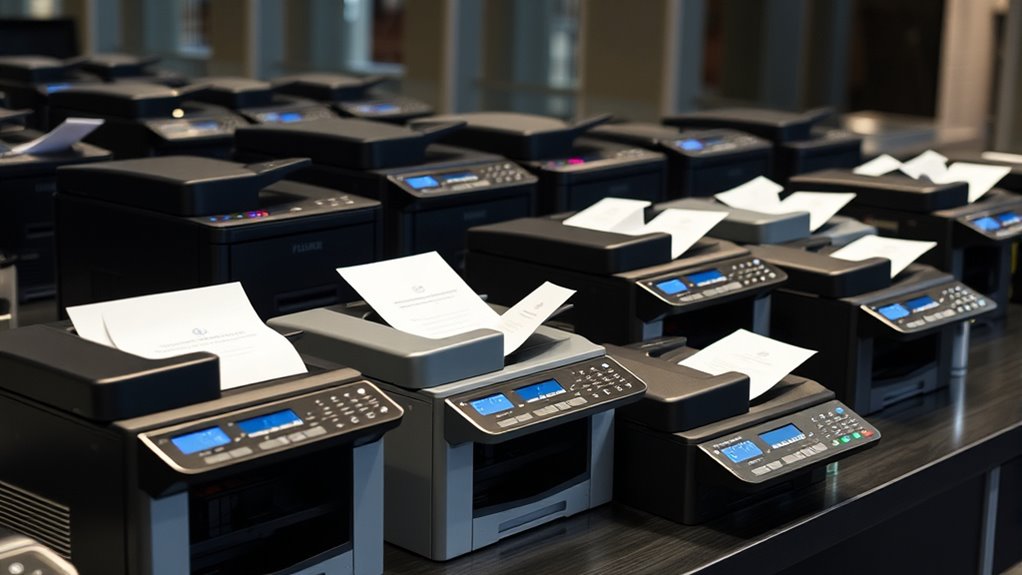

If you’re looking for the best multifunction fax machines of 2025, I recommend considering models that offer quick speeds, strong connectivity options, and reliable performance. Devices like the Canon MF465dw and Brother MFC-L2820DW are perfect for busy home offices, while the HP LaserJet Pro series suits larger workloads in small businesses. With features like wireless, cloud, and auto document feeders, these machines streamline your workflow. Keep exploring to find out which one matches your needs perfectly.
Key Takeaways
- Top multifunction fax machines in 2025 combine high-speed printing, scanning, copying, and faxing for efficient office workflows.
- They offer versatile connectivity options like Wi-Fi, Ethernet, mobile printing, and cloud integration for seamless device access.
- Many models feature large paper capacities, auto document feeders, and duplex printing to support high-volume tasks.
- Security features such as encryption, secure login, and data protection are standard for safe document handling.
- Compact, user-friendly designs with touchscreen controls and easy maintenance make them suitable for both home and small office environments.
Brother FAX-2840 Mono Laser Fax Machine
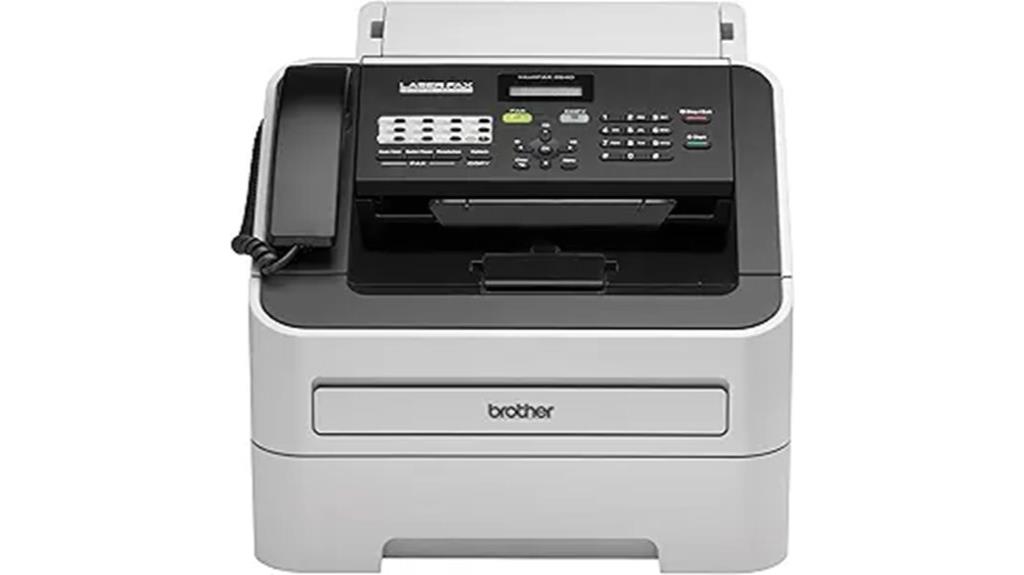
If you’re looking for a reliable fax machine for a busy office or home setup, the Brother FAX-2840 Mono Laser Fax Machine is an excellent choice. It features a 250-sheet adjustable paper tray and a 20-page auto document feeder, making large-volume tasks effortless. Its 33.6K bps modem allows for quick transmission, about 2.5 seconds per page, and supports up to 272 broadcast locations. With a built-in Hi-Speed USB 2.0 interface, you can connect it to your computer easily. Plus, its laser printing can reach speeds of up to 21 pages per minute, ensuring your documents get printed swiftly.
Best For: small to medium-sized offices or busy home setups requiring reliable, high-volume faxing and printing.
Pros:
- High-speed transmission at approximately 2.5 seconds per page, ideal for efficient workflow.
- Large 250-sheet adjustable paper tray and 20-page auto document feeder support high-volume tasks.
- Easy computer connectivity via Hi-Speed USB 2.0 for seamless integration and future printing capabilities.
Cons:
- Limited to monochrome printing and faxing, lacking color options.
- No Wi-Fi or network connectivity; requires USB connection for computer integration.
- May be bulky for small office spaces due to its dimensions.
Brother MFC-L2820DW Wireless Monochrome Laser All-in-One Printer
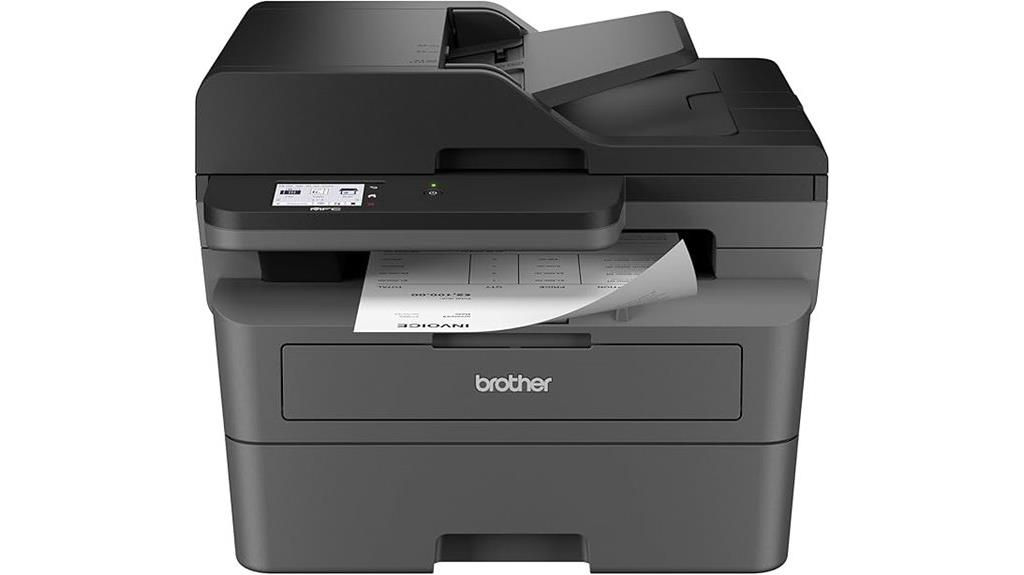
The Brother MFC-L2820DW Wireless Monochrome Laser All-in-One Printer is an excellent choice for small offices and home users who need reliable, high-volume black-and-white printing, copying, scanning, and faxing. Its compact design fits easily on a desk, measuring just 15.7 x 16.1 x 12.5 inches and weighing 22.5 pounds. With a 250-sheet paper tray and a 50-page auto document feeder, it handles large tasks efficiently. The 2.7-inch touchscreen simplifies navigation, while print speeds of 34 ppm ensure quick results. Its versatile connectivity options include wireless, Ethernet, and USB, making remote management and mobile printing seamless.
Best For: small offices and home users seeking reliable, high-volume monochrome printing, copying, scanning, and faxing in a compact, easy-to-use device.
Pros:
- Fast print speeds of up to 34 ppm for efficient document handling
- Compact design with a 250-sheet paper capacity, ideal for limited space
- Wireless, Ethernet, and USB connectivity options for flexible setup and remote management
Cons:
- Limited to monochrome printing, no color options available
- Slightly audible during operation, which may be disruptive in quiet environments
- Basic touchscreen interface may lack advanced features found in higher-end models
HP LaserJet Pro MFP 3101fdw Wireless Laser Printer

Designed for small teams and office settings, the HP LaserJet Pro MFP 3101fdw stands out with its high-speed printing of up to 35 pages per minute and versatile all-in-one capabilities. It supports printing, scanning, copying, and faxing, with automatic duplex printing and an auto document feeder for efficiency. The device handles media sizes up to letter, including glossy photo paper and labels, and connects via Ethernet, USB, Wi-Fi, Bluetooth, and mobile devices. Security features like HP Wolf Pro Security and remote management tools ensure safe, easy operation. Overall, this printer combines speed, security, and convenience, making it a reliable choice for busy small offices.
Best For: small teams and small office environments seeking a fast, secure, and versatile all-in-one monochrome laser printer.
Pros:
- Fast printing speeds of up to 35 pages per minute for efficient workflows
- Comprehensive security features including HP Wolf Pro Security and remote management options
- Multiple connectivity options (Wi-Fi, Ethernet, USB, Bluetooth) for flexible device integration
Cons:
- Occasional touchscreen reliability issues reported by users
- Firmware updates may affect compatibility with non-HP cartridges using chips or circuitry
- Some users find the device’s durability and long-term reliability to be inconsistent
Canon imageCLASS MF465dw Wireless Laser Printer with Scanner, Copier, Fax
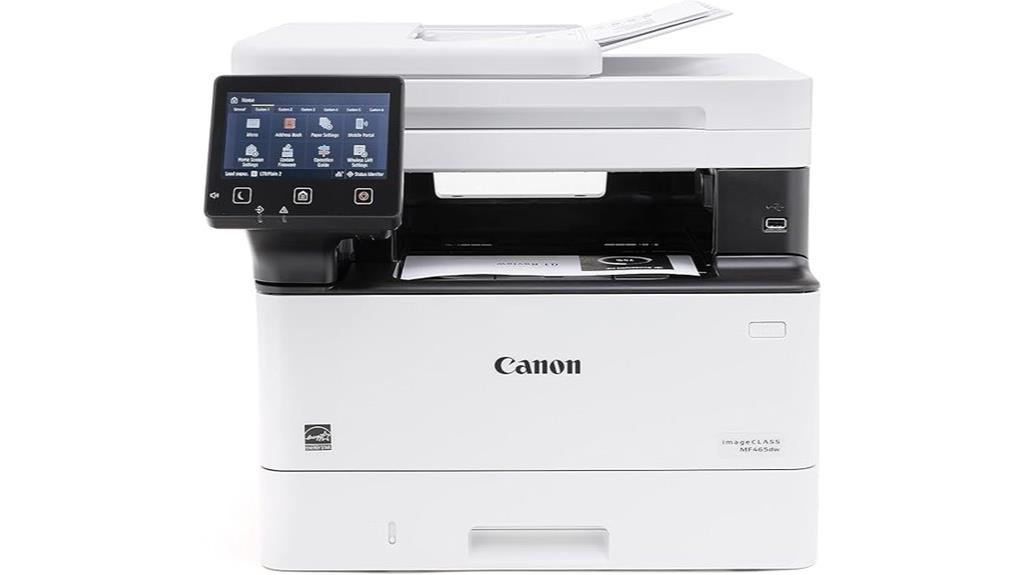
For small to medium-sized offices seeking a reliable all-in-one device, the Canon imageCLASS MF465dw stands out thanks to its fast wireless printing and versatile media handling. It delivers speeds up to 42 pages per minute, with a quick first page out in about five seconds. The device supports duplex printing, faxing, copying, and scanning, with an auto document feeder and 900-sheet capacity. Its 5-inch touchscreen makes navigation easy, while mobile printing is seamless via Canon PRINT, AirPrint, and Mopria. Compact yet powerful, it’s designed for productivity, offering high-quality output and straightforward setup—all at a competitive price.
Best For: small to medium-sized offices seeking a reliable, high-speed all-in-one laser printer with versatile media handling and mobile connectivity.
Pros:
- Fast print speeds of up to 42 ppm with quick first page out in about five seconds
- Supports duplex printing, scanning, copying, and faxing for comprehensive office needs
- Easy setup with a user-friendly 5-inch touchscreen and seamless mobile printing options
Cons:
- Occasional issues with sleep mode activation and wake-up times reported by some users
- Paper feeder reliability concerns noted in certain reviews
- Additional costs or complications may arise when using the device in regions with different voltage standards
HP OfficeJet Pro 8135e Wireless All-in-One Color Inkjet Printer
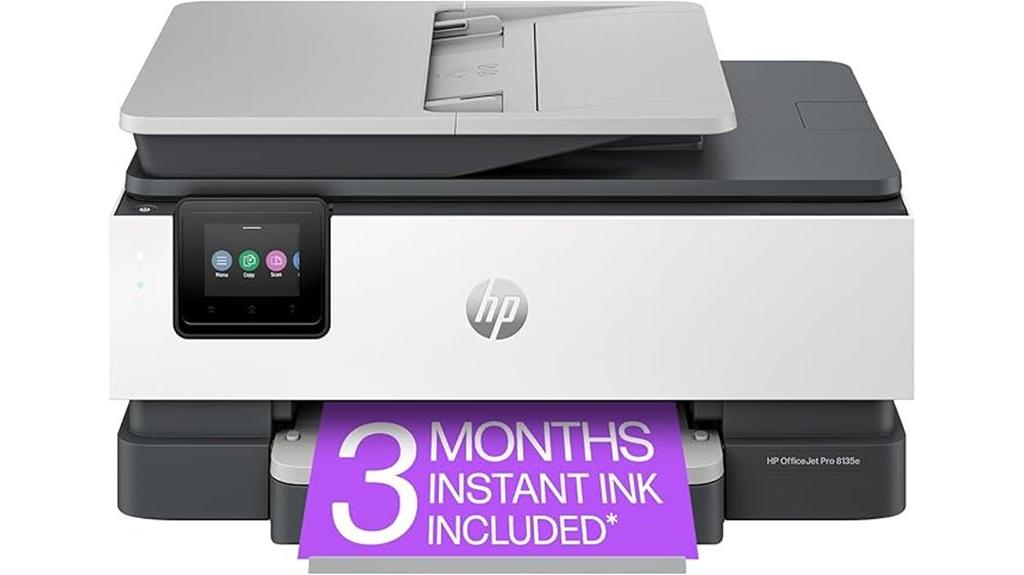
If you’re looking for a versatile all-in-one printer that combines fast speeds with high-quality color output, the HP OfficeJet Pro 8135e is an excellent choice for busy home offices. It offers speeds of up to 20 ppm in black and 10 ppm in color, with crisp 4800 x 1200 dpi color and 1200 x 1200 dpi black-and-white printing. The device features a 2.7-inch touchscreen, automatic duplex, a 225-sheet tray, and supports various media sizes. With wireless, Ethernet, and USB options, it’s easy to connect and print from multiple devices. Its vibrant prints and productivity features make it a solid choice, though ink costs and occasional connectivity issues are worth considering.
Best For: busy home office users seeking a compact, versatile all-in-one printer with fast speeds and high-quality color output.
Pros:
- Fast printing speeds of up to 20 ppm in black and 10 ppm in color, suitable for busy environments
- High-resolution color output of 4800 x 1200 dpi ensures vibrant, professional-quality prints
- Wireless, Ethernet, and USB connectivity options provide flexible and easy device integration
Cons:
- Ink cartridges can be costly, with ongoing expenses adding up over time
- Occasional connectivity issues and software delays can affect workflow
- Some users experience paper jams and reliability concerns, impacting overall satisfaction
HP OfficeJet Pro 8139e Wireless All-in-One Color Inkjet Printer
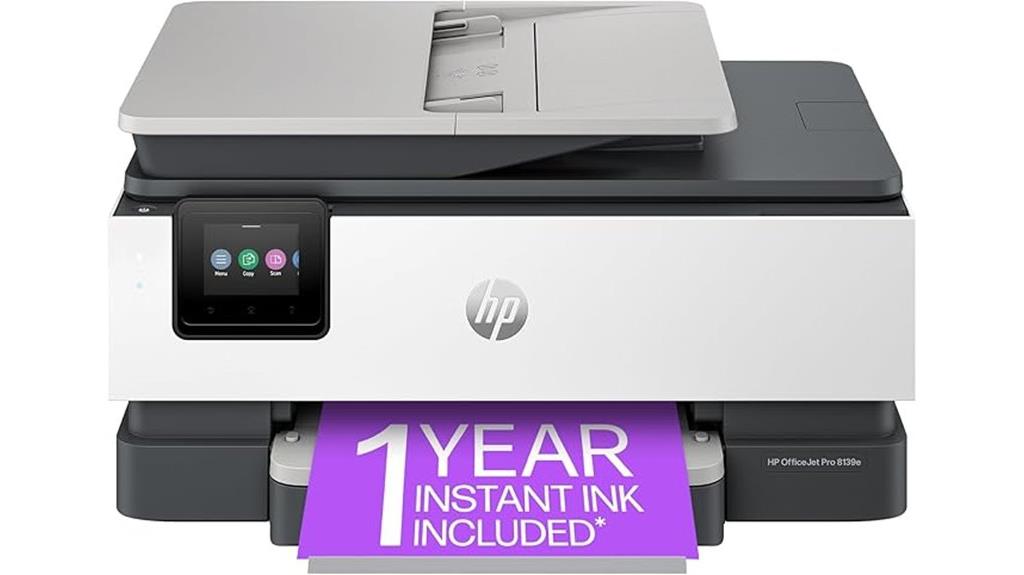
The HP OfficeJet Pro 8139e Wireless All-in-One Color Inkjet Printer stands out for its versatile functionality, making it an excellent choice for busy home offices. It combines printing, scanning, copying, and faxing in one compact device, saving space and boosting productivity. With an automatic document feeder and duplex printing, it handles large jobs efficiently. Speedy at up to 20 ppm in black and 10 ppm in color, it keeps up with demanding workflows. Its user-friendly touchscreen and wireless capabilities, including Apple AirPrint and HP Smart app support, make it easy to operate from various devices. Plus, the included 1-year Instant Ink trial offers great value.
Best For: busy home offices seeking a reliable, versatile all-in-one printer with fast speeds and wireless connectivity.
Pros:
- Combines printing, scanning, copying, and faxing in one compact device for space-saving convenience
- Fast print speeds of up to 20 ppm in black and 10 ppm in color, supporting demanding workflows
- Wireless capabilities including Apple AirPrint, Wi-Fi Direct, and HP Smart app for easy device compatibility and operation
Cons:
- May have limited paper capacity depending on tray size, requiring frequent refills during high-volume use
- Inkjet technology can be more costly over time compared to laser printers for high-volume printing
- Some advanced features might require initial setup and familiarity with wireless network configuration
Canon PIXMA TR4720 Wireless All-in-One Printer

Looking for a versatile and budget-friendly all-in-one printer that handles your home or small office needs? The Canon PIXMA TR4720 is a great choice. It offers wireless printing, copying, scanning, and faxing in one compact device. With auto 2-sided printing and an automatic document feeder, it streamlines your workflow. Print sharp documents and borderless photos up to 8.5 x 11 inches at up to 4800 x 1200 dpi. Though setup can be tricky and ink costs are high, its reliable performance and user-friendly app control make it ideal for moderate use. Overall, it’s a solid, affordable option for everyday printing tasks.
Best For: casual home users and small offices seeking an affordable, all-in-one wireless printer for moderate printing, copying, scanning, and faxing needs.
Pros:
- Easy to control via app and simple ink cartridge replacement
- Good print quality for documents and borderless photos up to 8.5 x 11 inches
- Compact design with auto 2-sided printing and document feeder for streamlined workflow
Cons:
- Setup process can be challenging and time-consuming
- Ink cartridges are expensive and deplete quickly during initial use
- Build quality may feel flimsy, and some users report hardware reliability issues
Canon FAXPHONE L100 Monochrome Laser Fax with Copier
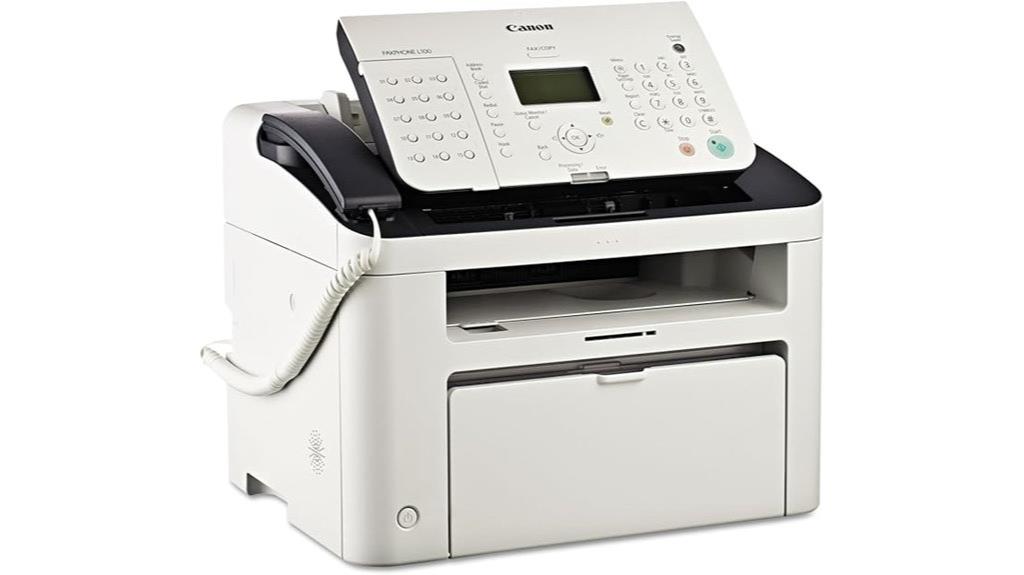
Designed for small to mid-size offices, the Canon FAXPHONE L100 Monochrome Laser Fax with Copier excels in delivering rapid faxing, printing, and copying at up to 19 pages per minute. It features a 30-sheet automatic document feeder, 150-sheet paper capacity, and 512MB of memory for handling multiple faxes and documents efficiently. The device supports various media types, including envelopes and transparencies, and offers straightforward operation via a touch control panel. Weighing just over 18 pounds, it’s compact and reliable, making it a budget-friendly choice for basic office needs, though it lacks wireless copying and duplex printing.
Best For: small to mid-size offices seeking an affordable, reliable monochrome fax, print, and copy solution with straightforward operation.
Pros:
- Fast printing, faxing, and copying speeds of up to 19 pages per minute
- Large paper capacity of 150 sheets and a 30-sheet automatic document feeder
- Quiet operation and simple touch control panel for ease of use
Cons:
- Lacks wireless copying and duplex printing capabilities
- Plastic construction and hinges may break over time, affecting durability
- Compatibility issues and error messages when using generic toner cartridges
HP OfficeJet Pro 9125e All-in-One Printer
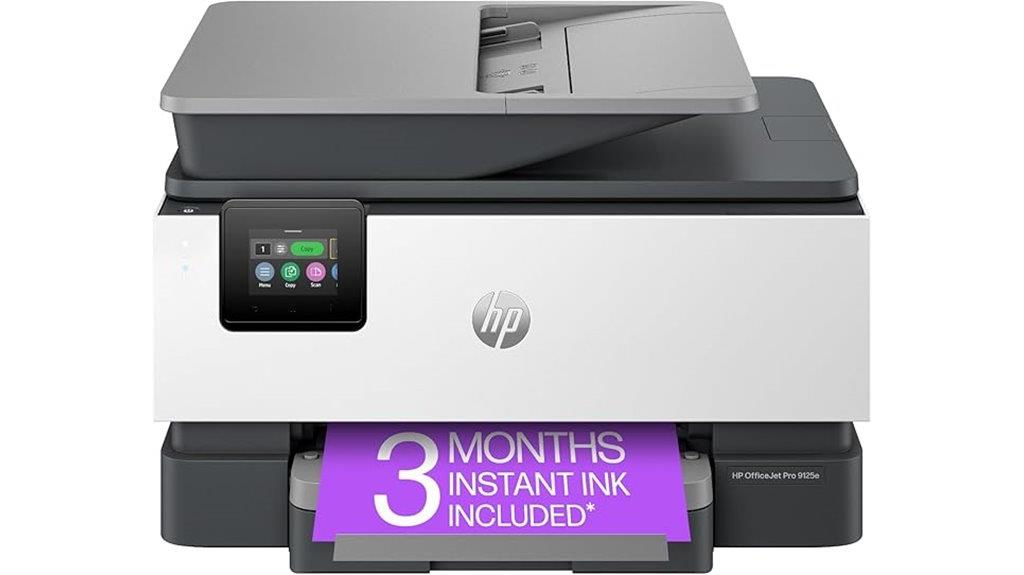
If you need a reliable all-in-one printer that handles high-quality color documents quickly, the HP OfficeJet Pro 9125e is an excellent choice for small to medium businesses. It offers fast printing speeds—up to 18 ppm in color and 22 ppm in black—making it ideal for busy environments. This model prints, copies, scans, and faxes with upgraded features like auto 2-sided printing and an auto document feeder. Its 250-sheet input tray reduces refilling needs, and wireless connectivity makes certain smooth mobile printing via dual-band Wi-Fi. The touchscreen interface and Smart Advance Scan further enhance usability, making it a versatile and dependable multifunction printer.
Best For: small to medium businesses seeking fast, reliable, and high-quality color printing with all-in-one functionality.
Pros:
- Fast print speeds of up to 18 ppm in color and 22 ppm in black for efficient workflow
- All-in-one capabilities including print, copy, scan, and fax for versatile use
- Wireless connectivity with dual-band Wi-Fi and a touchscreen interface for easy operation
Cons:
- May have a higher upfront cost compared to basic printers
- Large input tray (250 sheets) could be unnecessary for very small office needs
- Advanced features might require a learning curve for new users
Canon imageCLASS MF753Cdw Wireless Color Laser Printer (All-in-One)
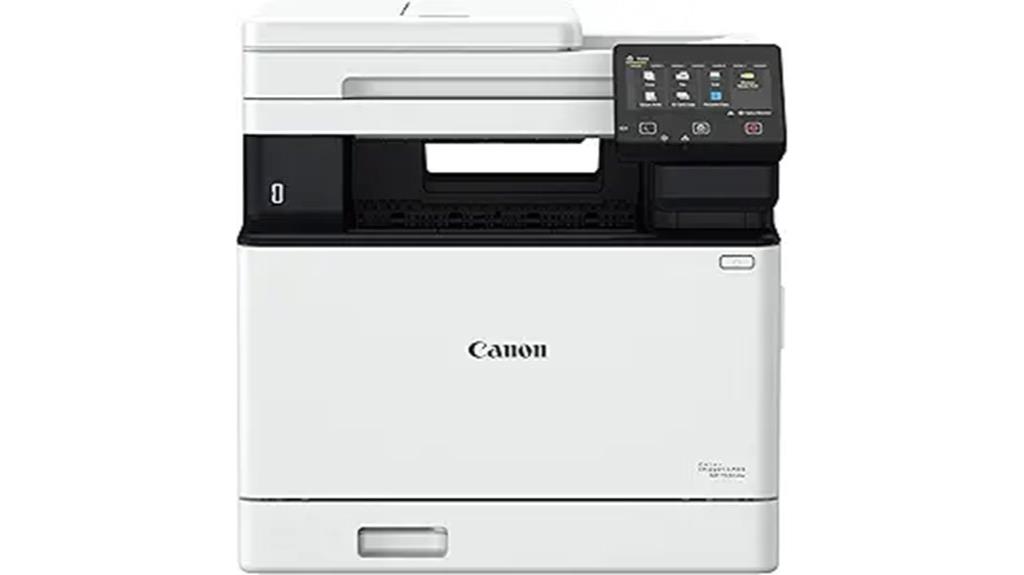
The Canon imageCLASS MF753Cdw Wireless Color Laser Printer stands out as an excellent choice for small to medium-sized businesses that need reliable, high-quality multifunctionality. It offers fast printing—up to 35 pages per minute in color and black-and-white—with sharp 1200 x 1200 dpi resolution. Its all-in-one design includes scanning, copying, faxing, and mobile printing, plus auto duplex for double-sided documents. The intuitive 5-inch color touchscreen simplifies operation, while expandable paper capacity ensures smooth workflow. Built for durability, it supports various media types and complies with energy efficiency standards. Overall, it’s a versatile, high-performance device that balances speed, quality, and user-friendly features.
Best For: small to medium-sized businesses seeking a reliable, high-quality all-in-one color laser printer with fast print speeds and versatile media handling.
Pros:
- Fast printing speed of up to 35 pages per minute in color and black-and-white
- High-resolution output with 1200 x 1200 dpi for professional-quality documents
- User-friendly 5-inch color touchscreen and expandable paper capacity for smooth workflow
Cons:
- Higher toner replacement costs and some issues with third-party toner compatibility
- Occasional connectivity challenges with mobile devices, especially in sleep mode
- Complex setup process and software interface may require a learning curve
Brother Color Laser All-in-One Printer with Scanner, Copier & Fax

The Brother MFC-L3720CDW excels in small office environments where speed and flexibility matter. It combines fast printing—up to 19 ppm—with efficient scanning, copying, and faxing capabilities. Its 3.5-inch color touchscreen makes navigation intuitive, and customizable shortcuts streamline common tasks. The device handles various media, including envelopes, photo paper, and labels, with duplex printing to save paper. Its wireless connectivity, including dual-band Wi-Fi and Wi-Fi Direct, supports seamless use across multiple devices. Secure and eco-friendly, it’s ENERGY STAR® rated and features modes to reduce energy and paper consumption. Overall, it’s a reliable, high-quality multifunction printer ideal for busy offices.
Best For: small to medium-sized offices that need a reliable, versatile, and secure color laser multifunction printer with fast performance and wireless connectivity.
Pros:
- Fast printing speeds of up to 19 ppm and efficient scanning capabilities.
- Intuitive 3.5-inch color touchscreen with customizable shortcuts for easy operation.
- Supports a variety of media types and automatic duplex printing for cost and paper savings.
Cons:
- Paper feed issues may occur with large print jobs.
- Limited compatibility with third-party toner cartridges, which may restrict options.
- Slightly bulky design at 44 pounds, requiring adequate space for setup.
Brother FAX-575 Personal Fax, Phone, and Copier

Ideal for small home offices or personal use, the Brother FAX-575 combines essential functions into a compact, stylish design. Measuring just 15.5 x 13 x 9 inches and weighing only 6.6 pounds, it fits easily on a desk or shelf. This device handles faxing, copying, and phone calls seamlessly, supporting up to 10 pages in the auto document feeder. Its 50-sheet paper capacity and 512 KB memory guarantee smooth operation. Users appreciate its simple setup, affordability, and portability. Despite minor issues like fuzzy sound, most find it reliable for light to moderate tasks, making it a practical choice for personal and small office needs.
Best For: small home offices or personal users seeking an affordable, compact device for light faxing, copying, and phone calls.
Pros:
- Compact and stylish design fits easily in small spaces
- Easy to set up and operate, ideal for non-technical users
- Reliable performance for light to moderate faxing and copying tasks
Cons:
- Slightly fuzzy phone sound and potential interference with DSL lines
- Limited memory capacity of 512 KB may restrict larger jobs
- Basic features may not satisfy users needing advanced functionalities
HP LaserJet Pro MFP 4101fdw Wireless Laser Printer All-in-One
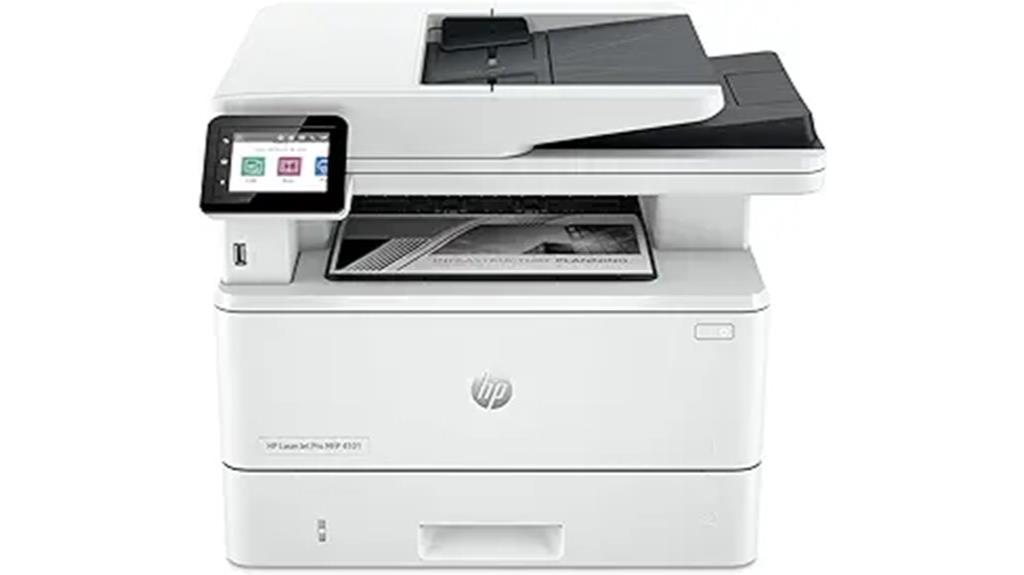
If you’re looking for a reliable all-in-one monochrome laser printer that keeps up with high-volume workloads, the HP LaserJet Pro MFP 4101fdw stands out. It delivers blazing fast speeds of up to 42 pages per minute, with crisp 1200 x 1200 dpi resolution. Designed for small teams and offices, it supports auto duplex printing, high-volume scanning, and copying. Its versatile media handling, including media sizes up to 8.5 x 14 inches, and robust input capacity of 350 sheets, make it efficient. Wireless connectivity via Wi-Fi, Ethernet, and Bluetooth, along with mobile printing support, guarantees seamless operation. Compact and easy to use, it’s an excellent choice for busy work environments.
Best For: small teams and busy offices needing fast, secure, and versatile monochrome printing with high-volume capabilities.
Pros:
- Fast printing speeds of up to 42 pages per minute with high-resolution output (1200 x 1200 dpi)
- Supports auto duplex printing, high-volume scanning, and copying for efficient workflow
- Wireless connectivity options including Wi-Fi, Ethernet, Bluetooth, and mobile printing support
Cons:
- Occasional issues with mobile printing software or firmware errors reported by users
- Some hardware malfunctions after extended use, requiring repairs or replacements under warranty
- Limited to monochrome printing, lacking color capabilities for diverse printing needs
Brother DCP-L2640DW Wireless Monochrome Laser Printer with Duplex, Copy & Scan
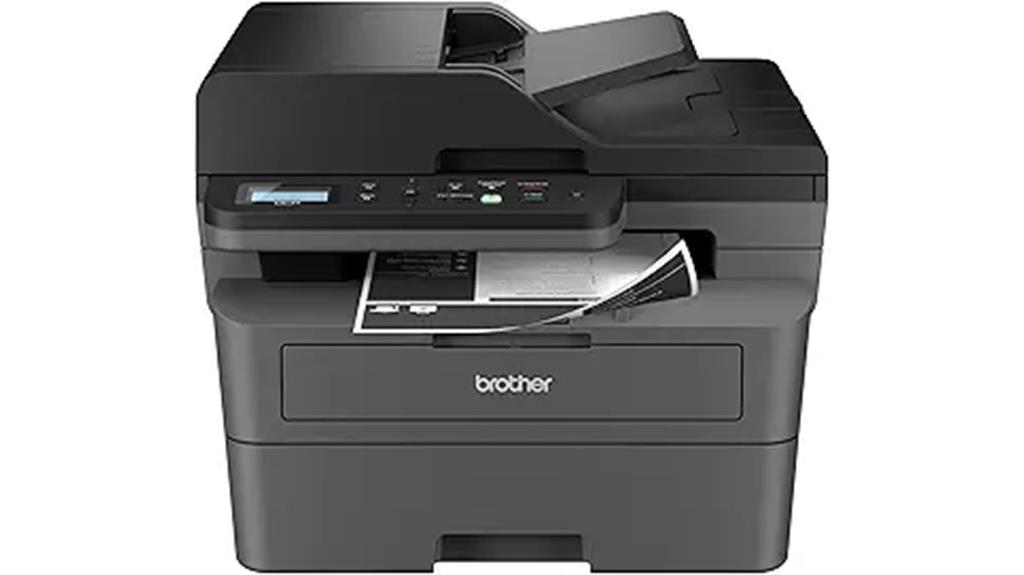
For small businesses seeking an efficient, space-saving multifunction printer, the Brother DCP-L2640DW stands out with its fast printing speeds and robust connectivity options. It prints up to 36 pages per minute and scans at 23.6 images per minute, making quick work of large jobs. The device features a 50-page automatic document feeder for multi-page copying and scanning. Connectivity is versatile, with dual-band wireless, Ethernet, and USB options, plus remote management via the Brother Mobile Connect app. Using genuine toner and the Refresh EZ Print Subscription, it guarantees smooth operation and cost savings, keeping your business productive without hassle.
Best For: small businesses seeking a compact, high-speed monochrome multifunction printer with versatile connectivity and cost-effective toner options.
Pros:
- Fast printing speeds of up to 36 ppm and scanning at 23.6 ipm enhance productivity.
- Multiple connectivity options including wireless, Ethernet, and USB provide flexible network setup.
- Mobile and cloud management via the Brother Mobile Connect app simplifies remote operation and maintenance.
Cons:
- Limited to monochrome printing, not suitable for color document needs.
- May require purchasing genuine toner cartridges for optimal performance, adding ongoing costs.
- The compact design might have a smaller paper capacity compared to larger office printers.
HP OfficeJet Pro 8125e Wireless All-in-One Printer

The HP OfficeJet Pro 8125e Wireless All-in-One Printer stands out as a versatile choice for busy home or small office environments that need reliable, high-quality color printing along with scanning, copying, and fax capabilities. It offers fast speeds—up to 10 ppm in color and 20 ppm black—and high-resolution output up to 4800 x 1200 dpi. With a 225-sheet tray, duplex printing, and a 2.7-inch touchscreen, it’s designed for efficiency. Its seamless wireless connectivity, smartphone app control, and security features make it easy to operate. Although some limitations exist, like no duplex scanning from the feeder, it’s a solid, user-friendly multifunction printer.
Best For: small offices or busy home users seeking reliable, high-quality color printing with multifunction capabilities and easy wireless connectivity.
Pros:
- Fast print speeds up to 20 ppm black and 10 ppm color, suitable for high-volume tasks
- User-friendly 2.7-inch touchscreen and seamless mobile app control for easy operation
- Supports duplex printing, multiple media sizes, and offers high-resolution output up to 4800 x 1200 dpi
Cons:
- No duplex scanning from the document feeder, limiting two-sided copying and scanning efficiency
- Occasional connectivity issues and challenges with firmware updates can disrupt workflow
- Higher ink costs despite included subscription options, which may increase long-term expenses
Factors to Consider When Choosing Fax Machines Multifunction
When choosing a multifunction fax machine, I focus on how well it fits my office needs, including speed, security, and paper capacity. I also consider connectivity options and ease of setup to guarantee seamless integration into my workflow. By evaluating these factors, I can select a device that’s reliable, efficient, and secure for daily use.
Compatibility With Office Needs
Choosing a multifunction fax machine that fits your office’s communication setup starts with guaranteeing it supports your existing protocols, whether that’s analog landlines, VoIP, or digital networks. You’ll want to verify that the device integrates smoothly with your computers, smartphones, and other multifunction printers for seamless operation. Check the connectivity options—USB, Ethernet, or Wi-Fi—to match your network infrastructure and daily usage patterns. It’s also essential to confirm that the fax machine’s features, like auto-dialing, broadcast faxing, and sufficient memory capacity, align with your office’s volume and operational needs. Additionally, consider whether it works well with your office software, especially for tasks like scanning to email or cloud services. Compatibility ensures a smooth workflow and minimizes technical hiccups.
Printing and Copying Speed
Ever wondered how much time you’ll save with a faster multifunction fax machine? Speed is vital for efficient document handling, especially in busy offices. Look for models with at least 20 pages per minute (ppm) for black-and-white and 10 ppm for color to keep up with high-volume tasks. Auto document feeders with high ppm rates can cut down scanning and copying times for multi-page documents. The first page out time also matters—a lower time, around 5-8 seconds, means less waiting and quicker workflows. High-speed machines handle large print jobs without delays, boosting productivity and reducing frustration. Ultimately, choosing a fax machine with fast printing and copying speeds ensures your office runs smoothly, saving you valuable time and effort.
Connectivity Options and Setup
Selecting a multifunction fax machine with versatile connectivity options is essential to guarantee seamless integration into your existing network. Look for models that support Ethernet, Wi-Fi, and USB connections, ensuring compatibility with different setups. Easy wireless setup is a major plus—prefer devices that can be configured quickly via apps or built-in interfaces. Features like auto-dialing and auto-receive should be configurable through network or phone line connections, simplifying daily use. Additionally, check if the device supports remote faxing and scanning from smartphones or tablets through mobile apps and cloud services. Security features are also vital; opt for models with encrypted transmissions and user authentication to keep your data protected. These connectivity options and setup features can substantially streamline your workflow and improve overall efficiency.
Paper Handling Capacity
A high paper handling capacity is essential for maintaining productivity, especially during busy periods when frequent refills can disrupt workflow. Many fax machines feature adjustable paper trays, with capacities ranging from 150 to 900 sheets, allowing you to choose based on your workload. Auto document feeders (ADFs) typically support 20 to 50 pages, enabling efficient multi-page faxing, copying, or scanning without manual intervention. The input paper capacity directly impacts how often you need to replenish paper, which is critical in high-volume office environments. Additionally, selecting a machine that supports various media types, such as envelopes and labels, can broaden its functionality. Opting for a model with robust paper handling ensures smoother operation and minimizes downtime during busy periods.
Security and Data Protection
When choosing a multifunction fax machine, prioritizing security features is essential to protect sensitive information. I recommend selecting models that support encryption protocols like SSL/TLS, which safeguard data during transmission from interception. Look for devices with secure user authentication options, such as PIN codes or user ID logins, to restrict unauthorized access. It’s also wise to choose machines with automatic firmware updates that include security patches, reducing vulnerabilities. Additionally, secure storage features like encrypted memory or options for secure erase help protect stored faxes and data. Finally, consider models with audit trail capabilities that log all access and activity, ensuring compliance and enhancing overall security. These features collectively help keep your information safe and your network secure.
Cost of Supplies
The cost of supplies is a crucial factor to contemplate when choosing a multifunction fax machine, as ongoing expenses can considerably affect your budget over time. Toner or ink cartridges are major contributors to long-term costs, with high-yield options usually offering a lower cost per page. Some models require proprietary supplies that are pricier, limiting compatibility with third-party alternatives and increasing expenses. Replacement cartridges typically range from $20 to over $100 for high-capacity or premium versions. Additionally, consumables like drums, fusers, and maintenance kits can add up, especially in high-volume environments. Regularly monitoring supply availability and costs helps prevent workflow disruptions and keeps your budget in check. By considering these factors, you can choose a device that balances initial investment with affordable ongoing supplies.
Frequently Asked Questions
What Are the Latest Security Features in 2025 Fax Machines?
In 2025, I’ve noticed fax machines now include advanced security features like end-to-end encryption, secure printing, and user authentication. These enhancements guarantee that sensitive information stays protected during transmission and storage. I appreciate how manufacturers are integrating biometric access and remote management options, giving me confidence that my data remains secure. These features make modern fax machines much safer for both home and office use.
How Do Multifunction Printers Integrate With Cloud Storage Services?
When it comes to integrating with cloud storage, I find multifunction printers seamlessly connect to services like Google Drive, Dropbox, and OneDrive. I simply enable the cloud app on the device, and it’s like having a digital extension of my office—allowing me to scan, send, and retrieve files directly from the cloud. This integration streamlines my workflow, making file sharing efficient without ever leaving the device.
What Energy-Saving Modes Are Available in 2025 Models?
In 2025 models, I love that energy-saving modes include deep sleep, where the printer powers down almost completely, and auto-off, which turns off the device after periods of inactivity. These features help me save electricity and reduce costs. I also appreciate quick wake-up functions that bring the device back to readiness swiftly, making it convenient while still being eco-friendly.
Which Models Support Mobile Printing and Remote Device Management?
Are you looking for models that support mobile printing and remote management? I’ve found that many 2025 multifunction fax machines, like the HP Smart Tank Plus and Brother MFC-L3770CDW, excel in these areas. They let you print directly from your smartphone and manage settings remotely via dedicated apps. Isn’t it convenient to stay connected and productive no matter where you are? These features truly enhance your workflow.
How Do Newer Fax Machines Handle Digital Document Archiving?
Newer fax machines handle digital document archiving seamlessly by integrating cloud storage options and secure digital repositories. I love how they automatically scan and save incoming faxes directly to encrypted folders or cloud services like Dropbox, Google Drive, or OneDrive. This makes retrieval easy and keeps my documents organized. Plus, many models include indexing and search features, so I can find specific faxes quickly without sifting through paper piles.
Conclusion
Choosing the right multifunction fax machine is like selecting a trusted partner for your daily tasks—reliable, efficient, and adaptable. Each model I’ve highlighted is a key tool in your arsenal, ready to streamline your work and connect you seamlessly. Remember, the perfect machine isn’t just about features; it’s about finding the one that feels like an extension of your workflow—your loyal compass guiding you through the busy seas of home and office life.