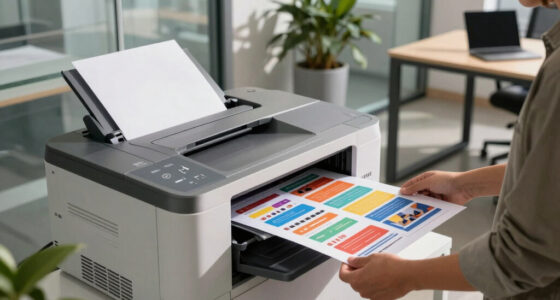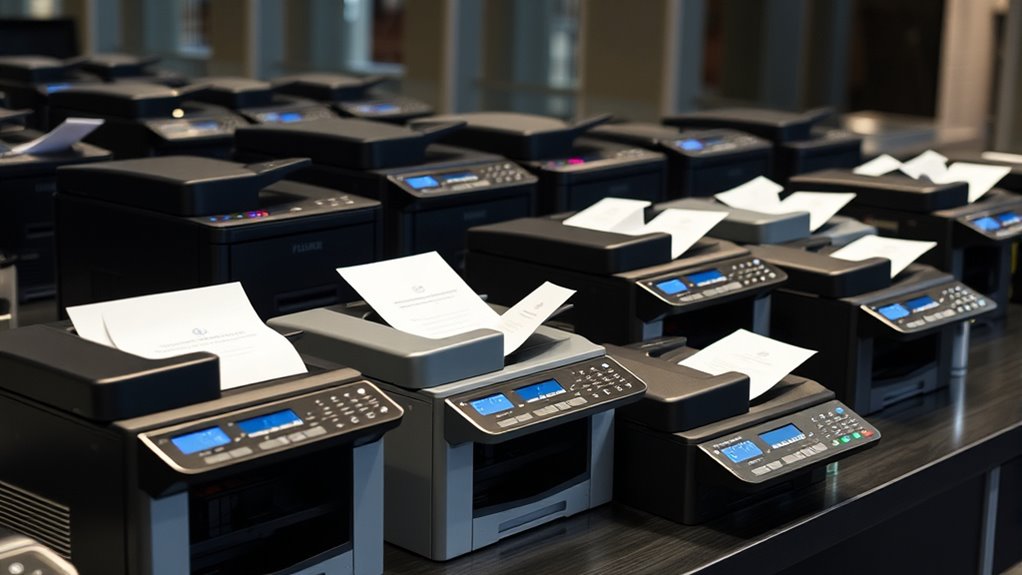

Finding a reliable multifunction fax machine in 2026 means balancing features, speed, and ease of use. The best overall pick is the Canon imageCLASS MF462dw II for its strong laser performance and duplex printing. The HP OfficeJet Pro 8125 shines for color versatility, while the Brother MFC-L2820DW offers a budget-friendly monochrome option. Each model has tradeoffs—some excel in speed, others in color quality or cost efficiency. Keep reading to see how these options compare and find the perfect fit for your needs.

Get business pricing on tech for your team
- Business-only prices and quantity discounts
- Tax-exempt purchasing
- Multiple users, one account, clear invoices
Key Takeaways
- Laser-based models generally provide faster, more reliable faxing for busy offices compared to inkjet alternatives.
- Color multifunctions tend to be more expensive and slower but are essential for tasks requiring color documents.
- Duplex printing and automatic document feeders significantly boost productivity, especially for high-volume users.
- Budget models often compromise on speed and connectivity features, so choose wisely based on your workload.
- The best models balance overall cost, maintenance needs, and feature set to fit different user profiles.
| Canon imageCLASS MF462dw II Wireless Monochrome Duplex Laser Printer |  | Best Overall for High-Volume Monochrome Office Printing | Print Speed: up to 37 pages per minute | First Print Time: approximately 5 seconds | Touchscreen: 5-inch color touchscreen | VIEW ON AMAZON | See Our Full Breakdown |
| HP DeskJet 2955 Wireless All-in-One Color Inkjet Printer |  | Best Budget Choice for Basic Color Printing at Home | Print Speed: Up to 7.5 ppm black, 5.5 ppm color | Input Tray: 60 sheets | Connectivity: Wireless, mobile printing | VIEW ON AMAZON | See Our Full Breakdown |
| HP OfficeJet Pro 8125 Wireless All-in-One Color Inkjet Printer |  | Best for Small Home Offices Needing Fast Color Printing | Print Speed: Up to 20 ppm black, 10 ppm color | Input Tray Capacity: 225 sheets | Touchscreen: 2.7-inch color | VIEW ON AMAZON | See Our Full Breakdown |
| Brother MFC-L2820DW Wireless Monochrome All-in-One Laser Printer |  | Best Compact Monochrome Laser for Small Offices | Print Speed: 36 ppm | Scan Speed: 23.6/7.9 ipm | Auto Document Feeder: 50 pages | VIEW ON AMAZON | See Our Full Breakdown |
| Canon MAXIFY MB2720 Wireless Color Printer for Business |  | Best for High-Volume Small Business Printing | Paper Capacity: 500 sheets | Duty Cycle: 20,000 pages | Print Speed: up to 24 ipm B&W / 15.5 ipm color | VIEW ON AMAZON | See Our Full Breakdown |
| Brother MFC-7240 Monochrome All-in-One Printer with Scanner, Copier, and Fax |  | Best Overall for Small Office Use | Print Speed: 21 ppm | Paper Capacity: 250 sheets | Auto Document Feeder: 20 pages | VIEW ON AMAZON | See Our Full Breakdown |
| HP DeskJet 4355 Wireless All-in-One Color Inkjet Printer |  | Best for Home Users Seeking Color and Wireless Flexibility | Print Speed (Black): 8.5 ppm | Print Speed (Color): 5.5 ppm | Input Tray Capacity: 60 sheets | VIEW ON AMAZON | See Our Full Breakdown |
| HP LaserJet Pro MFP 3101fdw Wireless Black & White All-in-One Laser Printer |  | Best for Small Teams Needing Fast Monochrome Printing and Security | Print Speed: Up to 35 ppm | Connectivity: Wi-Fi, Ethernet, Bluetooth | Functions: Print, scan, copy, fax | VIEW ON AMAZON | See Our Full Breakdown |
| HP OfficeJet Pro 9125 Wireless All-in-One Color Inkjet Printer |  | Best for Color Office Printing with Advanced Features | Print Speed: Up to 22 ppm black, 18 ppm color | Paper Capacity: 250 sheets | Touchscreen: 2.7-inch color | VIEW ON AMAZON | See Our Full Breakdown |
| Canon PIXMA TR4720 All-in-One Wireless Printer | 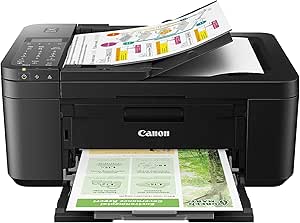 | Best for Home Use with Photo Printing and Versatility | Print Speed: Approx. 8.8 ipm (black) / 4.4 ipm (color) | Borderless Photo: Approx. 65 seconds | Auto Document Feeder: Yes | VIEW ON AMAZON | See Our Full Breakdown |
| Canon imageCLASS MF465dw II Monochrome Wireless Duplex Laser Printer with Print, Copy, Scan, Fax |  | Best Overall Monochrome Multifunction Laser Printer | Printer Type: Monochrome Laser | Functions: Print, Copy, Scan, Fax | Print Speed: 42 PPM | VIEW ON AMAZON | See Our Full Breakdown |
| Brother MFC-J4335DW INKvestment Tank Wireless All-in-One Color Inkjet Printer |  | Best Value for Inkjet All-in-One with Long-Lasting Ink | Ink Supply: Up to 1 year of ink in-box | Technology: INKvestment Tank | Functions: Print, Copy, Scan, Fax | VIEW ON AMAZON | See Our Full Breakdown |
| HP OfficeJet Pro 8138e Wireless All-in-One Color Inkjet Printer |  | Best for High-Quality Color and Versatility in Small Offices | Print Speed (Black): 20 ppm | Print Speed (Color): 10 ppm | Print Resolution: 4800 x 1200 dpi | VIEW ON AMAZON | See Our Full Breakdown |
| fax machines multifunction | Connectivity | Print Speed | Paper Capacity |
|---|---|---|---|
| Canon imageCLASS MF462dw II Wi | Wireless, mobile device printing | up to 37 pages per minute | 250-sheet standard cassette, 100-sheet multipurpose tray, expandable to 550 sheets |
| HP DeskJet 2955 Wireless All-i | Wireless, mobile printing | Up to 7.5 ppm black, 5.5 ppm color | — |
| HP OfficeJet Pro 8125 Wireless | Wireless, dual-band Wi-Fi | Up to 20 ppm black, 10 ppm color | — |
| Brother MFC-L2820DW Wireless M | Wireless, Ethernet, USB | 36 ppm | 250 sheets |
| Canon MAXIFY MB2720 Wireless C | Wi-Fi | up to 24 ipm B&W / 15.5 ipm color | 500 sheets |
| Brother MFC-7240 Monochrome Al | Wired, USB | 21 ppm | 250 sheets |
| HP DeskJet 4355 Wireless All-i | Wireless, Mobile printing | — | — |
| HP LaserJet Pro MFP 3101fdw Wi | Wi-Fi, Ethernet, Bluetooth | Up to 35 ppm | — |
| HP OfficeJet Pro 9125 Wireless | Wireless, dual-band Wi-Fi | Up to 22 ppm black, 18 ppm color | 250 sheets |
| Canon PIXMA TR4720 All-in-One | Wireless, Alexa compatible | Approx. 8.8 ipm (black) / 4.4 ipm (color) | 100 sheets |
| Canon imageCLASS MF465dw II Mo | — | 42 PPM | — |
| Brother MFC-J4335DW INKvestmen | Wireless, Cloud, Mobile | — | 150 sheets |
| HP OfficeJet Pro 8138e Wireles | Wi-Fi, Bluetooth, Ethernet, USB | — | 225 sheets |
More Details on Our Top Picks
Canon imageCLASS MF462dw II Wireless Monochrome Duplex Laser Printer
This model stands out for its speed and efficiency, making it ideal for busy offices with high monochrome printing demands. Compared to the Brother MFC-L2820DW, it offers faster print speeds and a larger paper capacity, which translates into less frequent refills during busy periods. However, its focus on monochrome limits versatility for those needing color prints, and the setup may be intimidating for first-timers unfamiliar with multifunction laser printers. The 5-inch color touchscreen and automatic duplexing enhance user experience, but the high-capacity toner and expandable paper tray come with a higher initial cost. This pick is perfect for organizations prioritizing fast, high-volume monochrome output over color functionality.
Pros:- Fast print speeds of up to 37 ppm with quick first-page output
- Wireless setup and mobile printing options simplify connectivity
- High-capacity toner and expandable paper tray for large workloads
- Automatic duplex printing and document feeder improve efficiency
Cons:- Limited to monochrome printing, no color options
- Potentially complex initial setup for users unfamiliar with multifunction laser printers
Best for: Small to medium-sized offices needing reliable, high-speed monochrome printing with multifunction capabilities
Not ideal for: Creative teams or small businesses requiring color printing and more straightforward setup
- Print Speed:up to 37 pages per minute
- First Print Time:approximately 5 seconds
- Touchscreen:5-inch color touchscreen
- Connectivity:Wireless, mobile device printing
- Toner:Canon Genuine Toner 070 / 070 high-capacity
- Paper Capacity:250-sheet standard cassette, 100-sheet multipurpose tray, expandable to 550 sheets
- Automatic Document Feeder:50-sheet duplex ADF
- Automatic 2-sided Printing:Yes
Our verdict“This model is best suited for offices that prioritize fast, high-volume monochrome printing with multifunction features and minimal need for color output.”
HP DeskJet 2955 Wireless All-in-One Color Inkjet Printer
This printer makes the most sense for families or individuals who need occasional color printing and scanning without the need for high speed or volume. Unlike the Canon MAXIFY MB2720, it offers basic wireless and mobile printing in a compact, affordable package, but at the expense of slower speeds—up to 7.5 ppm in black and 5.5 ppm in color—making it less suitable for high-volume tasks. Its eco-friendly design, with 70% recycled plastics, appeals to environmentally conscious buyers, and the included 3-month Instant Ink trial adds value. However, it’s limited to basic functions; frequent printing or larger jobs will feel frustrating, and the subscription model for ink after the trial may increase costs over time.
Pros:- Affordable price point for basic color printing
- Wireless and mobile printing capabilities for convenience
- Eco-friendly design with recycled plastics
- Includes a 3-month Instant Ink trial for savings
Cons:- Slow print speeds make it unsuitable for high-volume tasks
- Limited to basic printing, scanning, and copying functions
Best for: Home users or students needing occasional color prints and scanning with simple setup
Not ideal for: Small offices requiring frequent, high-speed, or volume printing—this model is not built for heavy-duty use
- Print Speed:Up to 7.5 ppm black, 5.5 ppm color
- Input Tray:60 sheets
- Connectivity:Wireless, mobile printing
- Included Trial:3 months of Instant Ink
- Energy Certification:ENERGY STAR, EPEAT
- Recycled Content:At least 70% recycled plastics
Our verdict“This pick is ideal for casual home use where budget and space are limited, and high-volume or rapid printing is not required.”
HP OfficeJet Pro 8125 Wireless All-in-One Color Inkjet Printer
This model is better suited to small home offices that want fast color printing, scanning, and copying, with a focus on quality. Its 20 ppm black and 10 ppm color speeds are notably faster than the HP DeskJet 2955, making it a stronger choice for more frequent use. The 2.7-inch touchscreen simplifies operation, and the large 225-sheet input tray supports moderate workloads. However, the reliance on specific HP cartridges with chips can lead to higher replacement costs and potential compatibility issues, especially if firmware updates restrict third-party cartridges. The included 3-month Instant Ink trial adds value, but overall, it’s more expensive than basic models and may be overkill for users whose needs are limited to occasional printing.
Pros:- High-speed color and black printing for business needs
- Wireless connectivity and mobile app support
- Large 225-sheet input tray for efficiency
- Secure with HP Wolf Essential Security
Cons:- Requires original HP cartridges with specific chips, increasing costs
- Firmware updates may limit third-party compatibility
Best for: Small business owners or remote workers needing fast, high-quality color output with multifunction features
Not ideal for: Users seeking budget-friendly, low-volume printing—this model’s higher cost and cartridge restrictions may be drawbacks
- Print Speed:Up to 20 ppm black, 10 ppm color
- Input Tray Capacity:225 sheets
- Touchscreen:2.7-inch color
- Connectivity:Wireless, dual-band Wi-Fi
- Included Trial:3 months of Instant Ink
Our verdict“This printer suits small offices or home-based businesses that need fast, high-quality color printing and multifunction features, accepting the higher cost for better performance.”
Brother MFC-L2820DW Wireless Monochrome All-in-One Laser Printer
This model prioritizes space-saving design and speed, making it ideal for small offices with limited desk space. Compared with the Canon imageCLASS MF462dw II, it offers slightly faster printing at 36 ppm and a more affordable initial price, but only in monochrome. Its 2.7-inch touchscreen and multiple connectivity options, including Ethernet, make it flexible for various setups. The main tradeoff is its lack of color capabilities, which limits its versatility for users needing color printing. Additionally, toner replacements can be costly, and the absence of a large paper capacity means more frequent refills for larger jobs. Still, it’s a dependable, space-efficient choice for monochrome needs with essential multifunction features.
Pros:- Compact design fits small office spaces
- Fast printing speeds of 36 ppm
- Multiple connectivity options including wireless and Ethernet
- User-friendly 2.7-inch touchscreen
Cons:- Limited to monochrome printing only
- Toner replacement can be costly and frequent
Best for: Small offices or home-based businesses needing fast monochrome printing with space constraints
Not ideal for: Teams requiring color output or frequent large-volume printing, as it’s limited to black and white only
- Print Speed:36 ppm
- Scan Speed:23.6/7.9 ipm
- Auto Document Feeder:50 pages
- Connectivity:Wireless, Ethernet, USB
- Touchscreen:2.7 inches
- Paper Capacity:250 sheets
Our verdict“This compact monochrome laser printer is perfect for small offices prioritizing speed and space efficiency over color versatility.”
Canon MAXIFY MB2720 Wireless Color Printer for Business
This printer is designed for small businesses with large printing needs, offering a massive 500-sheet paper capacity and high-yield ink tanks that support demanding workloads. Compared with the HP OfficeJet Pro 8125, it boasts a higher duty cycle of 20,000 pages, making it suitable for continuous printing. Its fast speeds—up to 24 ipm in black and 15.5 ipm in color—are well-suited for busy environments. Wireless support and mobile printing add convenience, but it’s primarily aimed at small businesses rather than larger offices, and initial setup can be complex. The device’s focus on high volume and cost efficiency may come at the expense of some advanced features found in larger enterprise models, which might limit its scalability.
Pros:- Enormous 500-sheet paper capacity supports large jobs
- Fast print speeds for busy workflows
- Wireless and mobile printing support
- High-yield ink tanks reduce ongoing costs
Cons:- Designed mainly for small business workflows, not larger enterprise needs
- Initial setup and configuration can be complex
Best for: Small businesses handling frequent, high-volume color and black-and-white printing with large paper needs
Not ideal for: Large enterprises or users requiring advanced document management features beyond basic multifunctionality
- Paper Capacity:500 sheets
- Duty Cycle:20,000 pages
- Print Speed:up to 24 ipm B&W / 15.5 ipm color
- Connectivity:Wi-Fi
- Maximum Paper Size:8.5 x 14 inches
Our verdict“This model serves small businesses requiring high-volume, cost-efficient color printing with multifunction capabilities, but it might lack some advanced enterprise features.”
Brother MFC-7240 Monochrome All-in-One Printer with Scanner, Copier, and Fax
The Brother MFC-7240 stands out as the most balanced choice for small offices that primarily need monochrome printing alongside faxing, copying, and scanning. Its fast print speed of 21 ppm and high-resolution scanning make it suitable for routine document workflows, especially when compared to the slower HP OfficeJet Pro 9125, which excels in color but lags in speed. However, its monochrome-only output and wired connectivity limit flexibility, making it less ideal for modern, wireless-centric environments. The bulkier size might also be a concern for tight spaces, but overall, this model offers reliable all-in-one performance for budget-conscious users who prioritize speed and quality over color or wireless features.
Pros:- Fast print speed of 21 pages per minute
- High-resolution scanning up to 19200 x 19200 dpi
- All-in-one functionality including fax, copy, and scan
Cons:- Limited to monochrome printing, unsuitable for color needs
- Wired connectivity only, limiting placement flexibility
- Bulkier design may be difficult to fit in small spaces
Best for: Small business owners or home offices needing fast monochrome document handling and reliable faxing.
Not ideal for: Users who require color printing or wireless setup—this printer is limited to wired connections and monochrome output.
- Print Speed:21 ppm
- Paper Capacity:250 sheets
- Auto Document Feeder:20 pages
- Print Resolution:2400 x 600 dpi
- Scanning Resolution:19200 x 19200 dpi (interpolated)
- Connectivity:Wired, USB
Our verdict“Ideal for small offices needing a dependable monochrome all-in-one with fast printing and high-quality scanning.”
HP DeskJet 4355 Wireless All-in-One Color Inkjet Printer
The HP DeskJet 4355 makes a compelling case for home users who want affordable, color-capable printing combined with wireless convenience. Its simple LCD and mobile printing options make everyday tasks straightforward, especially compared to the monochrome Brother MFC-7240, which lacks color and wireless features. However, its slower print speeds—only 8.5 ppm in black and 5.5 ppm in color—can be frustrating during high-volume printing. The need for a subscription after the free trial of Instant Ink also adds ongoing costs. This model is best suited for households that prioritize ease of use and color output over speed and volume capacity.
Pros:- Affordable color printing for everyday documents
- Wireless and mobile printing support
- Eco-friendly design with 70% recycled plastics
Cons:- Relatively slow print speeds for busy households
- Requires subscription for ongoing ink delivery after trial
- Limited for high-volume or commercial use
Best for: Home users who need occasional color printing and prefer wireless, mobile setup.
Not ideal for: High-volume or professional environments that require fast, high-volume printing—this model isn’t built for speed or heavy workloads.
- Print Speed (Black):8.5 ppm
- Print Speed (Color):5.5 ppm
- Input Tray Capacity:60 sheets
- Auto Document Feeder:35 sheets
- Connectivity:Wireless, Mobile printing
- Recycled Content:70% recycled plastics
Our verdict“Best suited for home users who value wireless, color printing with minimal volume demands.”
HP LaserJet Pro MFP 3101fdw Wireless Black & White All-in-One Laser Printer
The HP LaserJet Pro 3101fdw is tailored for small teams that need quick, reliable monochrome printing along with scanning, copying, and faxing. Its impressive speed of up to 35 ppm surpasses the Brother MFC-7240 and Canon PIXMA TR4720, making it suitable for busy office environments. Wireless support and security features protect sensitive data but limit its use to monochrome tasks, unlike color models like the HP OfficeJet Pro 9125. Designed for up to seven users, it balances speed with security, though its restriction to black and white may be a drawback for users needing color output or larger volume capacity.
Pros:- High-speed printing of up to 35 ppm
- Supports multiple wireless devices with ease
- Includes security features to safeguard sensitive data
Cons:- Limited to monochrome output, not suitable for color needs
- Designed mainly for small teams, not larger operations
- No color scanning or printing options
Best for: Small office teams prioritizing fast monochrome productivity with security features.
Not ideal for: Users requiring color printing or larger, scalable office solutions—this is optimized for monochrome workflows.
- Print Speed:Up to 35 ppm
- Connectivity:Wi-Fi, Ethernet, Bluetooth
- Functions:Print, scan, copy, fax
- Auto Duplex:Yes
- Auto Document Feeder:Yes
- Suitable for:Up to 7 people
Our verdict“Perfect for small teams needing rapid monochrome output with integrated security features.”
HP OfficeJet Pro 9125 Wireless All-in-One Color Inkjet Printer
The HP OfficeJet Pro 9125 is aimed at office environments that need fast, high-quality color printing along with scanning, copying, and faxing. Its robust speed of 22 ppm black and 18 ppm color outperforms many inkjet options, making it ideal for busy workgroups. The 2.7-inch touchscreen adds ease of use, while security and eco-friendly features support professional workflows. Compared to laser models like the HP LaserJet Pro 3101fdw, it excels in color but sacrifices some speed and higher-volume capacity. Its reliance on specific HP cartridges may add ongoing costs, but overall, it suits offices needing vibrant color output and versatile multifunction capabilities.
Pros:- Fast black and color printing speeds
- Intuitive 2.7-inch touchscreen
- Supports wireless and mobile printing
Cons:- Cartridge restrictions may increase ongoing costs
- Firmware updates can restrict non-HP cartridges
- Higher initial price compared to basic models
Best for: Small to medium offices requiring fast, high-quality color printing with multifunction features.
Not ideal for: Highly security-sensitive environments or those with heavy monochrome volumes—this is optimized for color-rich tasks.
- Print Speed:Up to 22 ppm black, 18 ppm color
- Paper Capacity:250 sheets
- Touchscreen:2.7-inch color
- Connectivity:Wireless, dual-band Wi-Fi
- Features:Print, scan, copy, fax, auto duplex, ADF
- Security:HP Wolf Pro Security
Our verdict“Best for offices that prioritize vibrant color output and multifunction versatility in a compact package.”
Canon PIXMA TR4720 All-in-One Wireless Printer
The Canon PIXMA TR4720 is a versatile, home-oriented multifunction printer that blends quality photo printing with essential document tasks. Its ability to produce high-quality borderless photos in around 65 seconds is a key advantage over monochrome models like the Brother MFC-7240, especially for personal projects. Auto duplex and an auto document feeder support convenience, while wireless connectivity and Alexa compatibility add smart home integration. However, its slower print speeds—about 8.8 ipm black and 4.4 ipm color—may hinder productivity for heavy workloads, making it less suitable for demanding office environments. This model fits best for households seeking both quality photos and basic multifunctionality.
Pros:- Produces high-quality borderless photos
- Auto duplex printing and auto document feeder
- Wireless connectivity with Alexa support
Cons:- Slow print speeds for high-volume tasks
- Limited to home or light use environments
- No dedicated high-capacity paper tray
Best for: Home users who want a compact, all-in-one printer capable of high-quality photo prints and occasional document tasks.
Not ideal for: High-volume offices or users needing fast, high-capacity printing—this is more suited to light use and photo needs.
- Print Speed:Approx. 8.8 ipm (black) / 4.4 ipm (color)
- Borderless Photo:Approx. 65 seconds
- Auto Document Feeder:Yes
- Auto 2-sided Printing:Yes
- Paper Capacity:100 sheets
- Connectivity:Wireless, Alexa compatible
Our verdict“A versatile home printer perfect for photo enthusiasts and light document tasks with smart home integration.”
Canon imageCLASS MF465dw II Monochrome Wireless Duplex Laser Printer with Print, Copy, Scan, Fax
This Canon model shines for its impressive 42 pages per minute printing speed, making it highly suitable for busy office environments. Compared to the HP OfficeJet Pro 8138e, which offers high-quality color output but slower black-and-white speed, the MF465dw II is better suited where speed and monochrome output are priorities. Its wireless setup and 5-inch touchscreen simplify daily tasks, though its monochrome-only capability limits versatility for color needs. The potential complexity of setup may challenge less tech-savvy users. This pick is ideal for teams needing fast, reliable monochrome printing combined with multifunctionality.
Pros:- Fast printing speed of 42 pages per minute for high productivity
- Wireless connectivity and mobile printing support for flexible workflow
- All-in-one functionality with scanning, copying, and faxing
Cons:- Limited to monochrome printing, restricting color document options
- No detailed info on paper capacity or expandability, which may limit high-volume use
Best for: Small to medium businesses requiring high-speed monochrome output with all-in-one features
Not ideal for: Small offices or home users needing color printing or occasional fax use, due to monochrome restriction and setup complexity
- Printer Type:Monochrome Laser
- Functions:Print, Copy, Scan, Fax
- Print Speed:42 PPM
- Wireless:Yes
- Touchscreen:5-inch
- Features:Duplex printing, Mobile device printing
Our verdict“This model is best suited for offices prioritizing speed and monochrome multifunctionality over color flexibility.”
Brother MFC-J4335DW INKvestment Tank Wireless All-in-One Color Inkjet Printer
This Brother model stands out for its included up to one-year ink supply, significantly reducing ongoing costs compared to the HP OfficeJet Pro 8138e. While it offers versatile functions like duplex printing, scanning, copying, and faxing, the lack of specific print speed and resolution details can be a downside for users needing precise quality benchmarks. Its wireless and cloud support make mobile printing straightforward, but reliance on internet connectivity for smart features and the limited details on device compatibility could be a concern. This pick is ideal for small offices or home setups seeking cost-effective, all-in-one inkjet functionality with minimal refill worries.
Pros:- Includes up to one year of ink in the box, lowering refill costs
- All-in-one features including fast printing, scanning, copying, and faxing
- Wireless and cloud connectivity for seamless mobile printing
Cons:- Limited details on print resolution and speed, affecting quality expectations
- Requires internet for cloud and Alexa features, which may impact offline use
Best for: Home users or small offices looking to reduce ink expenses with reliable multifunctionality
Not ideal for: High-volume print environments needing detailed print speed or resolution data, or users requiring advanced connectivity options
- Ink Supply:Up to 1 year of ink in-box
- Technology:INKvestment Tank
- Functions:Print, Copy, Scan, Fax
- Connectivity:Wireless, Cloud, Mobile
- Paper Capacity:150 sheets
- Automatic Document Feeder:20 pages
Our verdict“This printer offers excellent value for cost-conscious users prioritizing ink economy and multifunctionality in a compact form.”
HP OfficeJet Pro 8138e Wireless All-in-One Color Inkjet Printer
This HP model excels in delivering fast, high-quality color output and a large paper capacity, making it ideal for busy small offices. Compared to the Brother MFC-J4335DW, which provides excellent value and ink economy, the OfficeJet Pro 8138e offers superior color resolution at 4800 x 1200 dpi, though it is bulkier and slightly slower in color printing at 10 ppm. Its multifunction capabilities, including wireless, Bluetooth, Ethernet, and a 2.7″ touchscreen, provide flexible connectivity options. However, the renewed product status and size might pose challenges for space-constrained environments. This choice suits users needing premium color printing combined with a comprehensive all-in-one feature set.
Pros:- Fast printing speeds with high-resolution color output
- Large paper capacity of 225 sheets supports high-volume tasks
- Versatile connectivity including Wi-Fi, Bluetooth, Ethernet, and USB
Cons:- Renewed status may limit warranty or support
- Bulkier size requires dedicated space, less suited for compact setups
Best for: Small businesses or home offices requiring high-quality color output and large-volume printing
Not ideal for: Very tight spaces or budget-conscious users who prefer lower-cost ink or less bulky devices
- Print Speed (Black):20 ppm
- Print Speed (Color):10 ppm
- Print Resolution:4800 x 1200 dpi
- Scan Resolution:1200 x 1200 dpi
- ADF:Yes
- Paper Capacity:225 sheets
- Connectivity:Wi-Fi, Bluetooth, Ethernet, USB
Our verdict“This printer is best for users needing premium color quality and high-volume capacity in a versatile, feature-rich package.”

How We Picked
I evaluated these products based on performance, usability, build quality, maintenance costs, and value for money. Priority was given to models with reliable fax transmission, fast printing speeds, and easy setup. I also considered connectivity options like Wi-Fi and mobile printing, which are vital for modern workflows. The ranking reflects how well each model balances these factors for different user needs, from small offices to home use. Tradeoffs between speed, color capabilities, and initial cost guided the selection process, ensuring a diverse lineup that addresses various priorities.Factors to Consider When Choosing Fax Machines Multifunction
Choosing the right multifunction fax machine involves considering several key factors beyond basic features. Understanding your typical workload, document types, and connectivity needs helps narrow options and avoid costly mistakes. The following sections highlight what to prioritize based on your specific use case, along with common pitfalls to watch out for when selecting a model.Performance and Speed
Speed is critical if you regularly send or receive large volumes of faxes. Look for models with high pages-per-minute (PPM) rates and fast transmission times. However, faster models tend to cost more, so balance speed with your budget. For small-scale use, slower devices may suffice, but in busy offices, slow performance can cause delays and frustration.
Connectivity and Compatibility
Wireless options like Wi-Fi and Ethernet allow flexible placement and easier integration with existing networks. Mobile printing and cloud connectivity are increasingly important, especially for remote or hybrid work setups. Be aware that some models with extensive connectivity features come with higher complexity and costs, so consider your technical comfort level and whether these extras justify the expense.
Cost of Maintenance and Supplies
Initial purchase price is just one part of the total cost. Ink and toner replacements, drum units, and maintenance kits can add up. Laser models tend to have higher upfront costs but lower per-page expenses, making them more economical over time for high-volume use. Inkjet multifunctions are cheaper initially but may incur higher ongoing costs, especially with frequent color printing.
Document Handling Features
Features like automatic document feeders (ADF), duplex printing, and scan-to-email improve efficiency and reduce manual effort. For heavy document workflows, prioritize models with these features. Cheaper models often lack ADF or duplex options, which can slow down operations and increase manual intervention.
Build Quality and Ease of Use
A sturdy build and straightforward interface reduce downtime and frustration. Touchscreens and clear controls make operation easier, especially for infrequent users. Keep in mind that more feature-rich models can have steeper learning curves, so consider the technical comfort level of all potential users when selecting a device.
Frequently Asked Questions
Can I use a multifunction printer as a dedicated fax machine?
Yes, many multifunction printers include fax functionality, allowing them to serve as dedicated fax machines when needed. However, these models often have additional features that may not be necessary if your primary need is faxing only. Consider whether you want a device that specializes in faxing or a multifunction device that balances multiple tasks, which can be more cost-effective and space-efficient.
What is the typical cost difference between laser and inkjet multifunction fax machines?
Laser models usually have a higher upfront price but lower ongoing costs due to toner efficiency and longer-lasting components. Inkjet multifunctions tend to be cheaper initially but can incur higher costs per page because of frequent ink replacements, especially if you print in color often. Your choice depends on your volume and whether you prefer lower initial investment or long-term savings.
Are wireless connectivity features reliable for faxing?
Wireless connectivity has improved significantly, making it convenient to set up and use in most environments. However, network stability can vary based on your setup, potentially affecting fax transmission reliability. For critical or high-volume faxing, a wired Ethernet connection may offer more consistent performance, but for most home or small office needs, Wi-Fi is sufficiently reliable with proper setup.
How important is duplex printing in a multifunction fax machine?
Duplex printing, which automatically prints on both sides of the page, can save paper and time, especially during high-volume printing. It also helps create professional-looking documents and reduces manual effort. If you frequently handle large print jobs, prioritizing duplex capability makes sense; otherwise, it can be a secondary feature to compromise on if budget constraints exist.
Should I prioritize color capabilities in my multifunction fax machine?
If your work involves frequent color documents, marketing materials, or presentations, color functionality is essential. However, for typical office communications, monochrome models are faster and more economical. Consider your document needs carefully—investing in color is worthwhile if it directly impacts your productivity or client interactions, but otherwise, monochrome models may suit most users better.
Conclusion
For small offices or home users prioritizing speed and reliability, the Canon imageCLASS MF462dw II offers a balanced mix of performance and features. Budget-conscious buyers will find the Brother MFC-L2820DW to be a practical monochrome choice, while those needing vibrant color output should consider the HP OfficeJet Pro 8125. For users new to multifunction devices, models with simple interfaces like the Canon PIXMA TR4720 provide an easy entry point. Finally, high-volume environments or professional settings may benefit from premium options that combine durability and advanced features, such as the Canon imageCLASS MF465dw II. Tailor your choice based on your specific workflow, volume, and budget.Halloween Picks
halloween
As an affiliate, we earn on qualifying purchases.