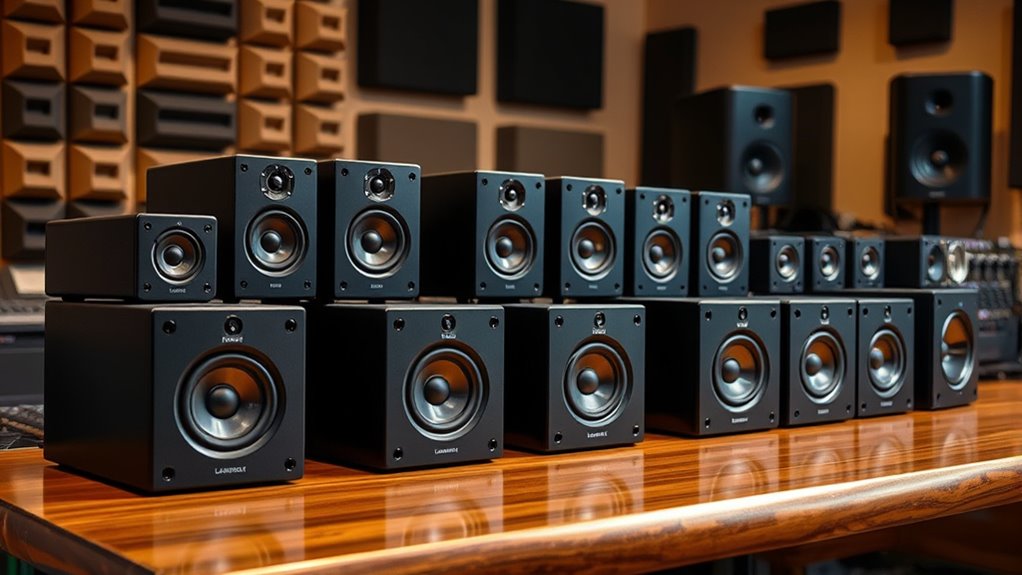

Finding the right studio monitors on a budget can be challenging, as many affordable options often compromise on sound clarity or build quality. The PreSonus Eris E7 XT stands out as the best overall pick thanks to its balanced sound and durability, making it suitable for most home studios. The M-AUDIO BX3 offers excellent value for smaller setups, while the Mackie CR3.5 provides a compact, affordable alternative for space-constrained environments. However, these budget options often face tradeoffs like limited bass response or lower power output. Continue reading for a full breakdown of each model and how they compare to help you make an informed choice.

Get business pricing on tech for your team
- Business-only prices and quantity discounts
- Tax-exempt purchasing
- Multiple users, one account, clear invoices
Key Takeaways
- The best overall budget studio monitor in this roundup is the PreSonus Eris E7 XT, thanks to its balanced sound profile and sturdy build.
- Compact models like the Mackie CR3.5 and Yamaha HS4 are ideal for small spaces but may sacrifice low-end response.
- Value picks such as the M-AUDIO BX3 deliver surprisingly good performance for their price, making them suitable for beginners and hobbyists.
- Power output and connectivity options vary widely, impacting compatibility with different studio setups.
- Higher-priced options tend to offer more accurate sound reproduction, but the top picks in this guide balance performance with affordability.
| PreSonus Eris E7 XT 2-Way Active Studio Monitor |  | Best Overall for Versatile Studio Use | Low-frequency driver: 6.55-inch woven composite | High-frequency driver: 1.25-inch silk-dome | Waveguide: EBM waveguide (100° x 60°) | VIEW ON AMAZON | See Our Full Breakdown |
| M-AUDIO BX3 3.5-inch Wired Studio Monitors Pair |  | Best Value for Versatile Home Use | Driver Size: 3.5 inches | Woofer Material: Kevlar | Tweeter Type: Silk dome | VIEW ON AMAZON | See Our Full Breakdown |
| Mackie CR3.5 Studio Monitors (Pair), 3.5″ Woofers, Tone Knob, Black |  | Best for Small Desktops and Multimedia | Speaker Size: 3.5 inches | Woofer Diameter: 3.5 inches | Tweeter Diameter: 1 inches | VIEW ON AMAZON | See Our Full Breakdown |
| Samson MediaOne M30 Powered Studio Monitors (Pair) |  | Best for Compact Desktop Audio | Speaker Type: Dual | Woofer Diameter: 3 inches | Tweeter Diameter: 0.75 inches | VIEW ON AMAZON | See Our Full Breakdown |
| PreSonus Eris 3.5 Inch Frequency Driver Media Reference Monitor Bundle |  | Best Compact Studio Set for Beginners | Low-Frequency Driver: 3.5-inch Kevlar | High-Frequency Transducer: 1-inch silk-dome | Power: 25 watts per side | VIEW ON AMAZON | See Our Full Breakdown |
| Mackie CR4.5 Studio Monitors (Pair), 4.5″ Woofers, Tone Knob, Black |  | Best Overall for Versatile Desktop Use | Speaker Size: 4.5 inches | Woofer Diameter: 4.5 inches | Tweeter Diameter: 1 inch | VIEW ON AMAZON | See Our Full Breakdown |
| PreSonus Eris 3.5 Powered Studio Monitors (Pair) |  | Best for Small, Space-Conscious Setups | Power: 50 watts | Speaker Size: 3.5 inches | Frequency Response: 80 Hz–20 kHz | VIEW ON AMAZON | See Our Full Breakdown |
| PreSonus Eris 3.5 Powered Desktop Studio Monitors, Pair – 50W, White |  | Best White Aesthetic for Versatile Multimedia | Power: 50W | Woofer: 3.5-inch woven-composite | Tweeter: 1-inch silk-dome | VIEW ON AMAZON | See Our Full Breakdown |
| PreSonus Eris E5 2-Way 5.25-Inch Near Field Studio Monitor |  | Best for Professional Nearfield Mixing | Speaker Type: Monitor | Enclosure Material: Kevlar, Silk | Speaker Diameter: 5.25 inches | VIEW ON AMAZON | See Our Full Breakdown |
| Yamaha HS4 Powered Studio Monitor (Black), Pair |  | Best for Accurate Flat Response | Type: 2-way bass-reflex | Woofer Size: 4.5 inches | Tweeter Size: 1 inch | VIEW ON AMAZON | See Our Full Breakdown |
| M-AUDIO BX4 4.5-Inch Wired Studio Monitors Pair |  | Best Overall for Versatile Studio Monitoring | Driver Size: 4.5 inches | Woofer Material: Kevlar | Tweeter Type: Silk Dome | VIEW ON AMAZON | See Our Full Breakdown |
| Superlux BES3.5 50W Studio Monitor Speakers, 3.5-Inch Pair with TRS and RCA |  | Best for Entry-Level Home Studios | Woofer Size: 3.5 inches | Tweeter Size: 1 inch | Power Output: 50W | VIEW ON AMAZON | See Our Full Breakdown |
| studio monitors budget | Power |
|---|---|
| PreSonus Eris E7 XT 2-Way Acti | — |
| M-AUDIO BX3 3.5-inch Wired Stu | — |
| Mackie CR3.5 Studio Monitors | — |
| Samson MediaOne M30 Powered St | 20-watt internal amplifier |
| PreSonus Eris 3.5 Inch Frequen | 25 watts per side |
| Mackie CR4.5 Studio Monitors | N/A (Passive or powered depending on setup) |
| PreSonus Eris 3.5 Powered Stud | 50 watts |
| PreSonus Eris 3.5 Powered Desk | 50W |
| PreSonus Eris E5 2-Way 5.25-In | N/A (Active with class AB amp) |
| Yamaha HS4 Powered Studio Moni | — |
| M-AUDIO BX4 4.5-Inch Wired Stu | — |
| Superlux BES3.5 50W Studio Mon | — |
More Details on Our Top Picks
PreSonus Eris E7 XT 2-Way Active Studio Monitor
The PreSonus Eris E7 XT stands out for its wide imaging and accurate sound, thanks to its innovative waveguide that creates a broad sweet spot. Compared to the M-AUDIO BX3, it offers more precise stereo imaging ideal for professional mixing, though it requires more space for optimal placement. Its extensive tuning controls allow for tailored sound adjustments, but this complexity can be overwhelming for beginners. The included Studio One Prime software adds value for those starting out, making this a well-rounded choice for serious producers. The tradeoff lies in its size and setup effort, which may not suit small or casual setups.
Pros:- Wide sweet spot with innovative waveguide
- Accurate sound reproduction for mixing
- Includes professional music production software
Cons:- May require space for optimal placement
- Some users find tuning controls complex
Best for: Professional or serious hobbyist audio engineers needing accurate sound and wide stereo imaging.
Not ideal for: Small bedroom setups or users with limited space who prefer plug-and-play simplicity without extensive tuning controls.
- Low-frequency driver:6.55-inch woven composite
- High-frequency driver:1.25-inch silk-dome
- Waveguide:EBM waveguide (100° x 60°)
- Included software:Studio One Prime and Studio Magic suite
- Features:Level, HPF, LF Trim, HF Trim, Acoustic Space controls
Our verdict“Ideal for those seeking a versatile, accurate monitor with room for detailed tuning and software integration.”
M-AUDIO BX3 3.5-inch Wired Studio Monitors Pair
The M-AUDIO BX3 delivers professional-quality sound in a compact, durable MDF cabinet, making it perfect for budget-conscious creators who need reliable sound. Compared with the smaller PreSonus Eris 3.5, the BX3’s larger drivers provide a richer low-end, though it still remains suitable for smaller spaces. Its multiple input options and customizable EQ controls offer flexibility for various setups, but it lacks wireless features, which could be a downside for casual users seeking more connectivity options. The inclusion of accessories and software enhances its value, but the size and cable clutter may be less appealing for minimalist desktops. This monitor makes the most sense for users who prioritize sound quality and versatility over wireless convenience.
Pros:- High-quality studio monitor sound with clear highs and punchy bass
- Multiple input options for versatile connectivity
- Durable MDF cabinet reduces unwanted vibrations
- Customizable EQ controls for tailored sound
Cons:- Requires space for proper placement
- No built-in Bluetooth or wireless connectivity
Best for: Intermediate producers or streamers needing a balanced, wired monitor with flexible inputs.
Not ideal for: Casual listeners or those seeking wireless or Bluetooth connectivity for quick, wireless setups.
- Driver Size:3.5 inches
- Woofer Material:Kevlar
- Tweeter Type:Silk dome
- Connectivity:1/4-inch, 1/8-inch, RCA inputs
- Cabinet Material:MDF
- Included Accessories:Passive speaker, active speaker, foam feet, interconnect cables, software
Our verdict“A solid choice for users who want flexible, wired studio monitors that deliver professional sound at an accessible price.”
Mackie CR3.5 Studio Monitors (Pair), 3.5″ Woofers, Tone Knob, Black
The Mackie CR3.5 excels in small spaces, offering a compact yet capable sound solution for desktop use and multimedia projects. Its 3.5-inch drivers provide decent bass for its size, but fall short of larger monitors like the PreSonus Eris E7 XT when it comes to deep low-end reproduction. The adjustable tone knob allows users to shape sound to their liking, making it accessible for beginners and casual creators. However, its limited driver size restricts full-range sound, and it lacks wireless options, which might be inconvenient for some. The included cables and isolation pads make setup straightforward, but the small footprint means it’s best suited for personal or casual production rather than professional mixing.
Pros:- Compact size suitable for small spaces and desktops
- Adjustable tone knob for customized sound
- Includes all necessary cables and isolation pads
Cons:- Limited to 3.5-inch drivers, may lack deep bass
- No built-in Bluetooth or wireless connectivity
Best for: Beginners or users with limited space needing a straightforward, budget-friendly monitor for casual editing or multimedia.
Not ideal for: Audio professionals requiring full-range, bass-heavy monitoring or larger sound stages.
- Speaker Size:3.5 inches
- Woofer Diameter:3.5 inches
- Tweeter Diameter:1 inches
- Connectivity:RCA, TRS
- Mounting Type:Tabletop
- Enclosure Material:Metal, Plastic
Our verdict“A practical, space-saving monitor ideal for beginners and casual users with limited room.”
Samson MediaOne M30 Powered Studio Monitors (Pair)
The Samson MediaOne M30 delivers full-range stereo sound in a compact package, with its 3-inch polypropylene woofer and silk-dome tweeter providing a balanced audio profile for multimedia and desktop applications. Compared to larger monitors like the PreSonus Eris E7 XT, it sacrifices some low-end depth but offers a more space-efficient solution. The internal 20-watt amplifier keeps setup simple, and the included cables make it ready for immediate use. While its small drivers limit performance in larger rooms or for critical mixing, it excels for casual listening, gaming, or video editing in tight spaces. The limited size and power restrict its use to indoor desktop environments, and lack of adjustable controls might frustrate those seeking precise tuning.
Pros:- Compact and sleek design suitable for desktop use
- Powerful internal amplifier with 20W output
- Includes speaker cable for quick setup
- Full-range stereo sound with smooth highs and tight lows
Cons:- Limited to indoor desktop environments
- Small drivers may lack bass depth
- No adjustable controls or additional connectivity options
Best for: Casual users or gamers needing a compact, plug-and-play monitor for desktop use.
Not ideal for: Professional audio work requiring deep bass or high-volume mixing in larger spaces.
- Speaker Type:Dual
- Woofer Diameter:3 inches
- Tweeter Diameter:0.75 inches
- Power:20-watt internal amplifier
- Material:Polypropylene
- Dimensions:13.6″D x 7.7″W x 12.8″H
- Weight:6.5 pounds
Our verdict“A straightforward, space-efficient monitor best suited for casual desktop listening and multimedia use.”
PreSonus Eris 3.5 Inch Frequency Driver Media Reference Monitor Bundle
The PreSonus Eris 3.5 provides studio-quality sound in a tiny footprint, perfect for bedroom studios, gaming, or video editing. Its 3.5-inch Kevlar low-frequency driver offers surprisingly accurate bass, although it can’t match the depth of larger monitors like the Yamaha HS4. The 1-inch silk-dome high-frequency transducer ensures clear, detailed highs, and the onboard 25-watt power delivers ample volume for small rooms. Extras like isolation pads and multiple input options increase its usability, but the limited low-end response may be a drawback for those needing deep bass. This bundle benefits beginners or those with limited space who want reliable sound without complexity.
Pros:- Compact size suitable for small spaces
- Delivers studio-quality, accurate sound
- Includes isolation pads and multiple input options
- Built-in headphone amplifier
Cons:- Limited low-end bass compared to larger monitors
- Requires external volume control for precise adjustments
Best for: Beginners or hobbyists needing accurate sound in small spaces, especially for video or gaming.
Not ideal for: Professional producers or those needing full-range, bass-heavy monitors for critical mixing.
- Low-Frequency Driver:3.5-inch Kevlar
- High-Frequency Transducer:1-inch silk-dome
- Power:25 watts per side
- Inputs:1/4-inch TRS, RCA, 1/8-inch stereo unbalanced
- Enclosure Material:Kevlar, Silk, Plastic
- Mounting Type:Tabletop
Our verdict“A compact, reliable monitor bundle ideal for beginners or small-space creators seeking accurate sound.”
Mackie CR4.5 Studio Monitors (Pair), 4.5″ Woofers, Tone Knob, Black
The Mackie CR4.5 stands out for its larger 4.5-inch woofers, which deliver fuller bass compared to smaller monitors like the PreSonus Eris 3.5. This makes it a strong choice for those who want richer sound without sacrificing compactness. Its versatile input options and switchable modes, along with the tone control knob, allow for tailored sound in various environments, whether in a studio, casual listening, or even at parties. Compared to the Yamaha HS4, it offers more bass presence, though it may be bulkier for tight spaces. The included accessories add value, but it’s not waterproof and is less suited for wall mounting or very small setups.
Pros:- Fuller bass thanks to the 4.5-inch woofers
- Multiple inputs and switchable modes for versatility
- Includes isolation pads and cables, offering good value
- Tone knob for customized sound
Cons:- Bulky for very small or cluttered spaces
- No waterproof feature, limiting outdoor or humid use
Best for: Users needing a versatile, full-range desktop monitor for both production and casual use
Not ideal for: Small spaces where bulk or aesthetic simplicity is prioritized, or users needing waterproof monitors
- Speaker Size:4.5 inches
- Woofer Diameter:4.5 inches
- Tweeter Diameter:1 inch
- Enclosure Material:Stainless Steel
- Power:N/A (Passive or powered depending on setup)
- Dimensions:8.25″D x 6.1″W x 8.85″H
Our verdict“Ideal for users who want a robust, adaptable monitor that balances full-range sound with desktop convenience.”
PreSonus Eris 3.5 Powered Studio Monitors (Pair)
The PreSonus Eris 3.5 offers a compact footprint with surprisingly robust sound quality, making it a great alternative to the larger Mackie CR4.5. Its 3.5-inch drivers are ideal for tight desks or bedrooms, and its 50W power provides clean, distortion-free audio suitable for mixing or gaming. While it doesn’t produce as much bass as larger monitors, its adjustable high- and low-frequency controls help tailor sound to your space. Compared with the Yamaha HS4, which has a slightly higher frequency response, the Eris 3.5 provides more flexibility in small environments. However, its smaller drivers limit deep bass, and it requires proper positioning for optimal sound.
Pros:- Compact size fits small desks and bedrooms
- Powerful, clear sound with low distortion
- Adjustable high- and low-frequency controls
- Multiple connectivity options
Cons:- Limited bass response due to small drivers
- Requires careful placement for best sound
Best for: Content creators or gamers with limited space seeking accurate sound in a compact form
Not ideal for: Users needing deep bass or large-volume sound in big rooms
- Power:50 watts
- Speaker Size:3.5 inches
- Frequency Response:80 Hz–20 kHz
- Inputs:TRS, RCA, aux
- Features:Built-in high/low controls, headphone output
- Mounting Type:Desktop, Bookshelf
Our verdict“Perfect for small spaces where clarity and versatility are more important than deep bass or high volume.”
PreSonus Eris 3.5 Powered Desktop Studio Monitors, Pair – 50W, White
This PreSonus Eris 3.5 model echoes the previous version but adds a sleek white finish, making it ideal for those who want professional sound with a modern look. Its 50W power output and adjustable EQ make it suitable for multimedia, gaming, and light mixing tasks. Compared to the Mackie CR4.5, it offers less bass but better visual appeal and a cleaner aesthetic. Its multiple inputs and tuning controls provide flexibility, but it’s less suited for large rooms or demanding studio work since it lacks the deep bass response and high power output needed for bigger spaces.
Pros:- Sleek white finish enhances studio or home decor
- Accurate sound with adjustable tuning
- Multiple input options for versatility
- Good for multimedia and light production
Cons:- Limited bass due to small driver size
- Not suitable for very large or loud environments
Best for: Design-conscious users who need accurate, balanced sound in small to medium setups
Not ideal for: Large rooms or users requiring high SPL levels or extended bass response
- Power:50W
- Woofer:3.5-inch woven-composite
- Tweeter:1-inch silk-dome
- Frequency Range:80 Hz–20 kHz
- Inputs:Balanced TRS, RCA, front aux
- Color:White
Our verdict“A stylish, compact monitor perfect for users prioritizing aesthetics and accurate sound in small spaces.”
PreSonus Eris E5 2-Way 5.25-Inch Near Field Studio Monitor
The PreSonus Eris E5 is tailored for serious mixing and production with its 5.25-inch Kevlar and silk drivers, offering a more precise sound than smaller monitors like the PreSonus Eris 3.5. Its acoustic tuning controls and protection features help optimize sound in nearfield setups, making it a favorite for focused studio work. Compared with the Yamaha HS4, it provides better environment adjustment options, but it demands careful placement to avoid coloration. This monitor is less ideal for casual listening or large rooms, where higher SPL and larger drivers are necessary.
Pros:- Highly accurate sound reproduction
- Acoustic tuning controls for environment adjustments
- Robust protection features ensure durability
- Multiple input options
Cons:- Requires proper placement for optimal performance
- Overkill for casual listening or large rooms
Best for: Professional or semi-pro producers needing accurate, detailed sound in nearfield environments
Not ideal for: Casual listeners or setups where deep bass and high volume are required
- Speaker Type:Monitor
- Enclosure Material:Kevlar, Silk
- Speaker Diameter:5.25 inches
- Audio Output Mode:Stereo
- Features:Acoustic tuning, protection
- Power:N/A (Active with class AB amp)
Our verdict“A strong choice for nearfield monitoring where detail and accuracy are the priorities.”
Yamaha HS4 Powered Studio Monitor (Black), Pair
The Yamaha HS4 is favored for its flat frequency response and reliable build quality, making it a staple in many professional studios. Its 4.5-inch woofer and 1-inch dome tweeter deliver clear, balanced audio with a frequency range extending down to 60 Hz, which is somewhat limited compared to larger monitors like the Mackie CR4.5. The inclusion of room control and high trim response adjustments helps tailor sound to different environments, but the modest 26W power output might struggle in larger rooms or loud environments. This model excels for critical listening but might fall short if you need deep bass or high SPL levels.
Pros:- Accurate, flat frequency response for mixing
- Multiple input options including XLR/TRS and RCA
- Room control and high trim for sound tailoring
- Includes useful accessories
Cons:- Limited bass extension for larger spaces
- Lower power output may restrict volume in big rooms
Best for: Mixing engineers or serious hobbyists seeking transparent, flat response monitors for small to medium rooms
Not ideal for: Large or very loud environments where higher power and bass extension are needed
- Type:2-way bass-reflex
- Woofer Size:4.5 inches
- Tweeter Size:1 inch
- Frequency Response:60 Hz – 22 kHz
- Power Output:26 W
- Inputs:XLR/TRS, RCA, Stereo Mini
Our verdict“A dependable choice for detailed, flat-response listening in controlled environments.”
M-AUDIO BX4 4.5-Inch Wired Studio Monitors Pair
The M-AUDIO BX4 stands out for delivering professional-quality sound within a budget, offering deep bass and clear highs thanks to its 4.5-inch Kevlar woofer and silk dome tweeter. Compared to the Superlux BES3.5, which has a smaller 3.5-inch driver and slightly less bass punch, the BX4’s larger woofer provides a fuller, more balanced sound suitable for mixing and detailed listening. Its multiple input options (1/4-inch, 1/8-inch, RCA) make it flexible for various setups, while the sturdy MDF cabinet minimizes vibrations that could color the sound. However, it requires some calibration to achieve the best sound and is limited to wired connections, which might be less convenient for wireless setups. This model is ideal for serious enthusiasts or semi-professionals who want a reliable, adaptable monitor without breaking the bank.
Pros:- Studio-grade sound with deep bass and clear highs
- Multiple input options for flexible connectivity
- Durable MDF cabinet reduces vibrations
Cons:- Requires calibration and some setup for optimal sound
- Limited to wired connection, no wireless option
Best for: Audio engineers or musicians needing a versatile, wired monitor with professional sound for mixing and production.
Not ideal for: Casual hobbyists or those seeking wireless monitors, as the BX4 lacks wireless connectivity and involves setup effort.
- Driver Size:4.5 inches
- Woofer Material:Kevlar
- Tweeter Type:Silk Dome
- Cabinet Material:Acoustically-Inert MDF
- Inputs:1/4-inch, 1/8-inch, RCA
- Included Accessories:Passive speaker, active speaker, foam feet, interconnect cables, software
Our verdict“This pick makes the most sense for those who want quality and versatility without a high price tag.”
Superlux BES3.5 50W Studio Monitor Speakers, 3.5-Inch Pair with TRS and RCA
The Superlux BES3.5 offers accurate and balanced sound tailored for entry-level users or content creators, with its 3.5-inch woofer and 1-inch silk-dome tweeter providing clear, detailed audio. Compared to the larger M-AUDIO BX4, the BES3.5’s smaller drivers produce less bass impact, making it better suited for smaller spaces or casual monitoring rather than professional mixing. Its multiple connectivity options (TRS, RCA, 1/8″ AUX) and included cables make setup straightforward, while the adjustable EQ controls help tune the sound to your room. However, its smaller size and lower power output (50W) limit performance in larger or more demanding environments, and it may not satisfy those requiring precise, high-volume monitoring. This monitor set makes sense for beginners or hobbyists focused on clarity rather than deep bass or high SPLs.
Pros:- Accurate and balanced sound reproduction
- Multiple connectivity options for versatile setup
- Includes cables and adjustable EQ controls
Cons:- Limited to entry-level performance, not suited for professional mixing
- Small size may not fill larger rooms or handle high SPLs
Best for: Beginners or content creators in small home studios needing reliable, balanced sound with simple connectivity.
Not ideal for: Professional mixers or users with larger studio spaces, as the small drivers and modest power may fall short of their needs.
- Woofer Size:3.5 inches
- Tweeter Size:1 inch
- Power Output:50W
- Connectivity:TRS, RCA, 1/8″ AUX
- Package Contents:2 speakers, audio cables, power cable
Our verdict“This monitor is a practical choice for newcomers prioritizing clarity and affordability in a compact form.”

How We Picked
We evaluated each studio monitor based on key factors that matter for budget-conscious buyers: sound quality, build durability, power output, connectivity options, and user reviews. We prioritized models that offer a balanced sound profile suitable for mixing and monitoring in home studios, while also considering ease of use and value for money. Our ranking reflects the best combination of these qualities, with an emphasis on models that perform well across various studio sizes and application types. Options were also assessed for their reliability, popularity, and user feedback to ensure they meet real-world needs without overstretching budgets.Factors to Consider When Choosing Studio Monitors Budget
Choosing the right budget studio monitor involves more than just comparing prices. Key factors like size, sound quality, and connectivity can significantly influence your workflow and the accuracy of your mixes. Knowing what to look for helps avoid common pitfalls, such as overspending on unnecessary features or selecting monitors that don’t suit your space or style. By understanding these considerations, you can select a model that balances affordability with performance, ensuring your recordings sound professional without breaking the bank.Size and Frequency Response
Monitor size directly impacts bass response and overall sound projection. Smaller speakers, like 3.5-inch models, are ideal for tight spaces but may struggle with low frequencies, making them less suited for mixing bass-heavy tracks. Larger monitors, such as 5-inch or 4.5-inch models, provide fuller sound but require more space and better placement. Consider your room size and the type of audio work you do, because a mismatch can lead to inaccurate mixes or listening fatigue.
Power Output and Volume
Power ratings determine how loud your monitors can get without distortion. Budget models often top out around 50W, which is sufficient for small studios, but larger spaces or louder listening levels may require more power. Be wary of choosing monitors that are underpowered for your environment, as they will struggle to produce clean, clear sound at higher volumes. Conversely, excessive power isn’t necessary if you’re working in a modest space, making balance key.
Connectivity Options
Most budget monitors offer basic connections like TRS or RCA, which are compatible with common audio interfaces. However, some models lack versatile options or require adapters, adding complexity or cost. Consider your existing setup and ensure the monitors can connect seamlessly. Additional features like Bluetooth or USB may seem appealing but often come at a higher price, so prioritize essential inputs for your workflow.
Build Quality and Durability
While affordability often limits premium materials, you should still look for monitors with sturdy cabinets and quality drivers. Cheaper models may suffer from vibrations or rattling, affecting sound clarity. Well-constructed monitors tend to last longer and maintain consistent performance, which is especially important if you plan to use them frequently. Check user reviews for insights into real-world durability, as appearance can sometimes be deceiving.
Sound Accuracy and Tonal Balance
For mixing, monitors need to reproduce sound as accurately as possible. Budget models often have a slight boost in treble or bass, which can mislead your mixing decisions. The best options in this category strive for flat frequency responses or compensate well for their size limitations. Listening to your tracks on multiple systems also helps ensure your mix translates well beyond your studio. Remember, a slightly more neutral sound profile costs less than upgrading later due to poor initial choices.
Frequently Asked Questions
Are budget studio monitors suitable for mixing and mastering?
While budget studio monitors can be used for mixing and mastering, they may not offer the same level of accuracy as more expensive options. Many affordable models provide a balanced sound that is sufficient for casual or beginner mixing, but they might exaggerate certain frequencies or lack the neutrality needed for critical listening. If your goal is professional-grade production, investing in higher-end monitors or adding room treatments may be necessary. For hobbyists and entry-level producers, budget monitors still offer a good starting point and meaningful insight into your mixes.
Should I prioritize size or sound quality when choosing budget monitors?
Size and sound quality are interconnected, but prioritizing sound quality usually leads to better results, especially for accurate mixing. Smaller monitors are more space-efficient and easier to position, but they often struggle with bass response and overall fullness. Larger models tend to deliver fuller sound and better frequency response, which is crucial for mixing accuracy. Your choice depends on your available space and your primary use; if space is tight, opt for the best-sounding small monitor, but if you can accommodate larger speakers, they generally provide more reliable performance.
Can I connect budget studio monitors to my smartphone or portable device?
Most budget monitors are designed for use with audio interfaces, computers, or dedicated studio gear, and may not directly connect to smartphones or portable devices. However, with the right adapter—such as a 3.5mm to RCA or TRS cable—you can connect your device, provided the monitors have the appropriate inputs. Keep in mind that compatibility and sound quality depend on your device’s output level and the monitor’s input options. For regular mobile use, consider models with built-in Bluetooth or USB connectivity, but these features often come at a higher cost.
How important is room treatment when using budget monitors?
Room acoustics play a significant role in how monitors sound, regardless of budget. Even the best budget monitors can produce misleading sound if your room has reflective surfaces or poor speaker placement. Proper room treatment, like bass traps and acoustic panels, helps deliver a more accurate listening environment, allowing your monitors to perform at their best. Investing in room treatment can be more beneficial than upgrading your monitors alone, especially if your space causes sound distortions or reflections.
When should I consider upgrading from budget studio monitors?
You should consider upgrading if you find yourself consistently needing to compensate for sound inaccuracies, such as bass muddiness or harsh treble, which hampers your mixing precision. If you notice your monitors lack sufficient volume, clarity, or dynamic range, it’s a sign that higher-quality models could improve your workflow. Additionally, as your projects become more critical or your space allows, investing in monitors with better frequency response, power, and build quality ensures your mixes translate well on other systems. Upgrading becomes worthwhile when your current setup limits your creative and technical capabilities.
Conclusion
For most home studio users and beginners, the PreSonus Eris E7 XT offers a compelling blend of performance and affordability, making it the best overall choice. If space is limited or you’re just starting out, the Mackie CR3.5 provides a compact, budget-friendly option that still delivers decent sound. Those seeking the best value for casual mixing should consider the M-AUDIO BX3, which balances cost with surprisingly solid performance. For users with specific needs, such as small rooms or mobile setups, selecting a model tailored to those conditions will ensure the best results. Ultimately, matching your space, budget, and intended use will lead you to the right studio monitors in this list.
As an affiliate, we earn on qualifying purchases.Halloween Picks

Jenaai 5.3-Foot Motion-Activated Halloween Animatronic Skeleton

10-Foot Halloween Inflatable Double-Headed Dragon Archway

Star Wars Yoda and R2-D2 Inflatable Halloween Decor, 6 ft with LEDs, Indoor/Outdoor