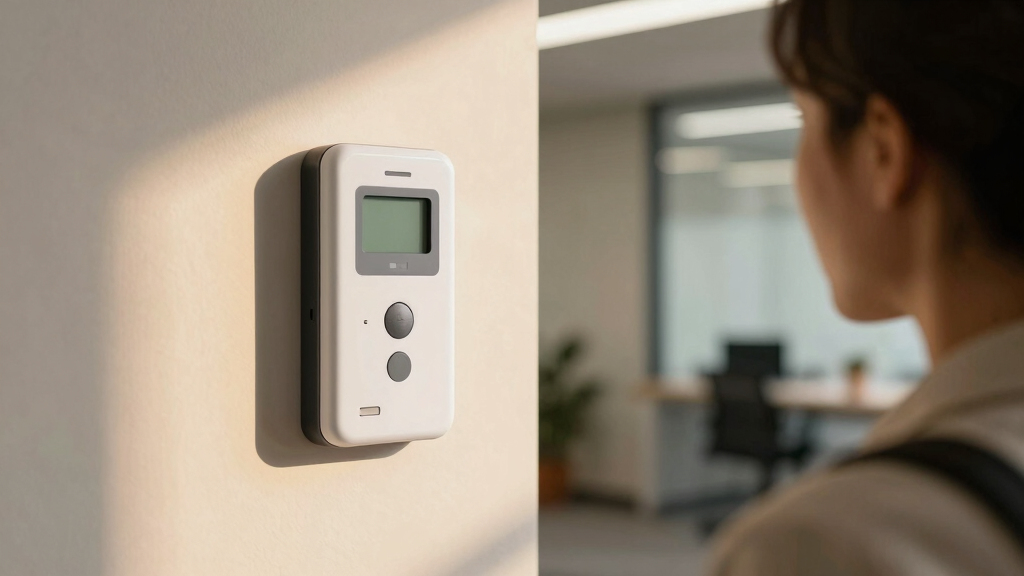

Choosing the best facial recognition time clock for attendance involves balancing accuracy, ease of integration, and cost. The Biometric Employee Time Clock with Face Recognition stands out for its reliable facial recognition and versatile connectivity. For small businesses, the AI Face Recognition Time Clock for Small Business (FAD-D55) offers affordability without sacrificing core features. However, tradeoffs often include setup complexity, user capacity, or higher prices for advanced models. Continue reading to see how these options compare and which best fits your needs.

Get business pricing on tech for your team
- Business-only prices and quantity discounts
- Tax-exempt purchasing
- Multiple users, one account, clear invoices
Key Takeaways
- Top-ranked products combine high facial recognition accuracy with user-friendly interfaces.
- Most models have tradeoffs between capacity, price, and setup complexity.
- Cloud-based options generally offer easier remote management but may depend on internet stability.
- Premium models tend to include additional features like multi-modal biometrics or voice control.
- Choosing the right system depends heavily on your business size, integration needs, and budget.
| Biometric Employee Time Clock with Face Recognition, WiFi, and Proximity Cards |  | Best Overall for Versatile Attendance Tracking | Face Capacity: 1,500 faces | Connectivity: WiFi | Supported Access Methods: Face recognition, proximity cards, mobile app, Apple Watch | VIEW LATEST PRICE | See Our Full Breakdown |
| AI Face Recognition Time Clock for Small Business (FAD-D55), 5.5-Inch Desktop Biometric Clock-in System, 20,000 User Capacity |  | Best for Large User Capacity in Small Business Settings | User Capacity: 20,000 | Display Size: 5.5 inches | Connectivity: Wi-Fi and LAN | VIEW LATEST PRICE | See Our Full Breakdown |
| Compumatic CFR-20/20 v2 Biometric Facial Recognition Time Clock System |  | Best for High-Volume, Accurate Attendance with Software Compatibility | Face Template Capacity: 1200 | RFID Card Capacity: 10000 | Transaction Memory: 50000 | VIEW LATEST PRICE | See Our Full Breakdown |
| ANVIZ FacePass 7 Pro Biometric Time Clock for Employees |  | Best for Small Business with Multi-Method Access and Cloud Management | Power: Cloud software included | Recognition Technology: Facial recognition, RFID, PIN | User Capacity: 1,500 users | VIEW LATEST PRICE | See Our Full Breakdown |
| NGTeco Time Clock Cloud-Based TC5 Face Recognition Time Clock for Employees |  | Best for Cloud-First Small Business Attendance | Connectivity: 2.4G WiFi | Recognition Speed: ≤0.3 seconds | Face Detection Range: 0.3-2 meters | VIEW LATEST PRICE | See Our Full Breakdown |
| AI Face Recognition Time Clock for Small Business (FAD-D80), 8-Inch Desktop Biometric Clock-in System, 20,000 User Capacity |  | Best for Large Small Business Capacity | User Capacity: 20,000 | Display Size: 8-inch | Connectivity: Wi-Fi and LAN | VIEW LATEST PRICE | See Our Full Breakdown |
| COMPUMATIC CFR-20/20 v2 Biometric Facial Recognition Time Clock System |  | Best for High Capacity and Touchscreen Ease | Face Template Capacity: 1200 | RFID Card Capacity: 10000 | Transaction Storage: 50000 | VIEW LATEST PRICE | See Our Full Breakdown |
| David-Link FD-777 Facial Recognition System – Time Attendance |  | Best for Flexible Environmental Use | Camera Resolution: 2 x 1.3 Megapixels | USB Compatibility: Yes | Capture Distance: 15-20 inches | VIEW LATEST PRICE | See Our Full Breakdown |
| uPunch MK3000 Face Recognition Digital Time Clock for Employees with Keypad and RFID |  | Best for Small Business Flexibility and Simplicity | Technology: Face Recognition, Keypad, RFID | Warranty: 2 years | Features: Plug-and-play, wall or desk mount, backup battery | VIEW LATEST PRICE | See Our Full Breakdown |
| uAttend Touch-Free Voice Control and Facial Recognition Time Clock System for Employees and Small Businesses (DR2000) |  | Best for Cloud-Based, Remote Workforce Management | Connectivity: Cloud-connected | Features: Touch-free, voice control, facial recognition | Subscription: Premium monthly service | VIEW LATEST PRICE | See Our Full Breakdown |
| facial recognition time clock for attendance | Connectivity | Warranty |
|---|---|---|
| Biometric Employee Time Clock | WiFi | — |
| AI Face Recognition Time Clock | Wi-Fi and LAN | 1 year |
| Compumatic CFR-20/20 v2 Biomet | TCP/IP Ethernet, WiFi, USB | — |
| ANVIZ FacePass 7 Pro Biometric | Lan or Wi-Fi (2.4GHz only) | 3 years hardware |
| NGTeco Time Clock Cloud-Based | 2.4G WiFi | 1 year |
| AI Face Recognition Time Clock | Wi-Fi and LAN | 1 year |
| COMPUMATIC CFR-20/20 v2 Biomet | TCP/IP Ethernet, WiFi, USB | — |
| David-Link FD-777 Facial Recog | — | — |
| uPunch MK3000 Face Recognition | — | 2 years |
| uAttend Touch-Free Voice Contr | Cloud-connected | — |
More Details on Our Top Picks
Biometric Employee Time Clock with Face Recognition, WiFi, and Proximity Cards
This device stands out for its comprehensive approach to attendance management, combining touchless face recognition with multiple access methods such as proximity cards and mobile apps. Compared to the NGTeco TC5, it offers a larger face capacity of 1,500 faces, making it suitable for medium-sized workplaces. Its real-time cloud software enables remote management, but users should note that after the free trial, a subscription fee is required. The hardware warranty is limited to one year, which might be a concern for long-term reliability. While its broad feature set makes it highly adaptable, the need for ongoing subscription costs could be a drawback for budget-conscious buyers.Pros:- Supports multiple access methods including face recognition, proximity cards, and mobile app
- Real-time cloud attendance tracking enables remote management
- Large face capacity of 1,500 faces for sizable teams
- Touchless biometric login reduces hygiene concerns
Cons:- Requires paid subscription after the free trial, increasing long-term costs
- Limited to U.S. support and updates, which could impact international users
- Hardware warranty duration may not cover long-term device issues
Best for: Mid-sized organizations seeking a flexible, multi-access biometric system with cloud capabilities
Not ideal for: Small businesses on tight budgets or users preferring free software options, due to subscription and limited warranty
- Face Capacity:1,500 faces
- Connectivity:WiFi
- Supported Access Methods:Face recognition, proximity cards, mobile app, Apple Watch
- Software Trial:30 days free
- Hardware Warranty:1 year
Our verdict“This system is ideal for organizations wanting a flexible, multi-modal attendance solution with cloud integration, despite ongoing costs.”
AI Face Recognition Time Clock for Small Business (FAD-D55), 5.5-Inch Desktop Biometric Clock-in System, 20,000 User Capacity
This model excels in high-speed recognition—clocking employees in just 0.3 seconds—making it ideal for quick-paced small businesses. Compared to the Compumatic CFR-20/20 v2, it offers a significantly larger user capacity of 20,000, eliminating the need for frequent device upgrades. Its support for Wi-Fi and LAN ensures flexible connectivity, but it lacks mention of mobile app support, which could limit remote management options. The device’s focus on speed and capacity makes it a strong choice for busy environments, though setting up the network may require technical know-how, and it’s primarily designed for small business use.Pros:- Fast recognition speed of 0.3 seconds minimizes queues
- Supports up to 20,000 users, suitable for large small teams
- Flexible connectivity with Wi-Fi and LAN options
- Streamlines shift management and reduces paper logs
Cons:- No clear indication of mobile app support for remote management
- Network setup might be complex for non-technical users
- Limited to small business scale—less suitable for larger enterprises
Best for: Small businesses with large employee rosters needing rapid, reliable facial recognition
Not ideal for: Large enterprises seeking integrated payroll or advanced HR features, as it targets small business scale
- User Capacity:20,000
- Display Size:5.5 inches
- Connectivity:Wi-Fi and LAN
- Warranty:1 year
Our verdict“This pick makes the most sense for small businesses needing quick, large-scale recognition without extensive software features.”
Compumatic CFR-20/20 v2 Biometric Facial Recognition Time Clock System
The Compumatic CFR-20/20 v2 offers high-speed, accurate identification using dual HD cameras, making it especially suitable for environments demanding hygienic, touchless entry. Its large capacity for face templates (1,200) and RFID cards (10,000) ensures scalability for busy workplaces. Compared to the Biometric Employee Time Clock, it provides a more robust software bundle with Windows-based CompuTime101, but lacks mobile app support which might reduce flexibility in remote management. Its wired and Wi-Fi options support diverse network setups, though initial software installation can be a barrier for less tech-savvy users.Pros:- High-speed facial recognition with dual HD cameras
- Large capacity for faces and RFID cards
- Wireless and wired network options for flexible deployment
- Includes comprehensive software and accessories
Cons:- Requires initial software setup and installation, increasing onboarding time
- No mention of mobile app compatibility for remote access
- Limited to Windows platform, reducing cross-platform flexibility
Best for: Organizations needing precise, high-volume attendance tracking with Windows software integration
Not ideal for: Users seeking mobile app compatibility or cloud-based management, due to reliance on desktop software
- Face Template Capacity:1200
- RFID Card Capacity:10000
- Transaction Memory:50000
- Display:3 inch TFT color touch screen
- Connectivity:TCP/IP Ethernet, WiFi, USB
- Power:Included power supply
Our verdict“This system suits users prioritizing high accuracy and volume with Windows-based software, despite limited remote management options.”
ANVIZ FacePass 7 Pro Biometric Time Clock for Employees
The ANVIZ FacePass 7 Pro balances versatility and ease of use, supporting facial recognition, RFID, and PIN punching—ideal for small businesses needing flexible employee options. Its cloud-based management simplifies oversight, similar to the NGTeco TC5, but with additional access methods and a three-year hardware warranty that adds peace of mind. Its user capacity of 1,500 is adequate for many small teams, and cloud software enables remote access, though it only supports 2.4 GHz Wi-Fi, which might complicate network setup in some environments. Its large logs capacity and door access support make it a practical choice for small-scale operations seeking robust reporting.Pros:- Supports multiple punching methods including face, RFID, and PIN
- Cloud software simplifies management and reporting
- Three-year hardware warranty enhances durability
- Supports door access with relay output
Cons:- Limited to 2.4 GHz Wi-Fi, requiring additional network setup
- Only supports one admin and one device in free mode, limiting scalability
- Requires Ethernet or Wi-Fi bridge for some network configurations
Best for: Small businesses requiring multiple punching options with cloud-based management and door control
Not ideal for: Larger enterprises or users needing 5GHz Wi-Fi support or extensive customization, as it’s optimized for smaller setups
- Power:Cloud software included
- Recognition Technology:Facial recognition, RFID, PIN
- User Capacity:1,500 users
- Log Capacity:100,000 logs
- Display:3.5-inch TFT touchscreen
- Connectivity:Lan or Wi-Fi (2.4GHz only)
- Warranty:3 years hardware
Our verdict“This device fits small business owners seeking flexible, cloud-managed attendance with multiple access options, despite Wi-Fi limitations.”
NGTeco Time Clock Cloud-Based TC5 Face Recognition Time Clock for Employees
The NGTeco TC5 excels with its fast recognition speed of ≤0.3 seconds and cloud-based operation, making it highly suitable for small businesses that prioritize mobile and web access. Its support for multi-language interfaces and secure AWS cloud storage offers a user-friendly, scalable solution, similar to the FacePass 7 Pro. However, reliance on Wi-Fi can be a limitation if network stability is an issue, and it requires a consistent internet connection for remote functionality. The device’s speed and cloud focus make it an excellent choice for small teams seeking simple, remote attendance management, but it may fall short for larger or more complex operations that need extensive onsite customization.Pros:- Fast facial recognition within ≤0.3 seconds
- Supports multi-language interfaces and secure cloud storage
- Mobile and web app management offers flexibility
- Supports shift scheduling and high-speed recognition
Cons:- Requires stable Wi-Fi connection, limiting remote access if network fails
- Additional features may require subscription fees
- Designed mainly for small-scale operations
Best for: Small businesses prioritizing fast recognition and cloud-based remote management via mobile or web
Not ideal for: Large organizations requiring on-premises control or extensive customization, as it is designed primarily for small teams
- Connectivity:2.4G WiFi
- Recognition Speed:≤0.3 seconds
- Face Detection Range:0.3-2 meters
- Supported Languages:8
- Warranty:1 year
- Cloud Storage:AWS US servers
- App Support:iOS and Android
Our verdict“This device fits small businesses seeking quick, cloud-based facial recognition with mobile access, despite dependence on Wi-Fi.”
AI Face Recognition Time Clock for Small Business (FAD-D80), 8-Inch Desktop Biometric Clock-in System, 20,000 User Capacity
This facial recognition system excels in high capacity, supporting up to 20,000 users, making it ideal for expanding small businesses. Its quick 0.3-second clock-in reduces wait times and minimizes errors, surpassing many competitors like the uPunch MK3000, which relies more on RFID and keypad options. However, it’s limited to small business environments and depends on Wi-Fi or LAN connectivity, lacking mobile app support. This pick makes the most sense for teams needing a scalable, paperless solution without ongoing fees, but it may not suit businesses that require mobile access or software integration.
Pros:- Fast biometric clock-in within 0.3 seconds
- Supports shift management and Excel report export
- No monthly fees or paper logs
Cons:- Limited to small business size with 20,000 user capacity
- Requires Wi-Fi or LAN for operation
- No mention of mobile app compatibility
Best for: Small to mid-sized businesses seeking a fast, scalable, and paperless attendance system.
Not ideal for: Businesses that require mobile app support or remote management, as this model lacks such features.
- User Capacity:20,000
- Display Size:8-inch
- Connectivity:Wi-Fi and LAN
- Includes:Face Recognition Time Clock, Power Adapter, User Manual
- Warranty:1 year
Our verdict“This system is best suited for small businesses needing high capacity and quick, paperless clock-ins without complex integrations.”
COMPUMATIC CFR-20/20 v2 Biometric Facial Recognition Time Clock System
The COMPUMATIC CFR-20/20 v2 stands out for its large capacity, supporting 1,200 face templates and 10,000 RFID cards, making it suitable for medium-sized operations. Its 3-inch touchscreen offers an intuitive interface, simplifying setup and daily use, especially compared to the uAttend DR2000, which emphasizes cloud connectivity over direct hardware ease. However, initial configuration can be complex, and it lacks mobile app support, making it less ideal for remote or mobile management. This pick makes sense for organizations that want a robust, self-contained system with a focus on capacity and ease of use but are okay with a more involved setup process.
Pros:- Large capacity for face templates and transactions
- Intuitive touch screen interface
- Includes comprehensive software and accessories
Cons:- Requires initial setup and calibration
- No mobile app support
- Potentially costly for small operations
Best for: Medium-sized businesses that prioritize large capacity and straightforward touchscreen operation.
Not ideal for: Small businesses or enterprises seeking cloud-based or mobile app features, as this device is more hardware-centric.
- Face Template Capacity:1200
- RFID Card Capacity:10000
- Transaction Storage:50000
- Display:3 inch TFT color touch screen
- Connectivity:TCP/IP Ethernet, WiFi, USB
- Included Software:CompuTime101 for Windows
Our verdict“This system is ideal for medium-sized teams needing high capacity with a simple, touchscreen interface without reliance on cloud features.”
David-Link FD-777 Facial Recognition System – Time Attendance
The David-Link FD-777 offers reliable recognition using dual 1.3-megapixel cameras, making it adaptable for various environments. Its USB compatibility makes it straightforward to connect to existing systems, but beyond hardware specs, details about software capabilities and user capacity are sparse. Compared to the COMPUMATIC CFR-20/20, which offers larger capacity and touchscreen ease, the FD-777 is more of a basic recognition device with environmental flexibility due to its wide temperature range. This makes it suitable for industrial or outdoor settings, but it may lack advanced reporting or integration options, making it less ideal for organizations needing comprehensive attendance management.
Pros:- Dual 1.3-megapixel cameras for accurate recognition
- USB compatibility for easy connection
- Effective in challenging environments due to wide temperature range
Cons:- Limited details on software and user capacity
- Potential environmental limitations depending on setup
- No mention of advanced reporting features
Best for: Businesses needing a versatile, reliable facial recognition device suitable for harsh or outdoor environments.
Not ideal for: Organizations requiring detailed software features, large capacity, or cloud integration, as these are not specified.
- Camera Resolution:2 x 1.3 Megapixels
- USB Compatibility:Yes
- Capture Distance:15-20 inches
- Operating Temperature:-5°F to -122°F
Our verdict“This system suits outdoor or industrial settings needing consistent recognition without extensive software features.”
uPunch MK3000 Face Recognition Digital Time Clock for Employees with Keypad and RFID
The uPunch MK3000 combines facial recognition with keypad and RFID options, making it a versatile choice for small businesses seeking straightforward attendance tracking. Its plug-and-play setup and backup battery provide convenience and reliability, especially for locations without extensive IT support. Compared to the cloud-dependent uAttend DR2000, the MK3000 emphasizes local, device-based operation, which can be a plus or a drawback depending on the need for remote access. However, it’s limited in scalability, making it less suitable for larger enterprises or those requiring extensive payroll integration. This device is best for small teams wanting a simple, multi-option biometric clock-in without complex software.
Pros:- Hands-free facial recognition for secure clock-in
- Simple setup with plug-and-play design
- Supports keypad and RFID for versatile authentication
- Includes a 2-year warranty and backup battery
Cons:- Limited scalability for larger businesses
- No direct payroll software integration
- Potential privacy concerns with biometric data
Best for: Small businesses that need flexible, easy-to-install biometric time clocks with multiple authentication options.
Not ideal for: Larger organizations or those needing cloud-based management and advanced reporting, as this device is more standalone.
- Technology:Face Recognition, Keypad, RFID
- Warranty:2 years
- Features:Plug-and-play, wall or desk mount, backup battery
Our verdict“This pick works best for small teams seeking a flexible, easy-to-use biometric clock with multiple authentication methods, but not for large-scale or cloud-dependent operations.”
uAttend Touch-Free Voice Control and Facial Recognition Time Clock System for Employees and Small Businesses (DR2000)
The uAttend DR2000 elevates attendance tracking with touch-free facial recognition and voice control, making it highly suitable for hygienic environments and remote management. Its cloud connectivity allows real-time monitoring from any device, and detailed reports support staffing and productivity decisions. Compared to the AI Face Recognition Time Clock (FAD-D80), which prioritizes local capacity and simplicity, the DR2000 emphasizes seamless integration and ongoing data security through cloud backups. The need for a subscription and initial setup complexity are notable tradeoffs, but for organizations prioritizing remote access and detailed analytics, this makes a compelling choice.
Pros:- Touch-free facial recognition and voice control
- Real-time monitoring accessible from anywhere
- Detailed employee hours and productivity reports
- Automatic cloud backups for data security
Cons:- Requires a subscription for premium features
- Setup may be technically involved
- Price not specified, potentially costly
Best for: Small to medium-sized businesses that desire remote, contactless attendance management with detailed reporting.
Not ideal for: Organizations preferring offline systems or those unwilling to commit to subscription fees, as this relies on cloud services and ongoing payments.
- Connectivity:Cloud-connected
- Features:Touch-free, voice control, facial recognition
- Subscription:Premium monthly service
- Reporting:Detailed employee hours and productivity
Our verdict“This system is best for organizations seeking a hygienic, remote-access-ready attendance solution with comprehensive analytics, despite ongoing costs.”
How We Picked
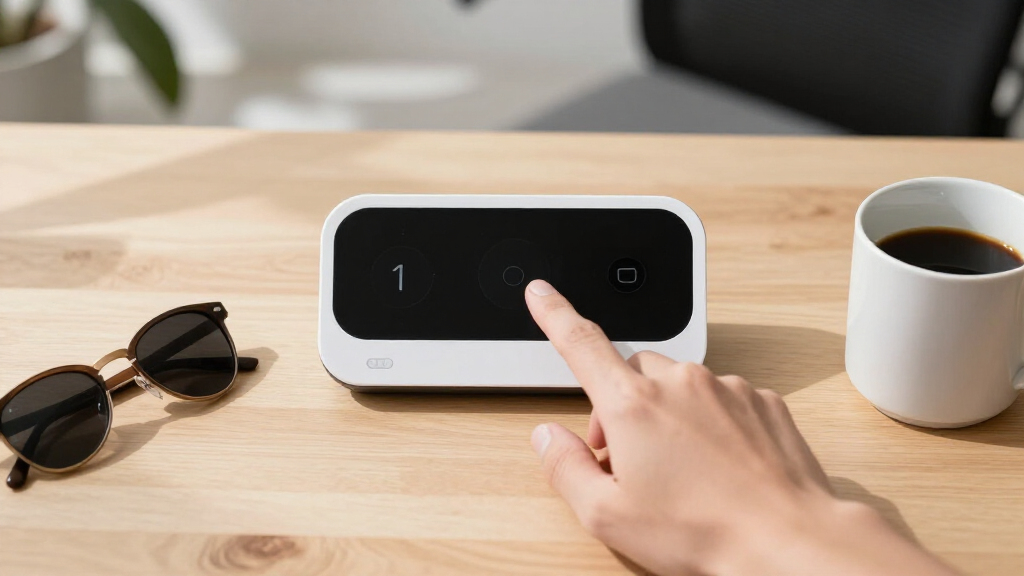
The products in this roundup were evaluated based on performance, reliability, ease of setup, user capacity, and overall value. We prioritized systems with proven facial recognition accuracy, especially in varied lighting and environmental conditions. Usability was also key, including how intuitive the interface is for both administrators and employees. Price was considered in relation to features offered, ensuring that each pick offers a meaningful advantage for its target market. The ranking reflects a balance of these factors, highlighting options suitable for different business sizes and budgets.Factors to Consider When Choosing Best Facial Recognition Time Clock For Attendance
When selecting a facial recognition time clock for attendance, it’s essential to consider factors beyond just the hardware. The right system should fit seamlessly into your existing infrastructure, meet capacity needs, and provide reliable recognition accuracy. Here are key considerations to help you make an informed decision:Recognition Accuracy and Speed
High accuracy in facial recognition reduces false positives and negatives, which is crucial for maintaining trust and efficiency. Speed matters too; a system that takes too long to verify faces can slow down workflows. Look for products with proven recognition rates, especially if your environment has variable lighting or employee appearances change frequently.
User Capacity and Scalability
Consider how many employees you need to register and verify regularly. Some systems cap at a few thousand users, which might be enough for small teams, but larger organizations need higher capacities. Think about future growth — a scalable system can save you from costly upgrades later.
Integration and Connectivity
Check whether the system integrates with your existing payroll or HR software. Wired vs. wireless setups affect installation complexity, and cloud-based options offer easier remote management. Consider your internet reliability, as cloud features depend on a stable connection for smooth operation.
Ease of Use and Maintenance
An intuitive interface reduces training time and minimizes user errors. Maintenance features like remote diagnostics or automatic updates can keep the system running smoothly with less downtime. Consider the availability of customer support and software updates as part of your decision.
Cost and Total Value
While budget constraints are real, investing in a more accurate and reliable system can pay off in fewer errors and less administrative hassle. Beware of low-cost options with limited features or poor recognition performance. Evaluate whether the added features or capacity justify the price difference for your specific needs.
Frequently Asked Questions
Can facial recognition systems work in low-light environments?
Many facial recognition time clocks are equipped with infrared or enhanced sensors that perform well in low-light conditions. However, performance can vary based on the quality of the hardware. For environments with poor lighting, choosing a system with IR capability or supplementary lighting options can improve accuracy and reliability.
Is it difficult to set up facial recognition time clocks in a small business?
Setup difficulty depends on the model; many systems now feature plug-and-play designs with straightforward installation procedures. Cloud-based models tend to be easier to configure remotely, reducing setup time. However, some systems may require initial calibration or network configuration, so reading the installation instructions carefully can save time.
How secure are facial recognition attendance systems against fraud?
Facial recognition systems are generally more secure than swipe cards or PINs, as faces are unique and difficult to replicate. Advanced models incorporate anti-spoofing measures like liveness detection, which helps prevent fake face attempts. Nonetheless, no system is entirely foolproof, so combining facial recognition with other authentication methods can enhance security.
What should I prioritize: higher capacity or advanced features?
If your organization is growing or has many employees, capacity is likely a priority to prevent frequent upgrades. However, for smaller teams, advanced features like multi-modal biometrics or remote management can improve user experience and efficiency. Balance your current needs with future scalability when making a choice.
Do cloud-based facial recognition systems require ongoing subscriptions?
Many cloud-based options operate on subscription models, which include ongoing fees for data storage, remote management, and updates. These subscriptions can add to your long-term costs but often include benefits like easier maintenance, automatic updates, and remote troubleshooting. Evaluate whether the convenience justifies the recurring expense for your business.
Conclusion
For most small to mid-sized businesses, the Biometric Employee Time Clock with Face Recognition offers a reliable, feature-rich option as the best overall pick. Budget-conscious buyers will appreciate the AI Face Recognition Time Clock for Small Business (FAD-D55) for its affordability. Larger organizations or those seeking advanced features might consider premium models like the ANVIZ FacePass 7 Pro for added flexibility. Beginners or those with straightforward needs should prioritize systems with simple setup and intuitive interfaces, while businesses with high security demands should focus on recognition accuracy and anti-spoofing features. Matching the system to your specific operational size and future plans will ensure the best long-term value.