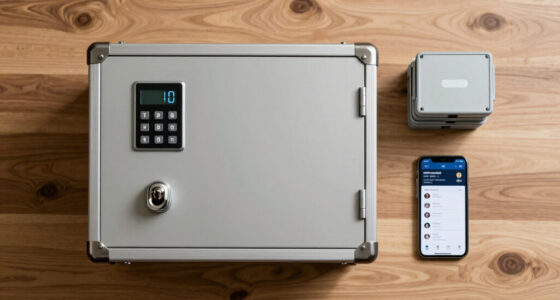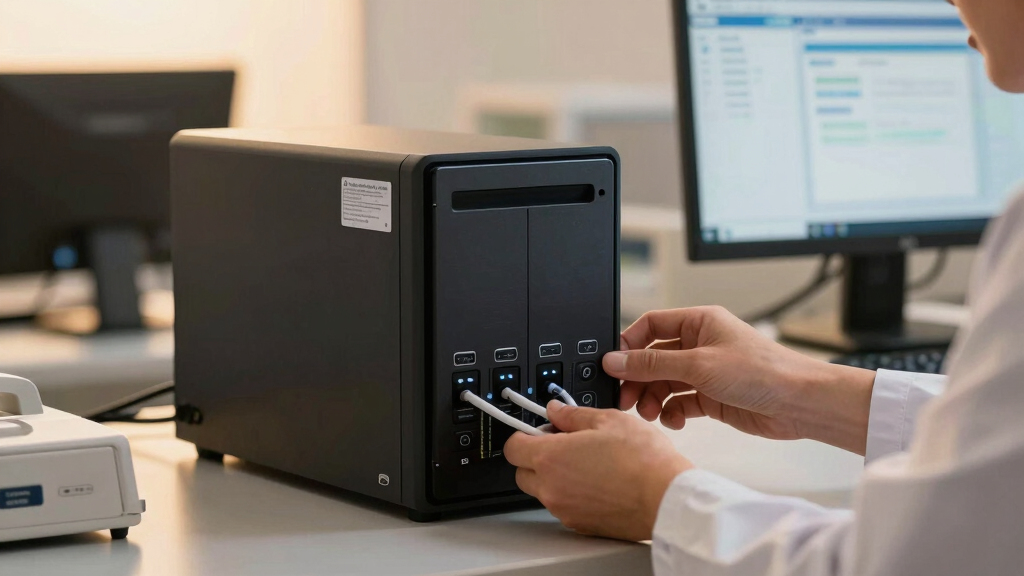
Choosing the best secure NAS for healthcare offices in 2026 involves balancing data security, compliance, and ease of management. Top picks like the Synology DS225+ and DS425+ stand out for their robust data protection and surveillance features, but they come with tradeoffs such as complexity and higher costs. For smaller clinics or offices with limited IT support, options like the Synology DS223 offer a simplified setup, while enterprise environments might prefer the high throughput of the RS422+. This guide breaks down the key features, pros, cons, and ideal use cases for each to help you make an informed decision.

Get business pricing on tech for your team
- Business-only prices and quantity discounts
- Tax-exempt purchasing
- Multiple users, one account, clear invoices
Key Takeaways
- Security and compliance features are critical for healthcare data management, making RAID, encryption, and surveillance integration essential.
- Size and scalability vary; smaller offices may prefer 2-bay models, while larger facilities need more bays and higher throughput.
- Ease of setup and management differ significantly; models with pre-installed drives and simplified interfaces reduce IT overhead.
- Performance metrics like network speed and redundancy directly impact healthcare data workflows and backup reliability.
- Tradeoffs often include cost, complexity, and the need for additional components or technical knowledge.
| Synology DS225+ Private Cloud Media Server – 2-Bay Diskless NAS with Intel CPU for Hardware Transcoding |  | Best overall for small healthcare offices needing versatile data protection | Storage Bays: 2-Bay | CPU: Intel | Transfer Speed: 282 MB/s | VIEW LATEST PRICE | See Our Full Breakdown |
| Synology 4-Bay Rackmount NAS RackStation RS422+ (Diskless), Black |  | Best for small clinics needing high throughput and space efficiency | Bays: 4 | Form Factor: 1U rackmount | Network Ports: 2 x 1GbE | VIEW LATEST PRICE | See Our Full Breakdown |
| Synology DS425+ Private Cloud Media Server – 4-Bay Diskless NAS |  | Best for data sharing and surveillance in mid-sized clinics | Bays: 4 | Network Speed: 278 MB/s | Supported Cameras: 30 IP cameras | VIEW LATEST PRICE | See Our Full Breakdown |
| Synology 4-Bay DiskStation DS925+ (Diskless) |  | Best for enterprise-level security and virtualization needs | Bays: 4 | Network Ports: Dual 2.5GbE | Sequential Read/Write: 522/565 MB/s | VIEW LATEST PRICE | See Our Full Breakdown |
| Synology DS223 Home & Office 2-Bay Diskless NAS |  | Best for small offices and home healthcare setups | Model: DS223 | Bays: 2 | Warranty: 2 years | VIEW LATEST PRICE | See Our Full Breakdown |
| secure nas for healthcare office | Warranty | Bays |
|---|---|---|
| Synology DS225+ Private Cloud | 3 Years | — |
| Synology 4-Bay Rackmount NAS R | 3 years | 4 |
| Synology DS425+ Private Cloud | 3 years | 4 |
| Synology 4-Bay DiskStation DS9 | 3 years | 4 |
| Synology DS223 Home & Office 2 | 2 years | 2 |
More Details on Our Top Picks
Synology DS225+ Private Cloud Media Server – 2-Bay Diskless NAS with Intel CPU for Hardware Transcoding
The Synology DS225+ excels in offering a compact yet powerful solution for healthcare offices that require a blend of data security, surveillance, and media management. Its Intel CPU supports hardware transcoding, which is beneficial for media-heavy environments, while RAID support ensures data redundancy. Compared with larger models, it’s easier to deploy in small clinics, but being diskless means additional setup time for drives. Its AI surveillance features bolster security, yet the complexity of configuration can be daunting for those unfamiliar with NAS systems.
Pros:- Supports 4K media streaming and hardware transcoding
- Automated backups and multi-layered data protection
- Supports AI-powered surveillance with remote monitoring
- Reliable 3-year warranty
Cons:- Requires setup for disk drives (diskless configuration)
- May be complex for beginners to configure all features
Best for: Small healthcare practices needing reliable, multi-purpose storage
Not ideal for: Large clinics requiring extensive storage and high throughput
- Storage Bays:2-Bay
- CPU:Intel
- Transfer Speed:282 MB/s
- Supports IP Cameras:Up to 30
- Warranty:3 Years
Our verdict“A versatile, secure option ideal for small healthcare offices needing media and surveillance features in a compact form.”
Synology 4-Bay Rackmount NAS RackStation RS422+ (Diskless), Black
The RS422+ is designed for environments demanding high data throughput and reliable network connectivity. Its 1U rackmount form factor saves space in server rooms, and dual Gigabit Ethernet ports support failover and load balancing—crucial features for healthcare data integrity. While its four bays give some scalability, it remains diskless, requiring additional drives. Its high throughput over 600 MB/s makes it suitable for large data transfers, but setup complexity and the need for separate drives may be barriers for smaller or less technical offices.
Pros:- Over 600 MB/s data transfer speeds
- Compact 1U rackmount design
- Dual Gigabit Ethernet ports support failover
- Easy to upgrade with plug-and-play network modules
Cons:- Diskless, requires additional drives
- Limited to 4 bays, not ideal for very large storage needs
- No pre-installed drives
Best for: Small healthcare facilities with IT staff needing high-performance storage
Not ideal for: Offices seeking plug-and-play solutions or with minimal IT support
- Bays:4
- Form Factor:1U rackmount
- Network Ports:2 x 1GbE
- Throughput:601/516 MB/s
- Warranty:3 years
Our verdict“A high-speed, space-efficient NAS suited for tech-savvy healthcare environments focused on performance.”
Synology DS425+ Private Cloud Media Server – 4-Bay Diskless NAS
The DS425+ balances performance with security, offering 2.5GbE connectivity, which accelerates backup and data sharing for healthcare teams. Its four bays support RAID configurations, essential for protecting sensitive patient data. Its support for up to 30 IP cameras makes it suitable for surveillance integration, a critical feature for healthcare security. Compared to smaller models, it offers more scalability, but setup complexity can be challenging without technical expertise. Its diskless nature means additional drives are needed.
Pros:- High network speeds with 2.5GbE
- Supports multiple users and concurrent access
- Multi-layered data protection including RAID
- Versatile for data sharing, backup, and surveillance
Cons:- Requires technical setup
- No pre-installed disks
Best for: Mid-sized clinics seeking a blend of data sharing, backup, and surveillance
Not ideal for: Small practices or those without dedicated IT support
- Bays:4
- Network Speed:278 MB/s
- Supported Cameras:30 IP cameras
- Connectivity:2.5GbE
- Warranty:3 years
Our verdict“A flexible NAS that supports both data sharing and surveillance, perfect for clinics with moderate technical resources.”
Synology 4-Bay DiskStation DS925+ (Diskless)
The DS925+ is designed for demanding environments requiring high throughput and advanced data management. Its dual 2.5GbE ports support fast data transfers, ideal for healthcare organizations managing large volumes of sensitive information. Its support for virtualization and extensive security features makes it suitable for larger offices that need reliable, scalable solutions. However, its diskless configuration demands additional investment in drives, and its setup may be complex for users without dedicated IT staff.
Pros:- High-speed data transfer
- Supports virtualization and advanced security
- Reliable hardware with 3-year warranty
- Scalable for growing needs
Cons:- Requires separate disks
- Complex setup for non-technical users
Best for: Large healthcare facilities or those with dedicated IT teams
Not ideal for: Smaller clinics or offices seeking plug-and-play solutions
- Bays:4
- Network Ports:Dual 2.5GbE
- Sequential Read/Write:522/565 MB/s
- Warranty:3 years
Our verdict“A high-performance, scalable NAS tailored for large healthcare organizations with IT resources.”
Synology DS223 Home & Office 2-Bay Diskless NAS
The DS223 offers a straightforward solution for healthcare offices that need centralized data management without high complexity. Its dual bays support RAID for data protection, and it can be used as a surveillance hub with IP cameras. While ideal for smaller setups, it’s limited in scalability and performance. Being diskless, it requires additional disks, and its setup can be challenging for those unfamiliar with NAS systems. Despite these limitations, it provides essential security features in a compact package.
Pros:- Centralizes data for easy access
- Supports professional file sharing and backups
- Can be used as surveillance system
- Relatively affordable
Cons:- Requires additional disks
- Setup may be complex for beginners
- Limited scalability
Best for: Small healthcare practices or home offices with basic needs
Not ideal for: Large clinics or those requiring high throughput and extensive security features
- Model:DS223
- Bays:2
- Warranty:2 years
Our verdict“A simple, secure NAS suitable for small healthcare offices seeking basic data management and surveillance.”

How We Picked
Our selection process focused on NAS devices that meet the security, reliability, and scalability needs unique to healthcare environments. We prioritized models with robust data protection features such as RAID, encryption, and surveillance integration, along with high data transfer speeds and ease of management. Compatibility with surveillance cameras, remote access capabilities, and warranty support also influenced our choices. We excluded consumer-grade options that lack enterprise-level security or compliance features, aiming to recommend solutions suitable for healthcare offices handling sensitive patient data.
Factors to Consider When Choosing Best Secure Nas For Healthcare Offices
Selecting the right NAS for healthcare involves understanding your organization’s data volume, security requirements, and technical capacity. Larger facilities benefit from high-throughput models with extensive security and scalability, while smaller practices prioritize ease of use and cost-effectiveness. Key features to consider include RAID support for data redundancy, encryption for sensitive information, surveillance integration for physical security, and network speed for efficient backups and sharing. Balancing these factors ensures compliance with healthcare regulations and protects patient data against threats.Security Features
Healthcare data security is non-negotiable. Look for NAS devices with RAID configurations, hardware encryption, and integration with surveillance cameras. These features help ensure patient data remains protected from breaches and unauthorized access, while also supporting compliance with regulations like HIPAA. The ability to remotely monitor surveillance feeds adds an extra layer of security for physical premises.
Performance and Scalability
High network transfer speeds, such as 2.5GbE or higher, reduce backup and data sharing times, which is essential in busy healthcare environments. Scalability is equally important—consider whether the NAS supports additional drives or expansion units to grow with your practice’s needs. For larger offices, models with multiple bays and high throughput are better suited to handle heavy workloads.
Ease of Management
Healthcare offices often lack dedicated IT staff, so ease of setup and management is vital. Some NAS devices come with user-friendly interfaces, pre-installed drives, and automated backup options. For organizations with IT support, more complex systems offering virtualization and advanced security can be suitable, but for smaller clinics, simplicity is key.
Frequently Asked Questions
Why is RAID important in a healthcare NAS?
RAID provides redundancy, which is critical in healthcare settings where data loss can have serious consequences. It allows data to be stored across multiple drives so that if one fails, the data remains accessible. This feature helps maintain compliance with data protection standards and ensures continuous access to patient records and other sensitive information.
Can I use surveillance cameras with these NAS devices?
Yes, many of these NAS options support IP camera integration, making them valuable for physical security. Surveillance feeds can be stored directly on the NAS, allowing for remote monitoring and AI-based detection. This dual functionality improves overall office security and helps meet regulatory requirements for safeguarding healthcare facilities.
What should I consider when choosing a NAS for a healthcare office?
Key considerations include data security features like encryption and RAID, scalability to accommodate future growth, network speed to facilitate backups, and ease of management. Additionally, regulatory compliance and physical security integrations, such as surveillance support, are crucial for meeting healthcare standards and protecting patient data.
Are diskless NAS devices suitable for healthcare settings?
Diskless NAS devices offer flexibility and often lower upfront costs, but they require purchasing and installing drives separately. This can introduce additional complexity during setup and maintenance. For healthcare organizations with dedicated IT staff, diskless models provide customization options, but smaller practices might prefer pre-configured systems with drives included for simplicity.
How important is network speed in healthcare NAS devices?
Network speed directly impacts how quickly data can be backed up, restored, or accessed—vital in healthcare environments where timely access to patient data is often essential. Devices supporting 2.5GbE or higher reduce bottlenecks, ensuring smooth operation during peak workloads and large data transfers, which helps maintain workflow efficiency and compliance.
Conclusion
For small healthcare offices or clinics with limited IT support, the Synology DS225+ and DS223 offer straightforward, secure solutions that balance ease of use with essential features. Larger organizations or those with dedicated IT resources should consider the RS422+ or DS925+ for higher throughput, scalability, and advanced security capabilities. Ultimately, your choice should reflect your practice’s size, security needs, and technical expertise to ensure patient data remains protected and operations remain compliant.
Halloween Picks
halloween
As an affiliate, we earn on qualifying purchases.