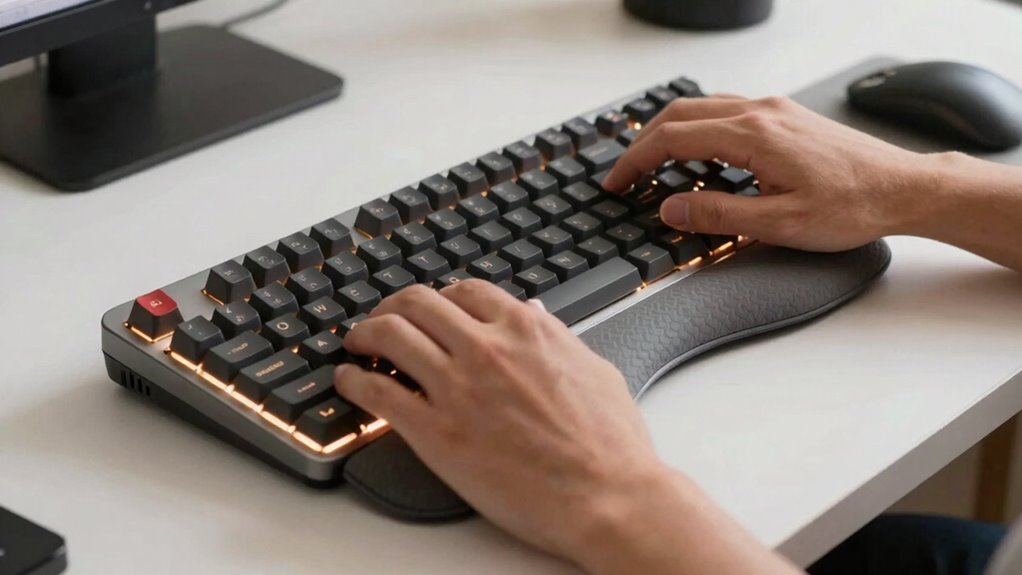
To improve your ergonomic setup, start by keeping your keyboard in a natural position with your wrists neutral, avoiding overextension or flexion. Tenting your keyboard creates a gentle incline, reducing wrist strain and promoting better alignment. Make sure your workspace supports proper posture, with your chair at the right height and within reach of frequently used items. Mastering these basics helps prevent discomfort and injury; further tips will guide you toward a comfortable, healthy workspace.
Key Takeaways
- Proper keyboard tenting elevates the center to promote a natural wrist angle, reducing strain and enhancing comfort.
- Maintaining a neutral wrist position prevents overextension and flexion, minimizing repetitive strain injuries.
- Adjustable ergonomic accessories, like risers or stands, help customize the workspace for optimal tenting and wrist angles.
- Keeping the keyboard and mouse within easy reach supports proper arm alignment and reduces excessive stretching.
- An ergonomic workspace includes appropriate chair height, monitor placement, and organized accessories to promote healthy typing habits.

Maintaining a comfortable and healthy typing position is essential for preventing strain and injury, and understanding key ergonomic principles can make a significant difference. When it comes to your typing posture, how you position your hands, wrists, and arms influences comfort and long-term health. Proper desk organization plays a crucial role here: your workspace should promote a natural arm and hand position, minimizing unnecessary movements or awkward angles. Keep your keyboard and mouse within easy reach so you don’t have to stretch or hunch forward. Your forearms should be parallel to the ground or slightly angled downward, which helps keep your wrists in a neutral, relaxed position.
Keyboard tenting is an ergonomic technique that involves elevating the center of your keyboard, creating a slight incline or “tent” shape. This adjustment aligns your wrists more naturally, reducing strain caused by excessive bending or twisting. When your wrists are in a neutral position, you avoid overextending or flexing them, which can lead to discomfort or repetitive strain injuries over time. If your keyboard doesn’t have built-in tenting features, you can use risers or specialized stands designed for this purpose. Just ensure that the tenting angle isn’t too steep; a gentle incline usually works best for comfort and effectiveness. Additionally, understanding ergonomic setup principles can help you create a workspace that minimizes discomfort and supports healthy habits. Proper workstation ergonomics can significantly enhance your comfort and prevent musculoskeletal issues. Incorporating adjustable accessories like keyboard stands can further improve your ergonomic setup and adaptability for different tasks. Being aware of proper wrist positioning can also help you maintain comfort during extended typing sessions. Paying attention to proper chair height and positioning can further complement your ergonomic strategy and reduce overall strain during work.
As an affiliate, we earn on qualifying purchases.
Frequently Asked Questions
How Often Should I Adjust My Ergonomic Setup?
You should adjust your ergonomic setup whenever you notice discomfort or fatigue. Keep an eye on your keyboard positioning and desk height regularly—at least once a week—to guarantee they support proper posture. Small tweaks can prevent strain, so listen to your body and make adjustments as needed. Regularly optimizing your workspace helps maintain comfort and prevents long-term issues, keeping you productive and pain-free.
What Are Signs of Poor Ergonomic Posture?
Like a ship lost at sea, poor ergonomic posture signals itself through discomfort and fatigue. You might notice persistent neck, shoulder, or wrist pain, tingling fingers, or eye strain. Slouching, leaning forward, or uneven weight distribution are clear signs you need posture correction. Using ergonomic accessories such as supportive chairs or keyboard risers can help. Pay attention to these signs, and adjust your setup to prevent long-term strain.
Can Ergonomic Setups Prevent Repetitive Strain Injuries?
Yes, ergonomic setups can prevent repetitive strain injuries when you follow ergonomic principles and use keyboard accessories. Proper positioning reduces strain on your wrists, hands, and shoulders, minimizing injury risk. Adjustable keyboard stands, wrist rests, and tenting devices help maintain natural angles. By prioritizing ergonomic principles, you support your body’s alignment during long typing sessions, making injuries less likely and improving comfort and productivity.
What Types of Keyboards Are Best for Tenting?
Think of tenting keyboards as the bridge to comfort. The best options are split or ergonomic keyboards with mechanical switches, as they often feature adjustable tenting angles. Compact layouts also excel because they promote a natural wrist position, reducing strain. These keyboards allow you to customize the angle, keeping your wrists in a neutral position and preventing fatigue during long typing sessions.
How Do Wrist Angles Affect Long-Term Comfort?
Wrist angles greatly impact your long-term comfort by reducing strain and preventing injury. An ergonomic design promotes a neutral wrist position, typically around a 90-degree angle, which minimizes pressure on your tendons and nerves. When your wrist angle is too extreme, it can cause discomfort and repetitive strain injuries over time. Prioritizing an ergonomic setup that maintains a natural wrist angle helps you stay comfortable and healthy during extended typing sessions.
As an affiliate, we earn on qualifying purchases.
Conclusion
So, after all this talk about perfect angles and ergonomic setups, you might think you’re set for life. But here’s the irony: the more you chase that ideal, the more you realize it’s a moving target. Sometimes, adjusting your keyboard tenting or wrist angles feels like an endless quest. Still, remember, a tiny tweak might just save you from a world of discomfort — and maybe, just maybe, make your workspace a little less ironic.

Vaydeer Wrist Rest for Keyboard and Mouse, Computer Ergonomic Wrist Support Pad, Soft Memory Foam Arm Cushion for Desk, Palm Hand Office Laptop Typing
- Soft and Comfortable Material: Memory foam with silky lycra cover
- Ergonomic Design: Concave shape fits wrist joints perfectly
- Ideal Size for Keyboard and Mouse: Keyboard pad 17.32×3.15×0.83 inches, mouse support 5.94×3.15×0.83 inches
As an affiliate, we earn on qualifying purchases.
As an affiliate, we earn on qualifying purchases.
As an affiliate, we earn on qualifying purchases.