TL;DR

Get business pricing on tech for your team
- Business-only prices and quantity discounts
- Tax-exempt purchasing
- Multiple users, one account, clear invoices
AI-powered Halloween costume creators use prompts or photos to suggest costume ideas, generate previews, and sometimes offer DIY plans. They can make brainstorming easier, but images and instructions can be inaccurate, impractical, or raise privacy concerns. Give the tool specific limits, then verify the costume before you buy or build it.
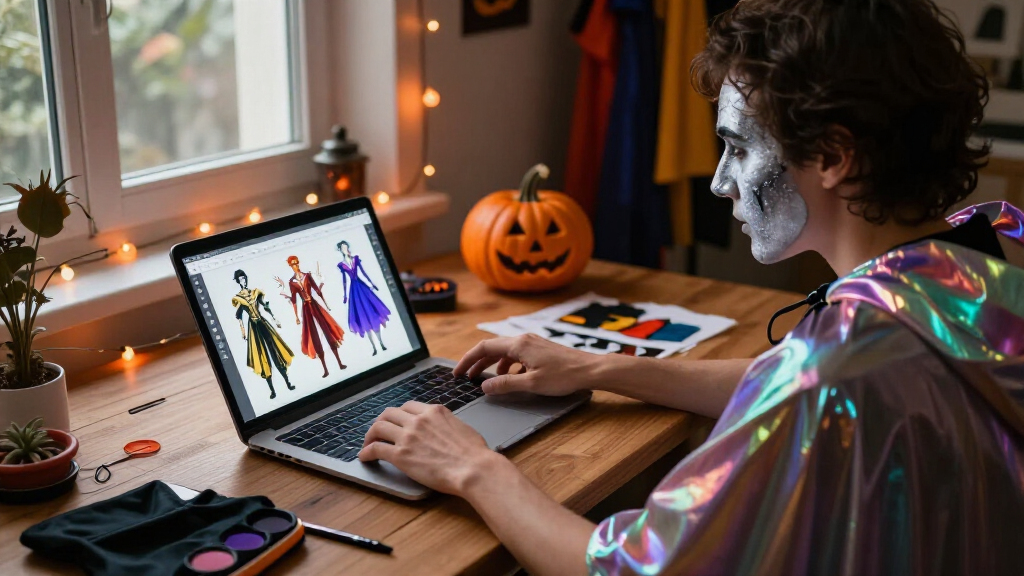
A costume generator can turn “something spooky for a rainy night” into a glowing moth, a storm-cloud wizard, or a ghost who carries an umbrella. In a few moments, you can see ideas that might otherwise take an hour of scrolling to find.
AI-powered Halloween costume creators use prompts, photos, or personal details to suggest outfits or make costume previews. You’ll learn what they’re good at, how to get ideas you can actually wear, and what to check before you share a photo or start cutting fabric.
Use a text prompt for ideas; a photo is usually needed only for a personalized preview.
Include budget, weather, available materials, time, and comfort needs in your prompt.
Treat generated images as concept art and check any DIY list before buying or building.
Review photo storage and deletion rules before uploading personal images.
Test movement, visibility, breathing, and weather protection before wearing the costume outside.
What an AI costume creator can make from one prompt
An AI-powered Halloween costume creator uses generative AI to turn a text prompt, photo, or a few details into costume ideas or images. Some tools return a list of outfits; others make a stylized preview of you in a costume. Many start from general image or fashion tools, while dedicated apps add Halloween templates or virtual try-ons.
For instance, type “a low-cost costume for a rainy outdoor party, using clothes I own,” and a tool might suggest a forest ranger with a cardboard leaf badge, or a moonlit lighthouse keeper in a yellow raincoat. That’s a useful spark. It’s not proof the costume will fit, stay dry, or look exactly like the image.
Some tools also turn a prompt into makeup suggestions, a materials list, or build steps. Treat those as a draft: a generated plan may call for hard-to-find materials or skip a practical detail, such as how to attach a heavy cardboard prop. The distinction matters because an appealing image is optimized to look coherent, while a wearable costume has to work through hours of movement, changing weather, and real material limits. Use the result to decide what effect you want, then make separate decisions about construction and comfort.
Why a little detail can lead to a much better costume
An AI-powered Halloween costume creator can tailor its suggestions when you give it real limits: budget, weather, time, materials, age, mobility needs, or the number of people dressing up. Specifics give the tool something useful to work with, instead of leaving it to guess what would make the costume wearable. Each constraint also changes the kind of idea that makes sense: a delicate accessory may be fine indoors but frustrating in wind, while a low-cost plan may depend on items you already own rather than specialty supplies.
Imagine you have 30 minutes, a black sweatshirt, and a party outside in the drizzle. “Make me spooky” may produce an elaborate crystal gown. “Give me three easy, low-cost costumes from a black sweatshirt, with no face covering, for a cold outdoor party” is more likely to return ideas you can assemble before the kettle boils. Asking for several options helps too: it reveals different ways to meet the same limits, so you can choose between a faster build, more weather protection, or a stronger visual effect.
This kind of tailored brainstorming can help a family plan a shared theme or help someone look for sensory-friendly options. You can ask for soft materials, easy closures, seated comfort, or room to use a mobility aid. Check each suggestion with the wearer: a label from an AI doesn’t tell you whether the texture will feel comfortable all evening. That check matters because comfort is personal and cumulative; a seam or tight collar that seems minor at home can become the part someone notices all night.
How to turn a generated picture into a costume you can wear
To make an AI idea practical, treat its image as concept art and turn the look into a short plan you can check. The image may have convincing moonlit colors and a soft velvet sheen, yet show a cape that would drag through puddles or sleeves you can’t move in. Separate the look you like from the parts you can build and wear. This keeps a striking visual from quietly setting unrealistic expectations about materials, fit, or effort.
- Set your limits. Name your budget, time, weather, materials on hand, and comfort or accessibility needs.
- Ask for options. Request three different costume ideas, then pick the one that fits your actual evening.
- Request a separate materials list. Ask for ordinary items and simple steps, then check that the list matches the image.
- Test the practical details. Try walking, sitting, seeing, breathing, and moving your arms in the costume before the party.
- Make a safer version. Add reflective details outdoors and remove anything that blocks vision, breathing, or movement.
For example, if an image suggests a long, glowing cape, you might use a short reflective shoulder piece instead. You keep the bright, ghostly effect without dragging fabric over wet pavement. This is a useful tradeoff to make deliberately: preserve the feature that gives the idea its character, and simplify the part that creates a problem.
What AI costume previews get right—and what they miss
An AI preview can help you compare the overall mood, colors, and costume combinations, but it can distort a face, body shape, hands, or garment details. It may also show clothing that looks smooth and wearable on screen but would be hard to sew, buy, or move in. A glowing zipper can appear in a picture without existing anywhere in a shop. The preview is most useful for choosing a direction, such as a palette or silhouette; treating it as a specification can lead to wasted time and purchases when the pictured details can’t be reproduced.
Generated results can also handle skin tones, body types, disabilities, hairstyles, and culturally significant clothing inconsistently. If an outfit borrows from a tradition, pause and learn what its symbols or garments mean before turning them into a costume. You can ask for a fantasy design inspired by a color palette or silhouette without copying sacred or ceremonial clothing. This extra care helps separate a broad visual influence from clothing whose meaning belongs to a living community, and it gives you a clearer basis for deciding whether an idea is respectful.
Cost and access vary too. Some services limit free generations, add watermarks, or reserve certain features for paid plans. Features and pricing change quickly, so check the current terms of the particular service before you build your plans around it. A free preview may be enough to settle on colors, but if a feature is paywalled, consider whether you need that specific output or can get the same planning value from text suggestions.
How to protect your photo and your costume idea
You don’t need to upload a face photo to get costume ideas; many tools work from text alone. A photo is usually needed only for a personal preview or transformation, and each provider sets its own rules for storing, using, and deleting uploaded images. Check those details before sharing a picture, especially if it includes a child. The tradeoff is straightforward: a photo can make a preview feel more personal, but it also gives the service an image that text brainstorming does not require. If the personalized view won’t change your costume decision, skipping the upload can reduce unnecessary exposure.
Generated designs can resemble existing characters, artwork, or an artist’s recognizable style. If you want an original look, describe the ingredients instead: “silver star makeup, a navy coat, and handmade paper wings.” Commercial use needs extra care because usage rights depend on the service’s terms and the laws that apply. Describing visual elements also makes the idea easier to adapt: you can swap an unavailable material or change a color without depending on a recognizable character reference.
A useful test is to ask whether the tool needs the personal detail you’re about to provide. For a group costume, “four people, two adults and two children, warm layers, no masks” can often do the job without anyone’s photo. The more specifically a prompt names practical needs instead of identities, the more useful it can be for planning while sharing less personal information.
What to check before you head out the door
A costume is ready when it works in the real world, not just in a glossy preview. Check visibility, breathing, movement, weather, and materials before wearing it outside. For children, avoid small parts, trip hazards, and flammable materials, and make sure the costume doesn’t obstruct vision or breathing. These checks work together: for example, adding layers for warmth can make movement harder, while a mask that completes the look can interfere with seeing traffic. Try the whole outfit in the conditions where it will be worn, rather than judging each piece on its own.
For instance, a robot costume made from a big box may look brilliant in a picture. On a dark sidewalk, though, it can hide a child’s hands and limit their view at crossings. Cut wide openings, add reflective tape, and test the costume on a short walk before trick-or-treating. A short trial exposes small problems early, when changing a strap or trimming cardboard is easier than fixing it on the way to a party.
Use the AI for what it does well: making the blank page less blank. Then check construction, sourcing, comfort, safety, cultural context, and the provider’s current privacy settings yourself. A few minutes of checking can turn a clever image into a costume that feels good long after the first “boo!”
Frequently Asked Questions
Can an AI tool make a costume I can actually build?
It can suggest a buildable starting point, especially when you include your budget and materials. Check the materials list and instructions yourself; generated plans can be incomplete or impractical.
Do I have to upload a photo to use a costume creator?
No. Many tools generate costume ideas from text prompts alone. A photo is generally needed only for a personalized preview or photo transformation.
Will the preview look like me or like the finished costume?
Not always. A generated image may alter your features, proportions, lighting, or clothing details. Treat it as an approximation, not a fitting or sewing pattern.
Can I ask AI for a group or accessible costume idea?
Usually, if you describe who will wear it and what they need. Specify the group size, age ranges, easy closures, seated comfort, soft materials, or other requirements, then check that each suggestion works for the people wearing it.
Are AI costume creators free, and are uploaded photos private?
Some services have free limits, while others charge for credits, subscriptions, or certain features. Photo privacy depends on the provider, so check its rules for storage, training use, and deletion before uploading.
Conclusion
Use an AI costume creator to get past the blank-page problem, then let your own checks decide what you wear. A bright, clever costume should work under porch lights and on a damp sidewalk—not only on a screen.
Fall Picks
fall essentials
As an affiliate, we earn on qualifying purchases.