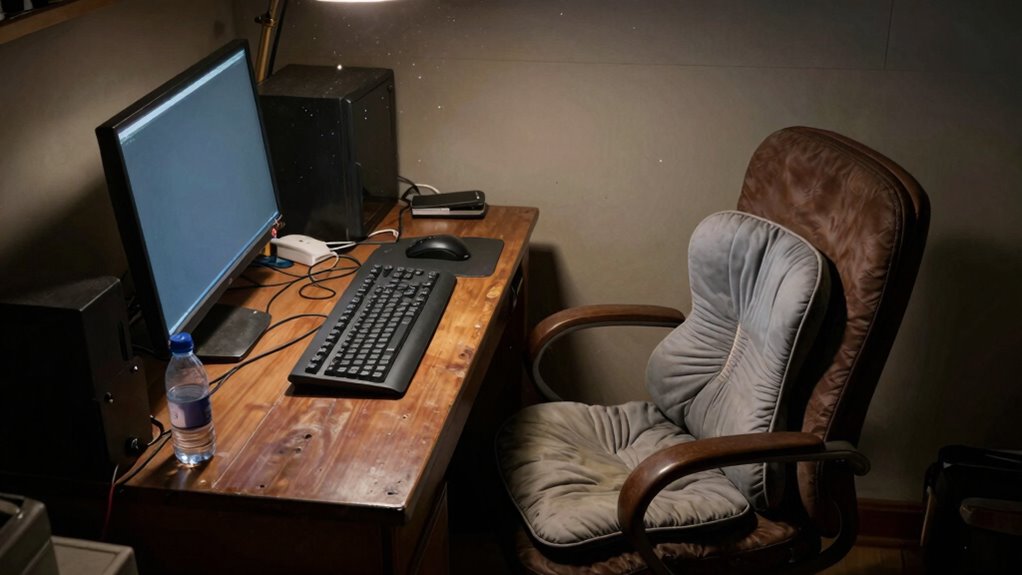

Many people ignore home office ergonomics until discomfort or pain become unavoidable, risking long-term health problems like back, neck, or wrist issues. Small adjustments now, like ergonomic chairs and monitor placement, can prevent chronic problems later. Ignoring signs of strain just worsens the situation, making discomfort harder to fix. Paying attention to ergonomic principles early on can save you from unnecessary pain and expenses, and there’s more to discover about creating a healthier workspace.

Get business pricing on tech for your team
- Business-only prices and quantity discounts
- Tax-exempt purchasing
- Multiple users, one account, clear invoices
Key Takeaways
- Many overlook ergonomic setup until persistent pain or discomfort prompts urgent intervention.
- Ignoring early ergonomic signs can lead to chronic issues like back pain and carpal tunnel syndrome.
- Poor posture over time often becomes ingrained, making corrective measures more difficult and costly.
- Lack of awareness about ergonomic benefits delays proactive adjustments, worsening long-term health outcomes.
- Small ergonomic improvements are often dismissed, increasing the risk of serious health problems later.

Are you sitting comfortably and correctly at your home office? If not, you might not realize how quickly poor ergonomics can catch up with you. Many people overlook the importance of ergonomic accessories until they start experiencing persistent pain or discomfort. The truth is, small adjustments now can save you from long-term health issues later. Investing in ergonomic accessories isn’t just about comfort; it’s about posture improvement, which is essential when you spend hours at your desk. Proper support for your neck, back, and wrists helps keep your spine aligned and prevents strain.
You might think that a simple chair is enough, but without ergonomic features, you’re likely putting unnecessary stress on your body. An ergonomic chair with adjustable height, lumbar support, and armrests can make a significant difference. Pair that with a desk at the right height—so your wrists aren’t bent awkwardly when typing—and you’ll reduce fatigue and discomfort. Many overlook the significance of monitor positioning, but it’s critical. Your screen should be at eye level to avoid neck strain. Using monitor stands or adjustable arms can help you achieve this, making your workspace more aligned with your natural posture. Additionally, integrating biodiversity principles into your workspace environment, such as natural lighting and plants, can enhance well-being and reduce stress.
A lot of people ignore these details until pain becomes unavoidable. It’s tempting to overlook the small discomforts, telling yourself they’ll go away, but they rarely do. The cumulative effect of poor posture can lead to chronic problems like back pain, carpal tunnel syndrome, and eye strain. That’s why prioritizing posture improvement through ergonomic accessories should be your first step. These accessories are often affordable, easy to set up, and highly effective in promoting better habits. Incorporating ergonomic design concepts into your workspace setup can further prevent discomfort and support your health in the long run. Moreover, being aware of ergonomic principles can help you make more informed choices about your workspace setup, leading to better health outcomes over time. Recognizing the importance of posture awareness can also motivate you to maintain consistent ergonomic habits throughout your workday. Additionally, understanding the long-term health benefits of ergonomic adjustments can encourage ongoing commitment to your workspace health.
ergonomic office chair with lumbar support
As an affiliate, we earn on qualifying purchases.
As an affiliate, we earn on qualifying purchases.
Frequently Asked Questions
How Often Should I Take Breaks During Remote Work?
You should take a break every 60 to 90 minutes during remote work. This break frequency helps prevent strain and fatigue. Use this time to stretch routines that target your neck, shoulders, and back to improve circulation and reduce discomfort. Regular breaks keep you alert and productive, so don’t skip them—your body will thank you for prioritizing ergonomic habits, even in a home office setting.
What Are the Signs of Poor Ergonomic Setup?
Think of your body as a delicate garden needing care. Signs of poor ergonomic setup include persistent neck or back pain, tingling in your limbs, or headaches—like weeds overtaking healthy growth. If your workspace is cluttered or your posture slouches, it’s time for posture correction and better workspace organization. Ignoring these signs lets discomfort grow, eventually choking your productivity and well-being. Address them early before your workspace becomes an overgrown jungle.
Can Cheap Furniture Improve Ergonomics?
Cheap furniture can improve ergonomics if it features good ergonomic design. Look for affordable options that support your posture, like adjustable chairs and desks, even on a budget. While pricey furniture often offers better durability and features, many budget-friendly pieces now incorporate ergonomic principles, helping you stay comfortable and prevent strain. Just make certain the furniture you choose supports proper alignment and encourages healthy sitting habits.
How Do I Adjust My Desk for Better Posture?
Adjust your desk height so your elbows are at a 90-degree angle, keeping your wrists straight. Use a chair with good support, ensuring your feet rest flat on the floor and your lower back is supported. If needed, add a footrest or cushion. Keep your monitor at eye level to prevent neck strain. Regularly check and adjust your setup for comfort and proper posture throughout your workday.
Are Ergonomic Accessories Worth the Investment?
Ergonomic accessories can be worth the investment, like adding a sturdy bridge to cross a river. Despite ergonomic myths suggesting they’re unnecessary, the accessory effectiveness truly enhances comfort and posture. When used correctly, these tools support your body and reduce strain. They’re especially helpful if you spend long hours at your desk. Ultimately, the right accessories can make a noticeable difference in your workday, preventing pain before it becomes a problem.
adjustable monitor stand for eye level
As an affiliate, we earn on qualifying purchases.
As an affiliate, we earn on qualifying purchases.
Conclusion
You might think you’re too busy to fix your home office setup, but ignoring ergonomics now could lead to serious health issues later. Investing a few minutes to adjust your chair, monitor, and desk isn’t a waste—it’s a smart move to prevent pain and fatigue. Don’t wait until discomfort becomes a distraction or injury. Small changes today can keep you comfortable and productive tomorrow. Your body will thank you for prioritizing your well-being now.
ergonomic keyboard and mouse set
As an affiliate, we earn on qualifying purchases.
As an affiliate, we earn on qualifying purchases.
As an affiliate, we earn on qualifying purchases.
Halloween Picks
halloween
As an affiliate, we earn on qualifying purchases.