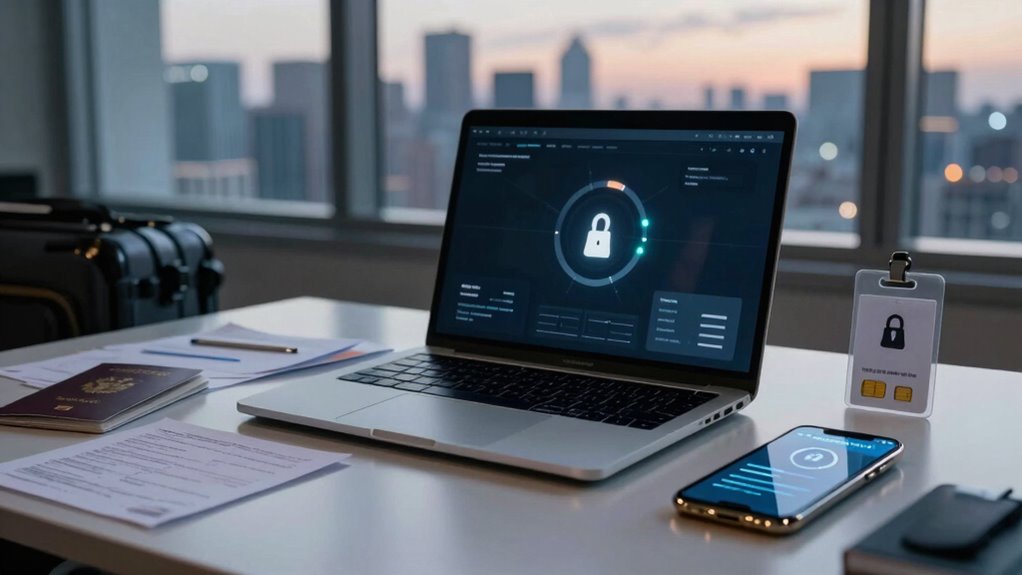

Travel security for remote employees is often overlooked, leaving your company’s data and reputation vulnerable. You need to encrypt communications, use secure Wi-Fi connections, and keep devices protected. Be cautious with public hotspots and use VPNs for extra security. Maintaining good device hygiene and practicing secure communication habits are essential. If you continue, you’ll find simple yet effective steps to strengthen your travel security and protect your organization.

Get business pricing on tech for your team
- Business-only prices and quantity discounts
- Tax-exempt purchasing
- Multiple users, one account, clear invoices
Key Takeaways
- Many organizations overlook comprehensive security protocols for remote employees traveling, increasing vulnerability to cyber threats.
- Inadequate training leaves employees unaware of best practices for securing devices and communications abroad.
- Public Wi-Fi risks are often underestimated, risking data breaches if not protected with VPNs and secure connections.
- Lack of routine security audits during travel can lead to overlooked vulnerabilities in device and data protection.
- A forgetfulness to enforce multi-factor authentication and encryption diminishes overall travel security posture.

Have you ever considered the security risks remote employees face when traveling for work? When you’re on the go, the lines between personal and professional data blur, and vulnerabilities multiply. You might think that just using your device as you normally do is enough, but cybercriminals are increasingly targeting travelers, knowing that their defenses are often weaker outside the office network. That’s why understanding how to protect sensitive information during travel is crucial.
One of the biggest gaps in travel security is safeguarding data on your devices. Data encryption becomes your first line of defense here. When you encrypt your files and communications, even if someone intercepts your data, they won’t be able to make sense of it. It’s like putting your information inside a secure digital vault that only you can unlock. This simple step can prevent costly breaches, protect client confidentiality, and maintain your company’s reputation. Data protection strategies are essential to minimize risks in such scenarios.
Another critical aspect is ensuring you connect to a secure Wi Fi network. Public Wi Fi hotspots are notorious for being insecure, making it easy for hackers to intercept data transmitted over them. Before you connect, verify the network’s authenticity, and prefer networks that require a password or are secured with WPA2 or WPA3 encryption standards. When possible, avoid using open networks altogether. Instead, consider using a Virtual Private Network (VPN). A VPN encrypts your entire internet connection, adding an extra layer of security that keeps your data safe from prying eyes, especially when working from airports, coffee shops, or hotels.
You should also be mindful of how you handle your devices during travel. Keep your devices physically secure, and avoid leaving them unattended in public places. Use strong, unique passwords for all your accounts, and enable multi-factor authentication whenever possible. This way, even if someone gets hold of your login details, they’ll still need an additional verification step to access your accounts.
Lastly, communication channels need extra caution. When discussing sensitive information, use encrypted messaging apps and secure email services. Never assume that a quick chat or an unencrypted email is safe, especially when you’re outside a controlled environment. Your data is as vulnerable as your habits—so always be vigilant about what you share and how you share it.
In the end, travel security for remote employees isn’t just about having the right tools; it’s about cultivating a security-conscious mindset. Implementing data encryption, using secure Wi Fi, and practicing good device hygiene can dramatically reduce your risk. Being aware of cybersecurity vulnerabilities and how to address them with proper practices helps protect your company’s assets and your personal reputation in an increasingly digital world.
As an affiliate, we earn on qualifying purchases.
Frequently Asked Questions
How Can Companies Track Remote Employees’ Travel Locations Securely?
You can track remote employees’ travel locations securely by implementing GPS-enabled travel management tools that prioritize data encryption, safeguarding sensitive information. These tools help monitor travel risk in real-time while ensuring compliance with privacy regulations. By using secure platforms, you maintain control over location data, minimize security breaches, and support your team’s safety without compromising confidentiality. This way, you stay informed and protect your company from potential travel-related security threats.
What Legal Considerations Exist for Remote Employees Abroad?
Are you aware of the legal considerations when your remote employees travel abroad? You need to guarantee legal compliance with local laws and regulations, which vary greatly by country. Data privacy is also vital—protect personal information against breaches. You must establish clear policies, obtain necessary permits, and stay updated on international legal changes to avoid penalties. Do you have a robust plan to navigate these legal complexities?
How Do Cultural Differences Affect Travel Security Protocols?
Cultural differences considerably impact travel security protocols, requiring you to be culturally sensitive and aware of local customs. Language barriers can hinder effective communication, making it harder to follow safety procedures or seek help in emergencies. By understanding and respecting local traditions, and preparing for language differences, you can enhance your safety. Adapting your approach ensures smoother interactions, reduces misunderstandings, and helps you navigate security concerns more confidently in unfamiliar environments.
What Are the Best Emergency Contacts for Remote Travelers?
You should have a list of emergency contacts, including local authorities, your company’s travel security team, and your embassy or consulate for travel insurance assistance. Keep these contacts easily accessible, like in your phone or a printed card. Prioritize personal safety by knowing how to reach medical help and local emergency services quickly. Regularly update your contacts and share your itinerary with trusted colleagues for added security.
How Often Should Security Training Be Updated for Remote Staff?
You should update security training for remote staff at least annually, especially considering changes in travel insurance policies and Visa requirements. Regular updates guarantee your team stays informed about new risks, travel protocols, and emergency procedures. Incorporate recent security incidents and policy changes to keep training relevant. Frequent refreshers help remote employees remain vigilant and prepared, reducing vulnerabilities during travel and ensuring compliance with evolving international travel and security standards.
encrypted USB drives for data security
As an affiliate, we earn on qualifying purchases.
As an affiliate, we earn on qualifying purchases.
Conclusion
As you pack your bags and step into the world beyond your home, remember that travel security isn’t just a checklist—it’s your shield amid unfamiliar streets and busy airports. Stay alert, trust your instincts, and keep your plans close. Picture yourself maneuvering confidently through a landscape filled with possibilities, knowing you’ve prepared for every twist and turn. When you prioritize safety, every journey becomes a story of resilience and adventure, not just a risk to avoid.
As an affiliate, we earn on qualifying purchases.
multi-factor authentication security key
As an affiliate, we earn on qualifying purchases.
As an affiliate, we earn on qualifying purchases.
Fall Picks
fall essentials
As an affiliate, we earn on qualifying purchases.