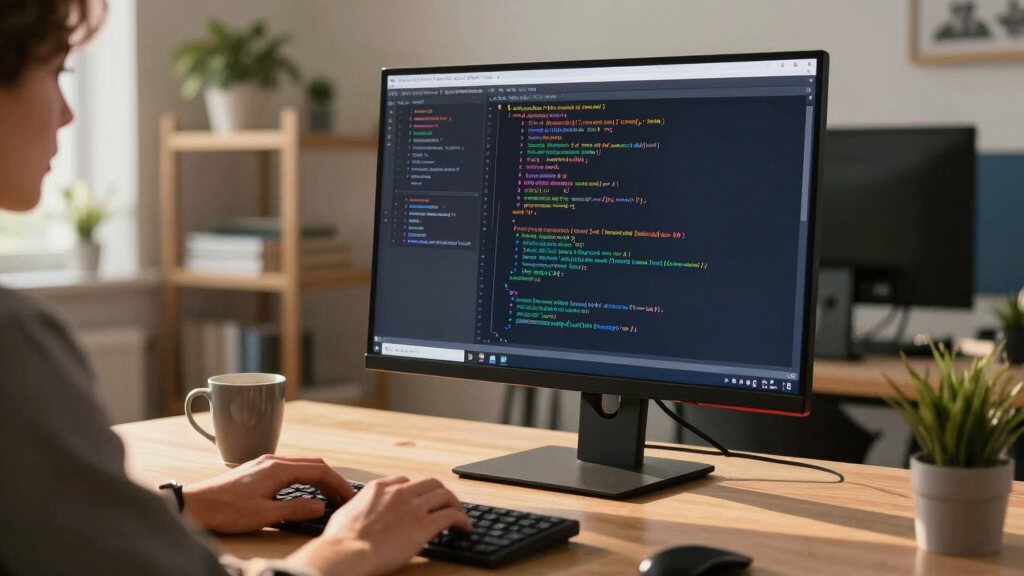

Finding the best 4K monitor for coding involves balancing resolution, screen size, color accuracy, and ergonomic features. The Dell 27 Plus 4K (S2725QS) stands out for its sharp display and smooth performance, making it ideal for long coding sessions. LG’s 32UR500K-B offers a larger screen with HDR support, perfect for multitasking and visual clarity. Meanwhile, the BenQ RD280U is tailored for programmers who need precise color and ergonomic flexibility. The main challenge lies in choosing between high resolution, color precision, and affordability. Keep reading for a detailed comparison to find your ideal monitor.
Key Takeaways
- Resolution and size directly impact coding comfort; larger screens reduce eye strain and increase productivity.
- Color accuracy is vital for developers working with design or UI elements, making professional-grade panels worth considering.
- Ergonomic features like height, tilt, and swivel adjustments enhance comfort during extended coding sessions.
- Connectivity options such as USB-C and HDMI determine compatibility with modern laptops and desktops.
- Tradeoffs often involve balancing cost against features like HDR, refresh rates, and build quality—more premium models offer better ergonomics and color but at a higher price.


More Details on Our Top Picks
Dell 27 Plus 4K Monitor – S2725QS
This Dell 27 Plus 4K monitor earns its top spot by offering a balanced combination of color accuracy, high refresh rate, and eye comfort features. Its IPS panel with 99% sRGB ensures vibrant, consistent colors ideal for coding, design, and media consumption. Compared to the LG 27US500-W, it provides a higher refresh rate (120Hz vs. 60Hz) and better response times (0.03ms vs. 5ms), making it more suitable for multitasking and occasional gaming. Its built-in speakers and HDR readiness add to multimedia versatility, though its price is higher. The improved ComfortView Plus reduces blue light, allowing all-day work without eye strain. The ultra-thin bezel enhances a sleek aesthetic, perfect for multi-monitor setups. However, its response time, while excellent for work, might still be less ideal for fast-paced gaming. This monitor best suits professionals who want a reliable, color-accurate display that can handle both work and entertainment needs without compromise.
Pros:- Vivid 99% sRGB IPS panel with accurate color reproduction
- 120Hz refresh rate and 0.03ms response time for smooth multitasking and casual gaming
- ComfortView Plus reduces blue light for extended use
Cons:- Higher price compared to standard 4K monitors
- Limited to 27 inches, which may be small for some multitaskers
Best for: Creative professionals and coders who need accurate colors, high refresh rate, and all-day eye comfort.
Not ideal for: Hardcore gamers requiring ultra-low response times and high frame rates for competitive play.
- Display Size:27 inches
- Resolution:3840 x 2160
- Refresh Rate:120Hz
- Response Time:0.03ms
- Color Gamut:99% sRGB
- Contrast Ratio:1500:1
- Ports:2 HDMI
- Panel Technology:IPS
Bottom line: This monitor offers a well-rounded package for professionals who value color accuracy, refresh speed, and eye comfort in a versatile workspace.
LG 32UR500K-B Ultrafine 32-inch 4K UHD
This LG 32-inch 4K monitor stands out for its expansive display and decent color performance, making it a great choice for developers who prefer a bigger workspace. Its 90% DCI-P3 coverage ensures vibrant visuals suitable for detailed UI design and media tasks. Compared to the Dell S2725QS, it offers a larger screen but with a 60Hz refresh rate and a slower response time of 5ms, which is acceptable for coding but less ideal for fast-paced gaming or video editing. Its HDR10 support enhances contrast and color depth, while the borderless design maximizes the viewing area. The ergonomic stand provides tilt adjustments, but lacks height or swivel options. The monitor’s flicker-safe technology reduces eye fatigue during long coding sessions, though its contrast ratio (1000:1) is modest. Best suited for programmers and content creators who prioritize screen real estate over ultra-quick response times.
Pros:- Large 32-inch 4K UHD display with immersive workspace
- High color accuracy with 90% DCI-P3 and HDR10 support
- Flicker-safe technology reduces eye strain
Cons:- 60Hz refresh rate not suitable for high-speed gaming
- Limited height adjustment, only tilt
Best for: Software developers and content creators needing a large, color-accurate display for extended hours.
Not ideal for: Competitive gamers or fast-action video editors requiring higher refresh rates and response times.
- Display Size:32 inches
- Resolution:3840 x 2160
- Refresh Rate:60Hz
- Response Time:5ms
- Color Gamut:90% DCI-P3
- Contrast Ratio:1000:1
- Ports:HDMI x2, DisplayPort
- Panel Technology:IPS
Bottom line: Ideal for those who need a sizable, vibrant display for coding, design, and media, but not for high-speed gaming or editing.
UPERFECT Portable 4K 16″ Monitor
This UPERFECT 16-inch portable monitor excels for its high brightness (1200 nits) and ultra-high resolution, making it perfect for mobile professionals and remote coders working outdoors or in bright environments. Its 145% sRGB ensures vibrant colors for UI design and media tasks. Compared to larger static monitors like the LG 27US500-W, it offers exceptional portability with VESA mounting and a smart case, but at the expense of size and some response times (1ms). Its 60Hz refresh rate is standard, but the true strength lies in brightness and contrast—great for detailed viewing under harsh lighting. The aluminum body adds durability and a premium feel, and the USB-C and HDMI inputs allow flexible connectivity. Best suited for developers and designers needing a compact, bright display that travels easily.
Pros:- Bright 1200 nits display with 4K UHD resolution
- Ultra-portable with VESA mount and smart case
- High contrast ratio (2000:1) enhances detail in bright environments
Cons:- Limited size (16 inches) for extensive multitasking
- Response time of 1ms may be less relevant for gaming
Best for: Mobile developers and designers needing a portable, high-brightness 4K display for outdoor or travel work.
Not ideal for: Gamers or video editors who require high refresh rates and color calibration beyond basic needs.
- Display Size:16 inches
- Resolution:3840 x 2400
- Brightness:1200 nits
- Contrast Ratio:2000:1
- Refresh Rate:60Hz
- Inputs:USB-C, HDMI
- Panel Technology:IPS LCD
Bottom line: Best for on-the-go professionals needing a bright, portable display for coding, design, or media in outdoor settings.
LG 27US500-W Ultrafine 27-inch 4K UHD
This LG 27-inch UHD monitor offers a solid balance of size, color, and affordability, making it a reliable choice for everyday coding and media tasks. Its 60Hz refresh rate and 5ms response time are adequate for typical programming workflows and media viewing. The IPS panel with HDR10 support provides decent color accuracy, covering approximately 90% DCI-P3, suitable for UI design and light creative work. Compared to the Dell S2725QS, it is more budget-friendly but has a lower refresh rate and response time, which may limit multitasking smoothness. The flicker-safe technology and adjustable stand help reduce eye fatigue during long sessions. It’s a good pick for budget-conscious developers who need a dependable, large display without gaming or high-end color needs.
Pros:- Affordable 27-inch 4K UHD IPS display
- HDR10 support with 90% DCI-P3 coverage
- Flicker-safe technology for comfortable prolonged use
Cons:- Limited to 60Hz refresh rate, not ideal for gaming
- Response time of 5ms is slower for fast-paced media
Best for: Budget-conscious developers and students seeking a reliable 4K display for coding and daily multimedia use.
Not ideal for: Gamers or professionals requiring ultra-fast response times and high refresh rates.
- Display Size:27 inches
- Resolution:3840 x 2160
- Refresh Rate:60Hz
- Response Time:5ms
- Color Gamut:90% DCI-P3
- Contrast Ratio:1000:1
- Ports:HDMI, DisplayPort
- Panel Technology:IPS
Bottom line: A dependable, budget-friendly 4K monitor suited for coding and media consumption, but not for high-speed gaming.
ZZA 34 Inch Curved Gaming Monitor
This ZZA 34-inch curved monitor is designed for immersive multitasking, ideal for programmers who want a wide, continuous workspace. Its 3440×1440 resolution offers sharp visuals while the 21:9 aspect ratio provides 30% more horizontal real estate than standard 16:9 screens, enhancing productivity and coding ergonomics. The 240Hz refresh rate and 1ms response time make it suitable for fast-paced tasks, though it is primarily a gaming-oriented feature. Its HDR display with a 4000:1 contrast ratio delivers deeper blacks and brighter highlights, beneficial for media and creative work. The bezel-free design maximizes the viewing area, and the adjustable tilt adds comfort. It supports VESA mounting, perfect for custom setups. While not ideal for color-accurate tasks like professional photo editing, it excels in multitasking, streaming, and fast coding workflows.
Pros:- Ultra-wide 34-inch curved display with 3440×1440 resolution
- Fast 240Hz refresh rate and 1ms response time for smooth multitasking
- High contrast (4000:1) and 99% sRGB for rich visuals
Cons:- Not calibrated for professional color work
- Lack of height adjustment limits ergonomic flexibility
Best for: Developers and streamers who need a large, ultra-wide display for multitasking and immersive coding sessions.
Not ideal for: Color-critical work like professional photo editing or video color grading requiring high color fidelity.
- Display Size:34 inches
- Resolution:3440 x 1440
- Refresh Rate:240Hz
- Response Time:1ms
- Contrast Ratio:4000:1
- Color Gamut:99% sRGB
- Inputs:HDMI, DisplayPort
- Panel Technology:VA
Bottom line: Perfect for multitasking, streaming, and coding in an ultra-wide format, but less suited for color-accurate professional editing.
ASUS 27” 4K Eye Care Monitor (VY27UQ) – UHD (3840 x 2160), IPS, HDR10, Adaptive Sync, Eye Care Plus, Display Port, HDMI, Speaker, DisplayWidget, Blue Light Filter, Flicker Free, 3yr Warranty
The ASUS VY27UQ stands out for its vibrant 4K IPS display that delivers sharp, color-accurate visuals at wide angles, making it ideal for both work and entertainment. Compared to the Dell S2725QS, it offers a slightly higher resolution (UHD vs. 4K), but with a similar response time and adaptive sync technology. Its built-in Eye Care Plus and Blue Light Filter help reduce eye strain during long sessions, a feature not as emphasized on the Dell. However, the speaker quality is modest, and the 60Hz refresh rate limits its suitability for fast-paced gaming. The monitor’s support for HDR10 enhances visual depth for media consumption, and the antibacterial coating adds a hygiene benefit. The stand offers tilt, height, and pivot adjustments, ensuring ergonomic comfort. While not optimized for high-end gaming, it excels as a versatile, health-conscious choice for general productivity and media. Best for users prioritizing eye health and versatile daily use.
Pros:- Excellent color accuracy with IPS panel and HDR10 support
- Wide viewing angles with consistent image quality
- Built-in Blue Light Filter and Flicker-Free technology for eye comfort
- Adjustable ergonomic stand for personalized setup
Cons:- Speaker quality is basic and not suited for high-fidelity audio
- Limited 60Hz refresh rate not ideal for high-speed gaming
- Higher price point compared to some similar monitors
Best for: Professionals and students who need a sharp, color-accurate display with eye protection features for extended work or study sessions.
Not ideal for: Gamers seeking ultra-fast refresh rates or professionals requiring color calibration for critical editing.
- Display Resolution:3840 x 2160
- Panel Type:IPS
- Refresh Rate:60 Hz
- Connectivity:HDMI, DisplayPort
- Brightness:350 nits
- Color Gamut:99% sRGB
- Warranty:3 years
Bottom line: Ideal for users who want a reliable, eye-friendly 4K display for productivity and media, but not for competitive gaming.
The Dell S3225QS offers a large 32-inch VA panel with high contrast and excellent color coverage, making it a compelling choice for multimedia, multitasking, and casual gaming. Unlike the ASUS VY27UQ, it features a higher refresh rate of 120Hz, providing smoother motion for video and light gaming, though still not suited for competitive eSports. Its 1500:1 contrast ratio produces deeper blacks and richer images, which enhances media viewing. The ComfortView technology reduces blue light emissions, supporting prolonged use without eye fatigue. Its ergonomics include tilt, height, and swivel adjustments, and it supports AMD FreeSync Premium for tear-free visuals. The monitor’s integrated speakers are functional for video calls but lack audiophile quality. While not aimed at professional color grading, it balances vibrant visuals with ergonomic comfort for everyday productivity and media consumption. Best for users who want a large, high-contrast 4K display with smooth motion support.
Pros:- Large 32-inch VA panel with high contrast
- Up to 120Hz refresh rate for smoother media playback
- Excellent color coverage with 99% sRGB and 95% DCI-P3
- Adjustable stand for ergonomic comfort
Cons:- Response time of 5ms may introduce motion blur in fast-paced content
- Built-in speakers are mediocre in quality
- Higher price compared to smaller or less feature-rich monitors
Best for: Creative professionals and office workers who prioritize a large display with high contrast, vibrant colors, and flexible ergonomics.
Not ideal for: High-end color grading or competitive gamers who need ultra-low latency and faster refresh rates.
- Display Resolution:3840 x 2160
- Panel Type:VA
- Refresh Rate:120 Hz
- Brightness:350 nits
- Color Gamut:99% sRGB, 95% DCI-P3
- Contrast Ratio:1500:1
- Connectivity:HDMI, DisplayPort
Bottom line: A versatile, large-screen monitor suitable for media, multitasking, and casual gaming, but not for high-precision professional editing.
BenQ RD280UA 28.2” 4K 3840×2560 Programming Monitor Backlight, Ergo Flexible Arm, 90W USB-C, Fine-Coated Panel, Advanced Coding Modes, Night Hours Protection, Coding HotKey, Eye-Care Tech
The BenQ RD280UA is tailored for coding and development, featuring a 3:2 aspect ratio that maximizes code viewing space and a fine-coated Nano Matte panel that minimizes reflections, ideal for long hours at the desk. Its adaptive coding modes and Night Hours Protection help reduce eye strain during late-night work, a feature not as explicitly emphasized on general-purpose monitors like the ASUS VY27UQ. The ergonomic arm adds flexibility, allowing perfect positioning, crucial for reducing fatigue during marathon sessions. The 3840×2560 resolution provides crisp text and detailed code visibility, even better suited for programming than standard 4K monitors with 16:9 ratios. However, it lacks high refresh rates and is not optimized for gaming. The USB-C port offers power delivery and data transfer, simplifying workspace setup. This monitor makes the most sense for developers who spend hours reading and writing code. Best for programmers needing a dedicated coding monitor with eye comfort features.
Pros:- Unique 3:2 aspect ratio maximizes vertical workspace
- High resolution (3840×2560) for clear, sharp text
- Nano Matte anti-reflective panel for glare reduction
- Ergonomic flexible arm for optimal positioning
Cons:- Limited refresh rate at 60Hz, not suited for gaming
- Higher price due to specialized features
- Less vibrant color gamut compared to professional-grade monitors
Best for: Software developers, programmers, and coders who need a large, high-resolution display with reduced glare and ergonomic flexibility.
Not ideal for: Casual users or gamers needing high refresh rates or multimedia focus.
- Display Resolution:3840 x 2560
- Panel Type:IPS
- Aspect Ratio:3:2
- Response Time:5 ms
- Connectivity:USB-C, HDMI
- Brightness:350 nits
Bottom line: This monitor is perfect for developers needing a large, detailed, and glare-free workspace, but not for fast-paced gaming or multimedia editing.
BenQ RD320U 32” 4K 3840×2160 Programming Monitor with 2000:1 Contrast Ratio, Nano Matte Panel, Backlight, 90W USB-C, Coding Modes, Night Hours Protection, Ergonomic Design, and Eye-Care Technology
The BenQ RD320U combines a 32-inch 4K display with a 2000:1 contrast ratio, making it a strong candidate for programmers who also work with media or require vibrant visuals. Its Nano Matte panel greatly reduces reflections, unlike glossy screens, providing clarity even in bright environments. Dedicated coding modes optimize font clarity and code differentiation, reducing eye fatigue—features that set it apart from more general-purpose monitors like the ASUS VY27UQ. The high contrast ratio enhances media viewing, and the ergonomic design ensures comfort during extended use. Its USB-C port simplifies device connections with power delivery. The monitor’s response time of 5ms is adequate for most tasks but not for fast gaming. Ideal for long hours of coding combined with media consumption, especially in well-lit rooms. Best for developers who need high contrast and glare reduction alongside coding efficiency.
Pros:- High 2000:1 contrast ratio for vibrant visuals
- Nano Matte anti-reflective panel reduces glare
- Large 32-inch 4K screen enhances multitasking
- USB-C with 90W Power Delivery for simplified setup
Cons:- Response time of 5ms limits high-speed gaming
- Higher price point for a monitor with these features
- Limited to basic color calibration for professional media work
Best for: Developers, content creators, and media editors who need a large, high-contrast display with glare protection for extended use.
Not ideal for: Gamers or users seeking ultra-fast refresh rates or professional color grading.
- Display Resolution:3840 x 2160
- Panel Type:IPS
- Contrast Ratio:2000:1
- Response Time:5 ms
- Connectivity:USB-C, HDMI
- Size:32 inches
Bottom line: This monitor is excellent for programmers and media professionals needing high contrast and glare reduction, but not for fast-paced gaming or color-critical editing.
LG 27UP650K-W 27-inch Ultrafine 4K UHD (3840 x 2160) IPS Computer Monitor, 60Hz, 5ms, DisplayHDR 400, Reader Mode, Flicker Safe, HDMI, DisplayPort, Tilt/Height/Pivot Adjustable Stand, White
This LG monitor stands out for its stunning 4K resolution combined with a broad 95% DCI-P3 color gamut, making it ideal for those who need vibrant visuals for coding, streaming, and content creation. Compared to the BenQ RD280U, which offers a taller 3:2 aspect ratio tailored for coding, LG’s 16:9 format suits multimedia and general productivity more seamlessly, but it lacks advanced coding-specific modes. The HDR 400 support enhances visual accuracy, and the adjustable stand ensures ergonomic comfort. Its main tradeoff is the limited 60Hz refresh rate, which might be a concern for gamers or those wanting smoother animations. The panel’s Flicker Safe and Reader Mode reduce eye strain over long sessions. Overall, this monitor makes the most sense for developers who prioritize color fidelity and multimedia versatility over high refresh rates or specialized coding features.
Pros:- Excellent 4K resolution with vibrant 95% DCI-P3 coverage
- VESA DisplayHDR 400 support for richer visuals
- Highly adjustable ergonomic stand for comfort
Cons:- Limited 60Hz refresh rate may not satisfy gamers or fast-motion video editors
- Lacks specialized coding modes or features tailored solely for programmers
- No built-in USB hub, which could be inconvenient for cable management
Best for: Developers and content creators needing vibrant, accurate colors for multimedia, streaming, and general coding tasks.
Not ideal for: Pro gamers or programmers seeking higher refresh rates or dedicated coding features like customizable backlight modes.
- Display Size:27 Inches
- Resolution:3840 x 2160
- Refresh Rate:60 Hz
- Panel Type:IPS
- Color Gamut:95% DCI-P3
- HDR:DisplayHDR 400
- Connectivity:HDMI, DisplayPort
- Adjustability:Tilt, Height, Pivot
- Response Time:5ms
Bottom line: This monitor is best suited for users who want a versatile display with superb color accuracy for both work and entertainment.
BenQ RD280U 28.2” 4K 3840×2560 3:2 Programming Monitor, Eye-Care, Nano Matte Panel, Coding Modes, MoonHalo Backlight, 90W USB-C, KVM, VESA Mount, Developer Monitor
This BenQ monitor excels for programmers thanks to its unique 3:2 aspect ratio, which provides extra vertical space for coding and documentation, making it a clear choice over traditional 16:9 displays like LG’s 27UP650K-W. The Nano Matte anti-glare panel reduces reflections, ideal for long hours in bright environments. Its dedicated coding modes and MoonHalo backlight foster better focus and reduced eye fatigue. The 90W USB-C with KVM support simplifies cable management for multi-device setups. Compared to LG’s broader color spectrum, BenQ emphasizes eye comfort and ergonomics for developers who spend extensive time at their desk. The main tradeoffs include a slightly lower refresh rate of 60Hz and a higher price point, which might be a concern for budget-conscious users. This monitor is perfect for developers prioritizing comfort and vertical workspace over multimedia versatility.
Pros:- Excellent 3:2 aspect ratio providing more vertical space
- Nano Matte panel reduces reflections and glare
- Advanced coding modes enhance code readability
Cons:- Limited 60Hz refresh rate, not ideal for fast-paced gaming
- Higher price compared to standard 16:9 monitors
- Slightly larger footprint with 28.2-inch size
Best for: Professional programmers and developers who need an ergonomic, eye-care focused display with extra vertical space for long coding sessions.
Not ideal for: Gamers or multimedia creators seeking high refresh rates or wide color gamuts for visual content editing.
- Display Size:28.2 Inches
- Resolution:3840 x 2560
- Aspect Ratio:3:2
- Refresh Rate:60 Hz
- Panel Type:Nano Matte LCD
- Connectivity:USB-C, HDMI
- Response Time:5ms
- Features:Coding Modes, MoonHalo Backlight, KVM
- Warranty:3 Years
Bottom line: This monitor is best for developers who prioritize eye comfort, vertical workspace, and ergonomic features for intensive coding tasks.
How We Picked
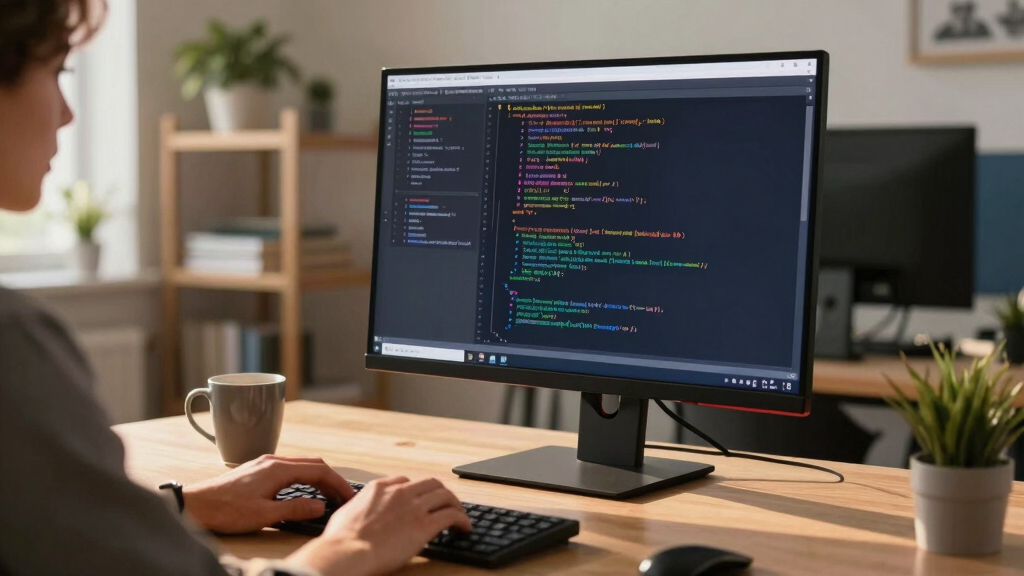
These monitors were selected based on a combination of display quality, resolution, size, and usability features, all aimed at enhancing coding workflows. Priority was given to models with high pixel density, accurate color reproduction, and ergonomic adjustments, as these factors directly impact comfort and productivity. We also considered connectivity options and build quality, ensuring compatibility with a broad range of devices. The ranking reflects a balance between performance, value, and specialized features for different types of coders.
Factors to Consider When Choosing Best 4k Monitor For Coding
Choosing the best 4K monitor for coding involves understanding several key factors. Display size impacts how much code and windows you can view simultaneously. Resolution ensures sharp text and detailed visuals, but other features like color accuracy and ergonomics influence your comfort and workflow. Considering connectivity options helps future-proof your setup. Additionally, budget constraints often force tradeoffs between premium features and affordability. Keep these factors in mind to make an informed decision that matches your specific needs.
Display Size and Resolution
For coding, larger screens such as 27 to 32 inches provide ample space for multiple windows, reducing the need for constant window switching. While 4K resolution offers crisp text and detailed visuals, the size of the monitor determines how comfortably you can view content without straining your eyes. Smaller monitors can sometimes feel cramped at 4K, requiring scaling adjustments. Consider your workspace and preference for window management when choosing size and resolution.
Color Accuracy and Panel Type
If your coding work involves UI design, front-end development, or any visual tasks, a monitor with high color accuracy and an IPS panel is vital. These panels provide consistent colors from wide angles, reducing eye fatigue. Conversely, for general coding where color precision isn’t critical, a VA panel with good contrast and lower cost may suffice. Be aware that high-end color calibration can significantly increase the price of your monitor.
Ergonomics and Adjustability
Extended coding sessions demand ergonomic features like height adjustment, tilt, swivel, and pivot. Monitors with adjustable stands help reduce neck and eye strain. Some models add VESA compatibility for flexible mounting options. Poor ergonomics can lead to discomfort and reduced productivity, so investing in a monitor with good adjustability often pays off over time.
Connectivity and Compatibility
Modern developers should prioritize monitors with USB-C, HDMI, and DisplayPort options for seamless integration with laptops and desktops. USB-C is especially convenient, offering power delivery and data transfer in a single cable. Check whether the monitor supports daisy chaining if you plan to expand your setup. Compatibility issues can cause frustration and limit your future upgrade options.
Budget and Value
While high-end monitors with premium features like HDR, high refresh rates, and extensive ergonomic adjustments cost more, they can greatly improve your coding experience. However, affordable models can still deliver excellent resolution and usability for most programming tasks. Focus on essential features first, then consider premium options if your budget allows. Avoid overspending on features you won’t use, but invest wisely in ergonomic and display quality for comfort and clarity.
Frequently Asked Questions
Is a 4K monitor worth it for coding compared to 1440p or 1080p?
Yes, a 4K monitor provides sharper text and more screen real estate, which can significantly improve your productivity. The increased pixel density makes code easier to read without straining your eyes, especially during long sessions. While 4K may require a more powerful graphics card and some scaling adjustments, the benefits in clarity and multitasking make it worthwhile for most serious developers.
Should I prioritize color accuracy or refresh rate for coding?
For coding, especially if you’re working with UI or design, color accuracy is more important than refresh rate. An IPS panel with high color fidelity ensures your visuals are precise, which can be critical for front-end developers. Higher refresh rates are more relevant for gaming or video editing, so they are less of a priority in a coding setup unless you also do multimedia work.
How important is ergonomic adjustment on a coding monitor?
Ergonomic features like height, tilt, and swivel adjustments are essential for maintaining good posture during long coding sessions. They help reduce neck and eye strain, which can lead to discomfort and fatigue. Investing in a monitor with good ergonomics can improve your overall comfort and productivity, especially if you spend many hours at your desk.
Do I need a monitor with built-in speakers for coding?
Built-in speakers are a convenience but are often not high quality. For coding, they are useful for notifications or quick audio cues, but most developers prefer dedicated headphones or external speakers for better sound quality. If space is tight, a monitor with speakers might help reduce clutter, but prioritize audio quality separately if sound is important in your workflow.
Is a curved monitor better for coding?
Curved monitors can provide a more immersive viewing experience and reduce distortion at the edges, which may help with focus. However, for coding, flat panels are generally more practical because they allow for easier multi-monitor setups and more precise positioning. Curves are more a matter of personal preference and workspace ergonomics than a strict requirement.
Conclusion
For most users, the Dell 27 Plus 4K (S2725QS) offers a superb balance of size, resolution, and performance, making it the best overall choice. Budget-conscious coders should consider the LG 27UP650K-W for reliable performance at a lower price. Those who prioritize color accuracy and ergonomic features will find the ASUS ProArt PA279CRV ideal. For developers needing specialized features like VESA mounting or coding modes, the BenQ RD280U provides excellent value. Ultimately, your choice depends on your workflow, workspace, and budget—pick the one that best aligns with your coding style and setup.