

TL;DR
The checklist organizes an AI development toolkit around coding, API testing, prompt evaluation, vector search, local model serving and workflow orchestration. Its supplied examples include books for some categories, so readers should verify that each item is software or learning material before adopting it.
A 2026 checklist for developers building AI applications and automation workflows lays out six areas to consider, as detailed in the original toolkit guide: coding assistance, API testing, prompt evaluation, vector search, local model serving and workflow orchestration. The guide advises matching tools to specific work, but its named examples include books rather than software in at least two categories, a distinction readers need to account for when building a usable toolkit.

Get business pricing on tech for your team
- Business-only prices and quantity discounts
- Tax-exempt purchasing
- Multiple users, one account, clear invoices
The checklist frames tool selection around common stages of an AI development setup. It recommends starting with the part of a stack that creates the most friction, making a shortlist, then checking documentation and compatibility with a team’s programming languages, infrastructure and workflow. Its general advice is to add tools when they address a clear need and to test fit before using them across a project.
For coding assistance, the listed item is Regular Expression Puzzles and AI Coding Assistants: 24 Puzzles Solved. The source describes it as a book containing 24 regular-expression puzzles, with solutions compared with and without assistants such as Copilot and ChatGPT. It is presented as a learning resource, not a subscription or hosted coding assistant. The guide says developers evaluating an assistant should check editor and language support, repository context, team data policies and how generated suggestions are reviewed, alongside an AI prompt testing checklist.
The API testing section makes a similar distinction: Hacking APIs: Breaking Web Application Programming Interfaces is a book, not a client for sending requests or managing tests. The source recommends checking protocol and authentication support, reusable requests, collaboration features and the handling of credentials and environment values when choosing an actual client, while also reviewing an AI automation privacy checklist. It also lists prompt evaluation, vector search, local model serving and workflow orchestration as toolkit areas, but the supplied material does not give complete product recommendations for those categories.
Organize Your AI Toolkit
A 2026 checklist covers six parts of an AI development stack. Match each tool to a real task, then verify its fit before adopting it.
Six Parts of the Stack
The guide groups tool selection around common development tasks.
Coding assistance
Check editor and language support, repository context, data policies and code review.
API testing
Check protocol, authentication, reusable requests and credential handling.
Prompt evaluation
A checklist area, with no complete software recommendations supplied.
Vector search
Verify product documentation and fit with your infrastructure.
Local model serving
Check compatibility with your languages, systems and workflow.
Workflow orchestration
The guide names this area but gives no complete product picks.
Books Are Learning Materials
The two named examples do not perform the software jobs their categories suggest.
| Category | Named example | What it is |
|---|---|---|
| Coding assistance | Regular Expression Puzzles and AI Coding Assistants: 24 Puzzles Solved | A book, not a coding assistant subscription |
| API testing | Hacking APIs: Breaking Web Application Programming Interfaces | A book, not an API testing client |
Choose and Check
Start where friction is highest, then test shortlisted options with representative work.
Choose a tool only when it addresses a clear task.
Review documentation, programming languages, infrastructure and workflow.
Test the fit and review code suggestions or API credential handling before wider use.
Choosing Tools That Fit the Work
The checklist’s main practical point is that a category label does not establish that a recommendation can perform the job. A book about coding assistants can help someone learn, but it does not provide the editor integration or subscription access needed to use an assistant in development. The same applies to a book about APIs compared with software for testing them.
That distinction affects budgeting and implementation. Teams comparing options need to account for the actual function, compatibility and operating requirements of each item. The guide also highlights review of generated code and protection of repository information as part of the coding assistant decision, particularly where changes could affect security, data handling or production behavior.
Products Worth Considering

Samsung 27-Inch Odyssey G5 QHD Gaming Monitor (G51F)

Apple AirPods Pro (2nd Generation) Wireless Earbuds with USB-C MagSafe Charging Case
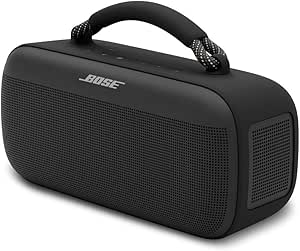
Bose SoundLink Max Portable Bluetooth Speaker, Black
As an affiliate, we earn on qualifying purchases.
Six Parts of an AI Stack
The source groups the checklist around activities commonly found in AI development: writing code, connecting services, checking prompts, working with vector data, running models and coordinating workflows. It does not present a single platform that covers all six. Instead, it advises evaluating each tool against the team’s technical environment and actual tasks.
The source labels the post as created with AI assistance and includes an affiliate disclosure for qualifying purchases. It also contains a business purchasing offer. Those details are relevant when reading the recommendations: the available material does not provide a complete, independently tested comparison of software products or establish that the named books are suitable for every developer.
“Match each tool to the work you actually need it to do.”
— The checklist
Product Recommendations Remain Incomplete
The supplied material does not identify specific software picks for prompt evaluation, vector search, local model serving or workflow orchestration. It also does not include enough information to compare tools on price, performance, privacy terms or support. Some product information is explicitly incomplete: for the coding book, the source says the intended skill level and format details are not specified. The API book section is truncated, so its full pros, cons and buying guidance are unavailable.
No testing results or independent verification are supplied. The checklist’s advice should therefore be read as selection guidance, not as evidence that any named product has been tested against a particular team’s requirements.
Test Shortlisted Tools in Practice
The guide’s next step for developers is to try a shortlisted tool with representative work before adopting it broadly. For a coding assistant, that means checking it in the team’s editor and development environment and reviewing how it handles code and suggestions. For an API client, it means testing a representative service and checking authentication, credential handling, collaboration and compatibility with the existing test process.
For the other four categories, teams will need to consult product documentation and verify integration with their own language, infrastructure and workflow. The supplied source does not name a release schedule or further milestone for the checklist.
Key Questions
What areas does the checklist cover?
It covers coding assistance, API testing, prompt evaluation, vector search, local model serving and workflow orchestration.
Are the two named picks software tools?
No. The source identifies Regular Expression Puzzles and AI Coding Assistants: 24 Puzzles Solved and Hacking APIs: Breaking Web Application Programming Interfaces as books. They do not provide a coding assistant subscription or API testing client.
How should a team choose an AI coding assistant?
The checklist suggests checking editor and language support, repository context, team security and data policies, and the process for reviewing generated code. It recommends trying the workflow with representative code before committing.
Does the source compare specific products across all six categories?
No. The supplied material names books for two categories and does not provide complete software recommendations for prompt evaluation, vector search, local model serving or workflow orchestration.
Source: Thorsten Meyer AI