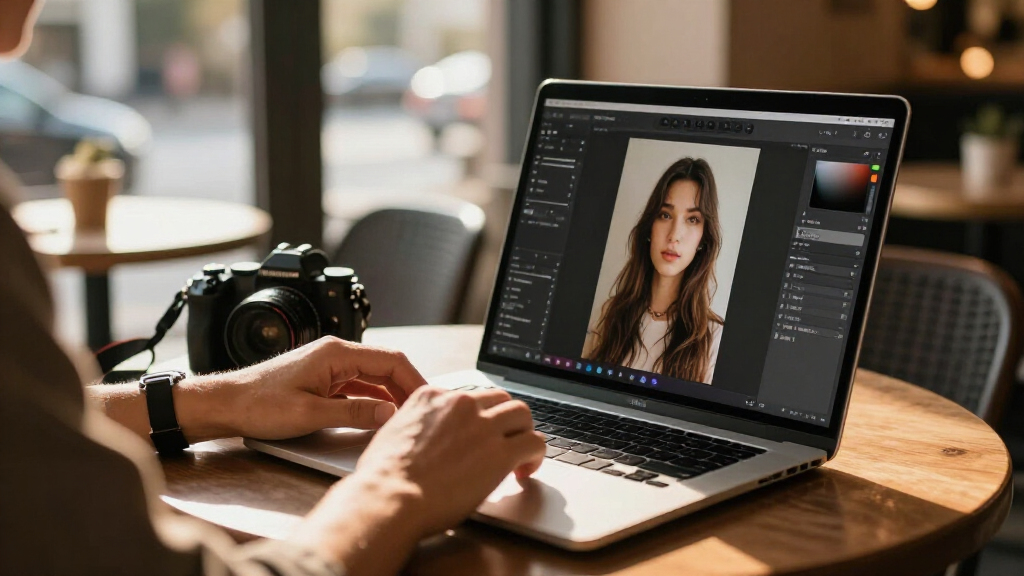

Choosing AI photo editing software in 2026 means balancing automation against control, and one-time licenses against subscriptions. CyberLink PhotoDirector 2026 earns the top spot because it pairs genuinely useful AI tools — sky replacement, object removal, and portrait retouching — with a perpetual license and a friendlier learning curve than Adobe’s ecosystem. Adobe Lightroom with 1TB of cloud storage remains the strongest pick for photographers who want AI masking and syncing across devices, while Luminar AI suits anyone who wants dramatic, one-click edits without touching manual sliders. The main tradeoff in this category: the most powerful AI features increasingly live inside subscriptions, while the most affordable perpetual licenses trade away polish and speed. Read on for the full breakdown, including who each option is for and who should skip it.

Get business pricing on tech for your team
- Business-only prices and quantity discounts
- Tax-exempt purchasing
- Multiple users, one account, clear invoices
Key Takeaways
- CyberLink PhotoDirector 2026 stands out as best overall because it is the only mid-priced perpetual license that competes with subscription tools on AI features like sky replacement and content-aware removal.
- The two Lightroom listings (12-month and 24-month) are identical software — the only real decision is commitment length, since the 24-month plan lowers the effective monthly cost but locks you into Adobe‘s ecosystem longer.
- The CyberLink bundle (PowerDirector + PhotoDirector) only makes sense if you also edit video; photo-only buyers should pick standalone PhotoDirector and save the added cost.
- Budget one-time purchases like PhotoPad and Photo Suite deliver basic AI cleanup but slow down noticeably on large RAW files and lack layered, non-destructive editing.
- Photoshop Elements’ Student and Teacher 3-year license is the cheapest legitimate path into Adobe‘s AI tools — but verification requirements and the missing RAW workflow make it wrong for working photographers.
| CyberLink PhotoDirector 2026 Photo Editor for Windows |  | Best Overall for Photo-Only Editing | Software: Photo editing | Platform: Windows | Version: 2026 | VIEW LATEST PRICE | See Our Full Breakdown |
| CyberLink PowerDirector 2026 and PhotoDirector 2026 for Windows |  | Best Value Bundle for Photo and Video | Included software: CyberLink PowerDirector 2026 and PhotoDirector 2026 | License: Lifetime for both applications | Operating system: Windows 10/11 (64-bit) | VIEW LATEST PRICE | See Our Full Breakdown |
| Adobe Photoshop Elements & Premiere Elements 2026 Student and Teacher Edition, 3-Year License for PC and Mac |  | Best for Students and Guided Learning | Software: Photo and video editing | Edition: Student and Teacher | License term: 3 years from redemption | VIEW LATEST PRICE | See Our Full Breakdown |
| Adobe Lightroom 1TB, 24-Month Subscription for PC and Mac |  | Best for Cloud-Based Workflow Across Devices | Subscription length: 24 months | Compatibility: PC and Mac | Cloud storage: 1TB included | VIEW LATEST PRICE | See Our Full Breakdown |
| Photo Suite Photo Editing Software for Windows 11 and 10 |  | Best Budget Pick for Simple Fixes and Projects | Compatibility: Windows 11 and Windows 10 | Editing features: Image adjustment, red-eye and blemish removal, object removal | AI features: AI-powered retouching | VIEW LATEST PRICE | See Our Full Breakdown |
| CyberLink PhotoDirector 2026 Photo Editing Software for Windows |  | Best for Creative AI Retouching | Platform: Windows | Edition: 2026 | Format: Box with download code | VIEW LATEST PRICE | See Our Full Breakdown |
| Corel PaintShop Pro 2023 Photo Editing and Graphic Design Software for PC |  | Best One-Time Purchase Powerhouse | Platform: PC | Operating system: Windows 10 (64-bit) or Windows 11 | Minimum RAM: 4 GB | VIEW LATEST PRICE | See Our Full Breakdown |
| Adobe Lightroom 1TB, 12-Month Subscription for PC and Mac |  | Best for Cross-Device Workflows | Subscription term: 12 months | Cloud storage: 1TB | Included apps: Lightroom and Lightroom Classic | VIEW LATEST PRICE | See Our Full Breakdown |
| PhotoPad Photo Editing and Image Editor for PC |  | Best Budget Starter Editor | Platform: PC | Delivery format: Digital download | Core tools: Color balance, crop, rotate, resize | VIEW LATEST PRICE | See Our Full Breakdown |
| Luminar AI Photo Editing Software for Mac and Windows, 2 Seats |  | Best for One-Click AI Enhancement | Platform: Mac and Windows 10 | License: 2 seats | AI tools: SkyAI, FaceAI, SkinAI, BodyAI, AtmosphereAI | VIEW LATEST PRICE | See Our Full Breakdown |
| AI photo editing software | Platform | AI features |
|---|---|---|
| CyberLink PhotoDirector 2026 P | Windows | Object removal, wire removal, image enhancement, face and body retouching |
| CyberLink PowerDirector 2026 a | — | Object masking, object removal, image enhancement, batch editing |
| Adobe Photoshop Elements & Pre | — | — |
| Adobe Lightroom 1TB | — | Generative Remove, Lens Blur, generative upscale |
| Photo Suite Photo Editing Soft | — | AI-powered retouching |
| CyberLink PhotoDirector 2026 P | Windows | Object removal, image enhancement, wire removal, background removal, color enhancement, generative AI tools |
| Corel PaintShop Pro 2023 Photo | PC | — |
| Adobe Lightroom 1TB | — | — |
| PhotoPad Photo Editing and Ima | PC | — |
| Luminar AI Photo Editing Softw | Mac and Windows 10 | — |
More Details on Our Top Picks
CyberLink PhotoDirector 2026 Photo Editor for Windows
PhotoDirector 2026 stands out as the strongest pick for buyers whose only goal is photo editing, because every AI tool here is aimed squarely at images rather than split between photo and video. AI object and power line removal is the headline feature, and it saves real time on real estate shots and travel photos where wires and strangers clutter the frame. Compared with the CyberLink PowerDirector/PhotoDirector bundle, this standalone version trades the video editor for a tighter, photo-focused workflow with layer editing and retouching built in.
The tradeoff is scope: unlike Adobe Photoshop Elements 2026, there’s no guided mode walking beginners through edits, and buyers who later want video tools will have to purchase them separately.
Pros:- AI object and power line removal handles cluttered backgrounds cleanly
- Denoising, deblurring, and face and body retouching cover most common fixes
- Quick Actions analyzes each photo and suggests personalized edits
- Layer editing gives room to grow beyond one-click fixes
Cons:- Windows-only, with no Mac version in this listing
- No video editing tools, unlike the CyberLink bundle
Best for: Hobbyist and enthusiast photographers on Windows who want one-time-purchase AI editing without subscription fees
Not ideal for: Mac users and anyone who also needs video editing — this is Windows-only and photo-only
- Software:Photo editing
- Platform:Windows
- Version:2026
- AI features:Object removal, wire removal, image enhancement, face and body retouching
- Editing modes:Layer editing, creative effects, Quick Actions
- License:One-time purchase
Our verdict“This pick makes the most sense for Windows photographers who want deep AI photo tools in a single purchase and don’t need video.”
CyberLink PowerDirector 2026 and PhotoDirector 2026 for Windows
This bundle pairs PowerDirector 2026 with PhotoDirector 2026 under lifetime licenses, which makes it the better deal for creators who produce both stills and video. Where standalone PhotoDirector 2026 covers the photo side, adding PowerDirector brings AI object masking, screen recording, and webcam capture — tools content creators and YouTubers use constantly. Compared with Adobe Photoshop Elements & Premiere Elements 2026, this CyberLink set avoids the three-year time limit, keeping access permanently.
The catch is the generative AI credit system: the flashiest AI features require separately purchased credits, so buyers budgeting for heavy generative work should factor that in. It’s also Windows 10/11 (64-bit) only.
Pros:- Two full applications — photo and video editing — in one purchase
- Lifetime licenses with no recurring subscription fees
- Batch photo editing plus screen and webcam recording for tutorials
- AI object masking and removal speed up multi-clip workflows
Cons:- Generative AI tools require separately purchased credits
- Windows 10/11 (64-bit) only; box contains a download code, not a disc
Best for: Content creators and small-business marketers on Windows who need photo and video editing in one permanent purchase
Not ideal for: Mac users and buyers who plan heavy use of generative AI features, since credits cost extra
- Included software:CyberLink PowerDirector 2026 and PhotoDirector 2026
- License:Lifetime for both applications
- Operating system:Windows 10/11 (64-bit)
- AI features:Object masking, object removal, image enhancement, batch editing
- Extra tools:Screen recording, webcam recording
- Generative AI:Requires separately purchased credits
- Delivery format:Box with printed download code; no disc
Our verdict“The smart choice for Windows creators who want permanent photo-plus-video tooling and are willing to pay extra only if they use generative AI.”
Adobe Photoshop Elements & Premiere Elements 2026 Student and Teacher Edition, 3-Year License for PC and Mac
Photoshop Elements & Premiere Elements 2026 is better suited to learners than any CyberLink option here because of its Quick, Guided, and Advanced modes — the Guided mode literally walks you through techniques, which neither PhotoDirector 2026 nor Photo Suite attempts. Cross-platform support on PC and Mac also widens the audience beyond the Windows-only picks. Automatic tagging, face recognition, and Adobe Express templates round out a package aimed at school projects and social content rather than professional retouching.
The tradeoff is the three-year license term: unlike the lifetime CyberLink bundle, access ends after that window, and verification of student or teacher status gates the whole purchase.
Pros:- Guided editing mode teaches techniques step by step
- Includes both photo and video editors plus Adobe Express templates
- Works on both PC and Mac
- Automatic tagging, sorting, and face recognition keep libraries organized
Cons:- Access expires after three years from redemption
- Requires activation and student/teacher eligibility
Best for: Verified students and teachers who want guided photo and video editing across PC and Mac for coursework
Not ideal for: Non-students, who pay for eligibility they can’t use, and anyone wanting permanent software access
- Software:Photo and video editing
- Edition:Student and Teacher
- License term:3 years from redemption
- Renewal:No automatic renewal
- Compatibility:PC and Mac
- Editing modes:Quick, Guided, Advanced
- Organization:Automatic tagging, sorting, face recognition
- Delivery:Online code with activation required
Our verdict“The right pick for eligible students and teachers who value guided learning and cross-platform tools over permanent ownership.”
Adobe Lightroom 1TB, 24-Month Subscription for PC and Mac
Where every other pick here lives on one machine, Lightroom is built around editing and syncing across desktop, mobile, and web — a fundamentally different proposition for photographers who shoot on a phone and finish on a laptop. The AI toolkit is generous: Generative Remove, Lens Blur, generative upscale, and 250 generative credits monthly, far more AI headroom than the credit-gated CyberLink bundle. The included 1TB of cloud storage also doubles as a backup solution, something PhotoDirector 2026 doesn’t touch.
The obvious tradeoff: this is a 24-month subscription, not ownership. When it ends, so does access to your editing tools, even though exported photos remain yours.
Pros:- Edits and syncs seamlessly across desktop, mobile, and web
- Generative Remove and generative upscale handle difficult cleanups
- 250 generative AI credits per month included
- 1TB cloud storage backs up a full photo library
Cons:- Subscription expires after 24 months with no ownership
- Ongoing cost model compared with one-time-purchase rivals like PhotoDirector
Best for: Photographers who shoot, edit, and share across multiple devices and want cloud sync with heavy AI credits
Not ideal for: Buyers who want permanent software ownership — the 24-month term means access eventually stops
- Subscription length:24 months
- Compatibility:PC and Mac
- Cloud storage:1TB included
- Generative AI credits:250 per month
- AI features:Generative Remove, Lens Blur, generative upscale
- Included apps:Lightroom and Lightroom Classic
- Delivery format:Digital download
Our verdict“The best fit for multi-device photographers who live in the cloud and accept renting tools instead of owning them.”
Photo Suite Photo Editing Software for Windows 11 and 10
Photo Suite plays a different game than the rest of this lineup: instead of competing on advanced AI, it focuses on everyday fixes and creative projects — red-eye removal, blemish cleanup, object elimination, collages, clipart, and print templates. Compared with PhotoDirector 2026, the editing depth is much shallower, but for casual users making greeting cards, collages, or family photo touch-ups, that simplicity is the point rather than a flaw. Batch editing lets you apply corrections to whole folders at once, which is more than basic free tools typically manage.
The tradeoff is ceiling and platform: there’s no layer editing or advanced retouching pipeline like CyberLink offers, and it’s Windows 10/11 only.
Pros:- Red-eye, blemish, and unwanted object removal cover common household fixes
- Collage, text, clipart, and print templates suit craft and card projects
- Batch editing applies changes to multiple photos at once
Cons:- Windows 10/11 only, with no Mac support
- Lacks layer editing and advanced AI capabilities of PhotoDirector or Lightroom
Best for: Casual home users who want quick retouches, collages, and printable projects without a learning curve
Not ideal for: Enthusiast photographers wanting layer-based editing or deep AI tools — this lacks that headroom
- Compatibility:Windows 11 and Windows 10
- Editing features:Image adjustment, red-eye and blemish removal, object removal
- AI features:AI-powered retouching
- Project tools:Collages, text, clipart, print templates
- Batch editing:Supported
- Delivery format:Product key card with download link and license key
Our verdict“A sensible budget choice for simple photo fixes and creative print projects, as long as you don’t need professional-grade tools.”
CyberLink PhotoDirector 2026 Photo Editing Software for Windows
PhotoDirector 2026 stands out for wrapping a wide range of AI-assisted retouching tools into one package: object and background removal, wire removal, face and body retouching, plus generative AI options. Compared with PhotoPad, which covers only basic adjustments, PhotoDirector handles heavy lifting like batch editing and layered workflows, making it far better for photographers processing entire shoots. Against Luminar AI, it trades some one-click simplicity for deeper layer editing and design control. The main tradeoff is the credit system: generative AI features require separately purchased credits, so the upfront price understates real costs for heavy users. It is also Windows-only, which rules out Mac households. For Windows-based portrait and event photographers who want retouching muscle plus AI shortcuts, this pick makes the most sense.
Pros:- Broad suite of AI tools including object, background, and wire removal
- Face and body retouching plus layer editing for detailed control
- Batch editing saves time on large photo sets
- Combines corrective editing with generative AI and design features
Cons:- Generative AI features require separately purchased credits
- Windows-only, with no Mac version
Best for: Windows-based portrait and event photographers who need AI retouching and batch editing in one tool
Not ideal for: Mac users or buyers who expect all AI features included — generative tools need extra credits and the software is Windows-only
- Platform:Windows
- Edition:2026
- Format:Box with download code
- AI features:Object removal, image enhancement, wire removal, background removal, color enhancement, generative AI tools
- Editing features:Batch editing, face and body retouching, layer editing, effects, design tools
- AI credits:Purchasable separately
Our verdict“A strong choice for Windows photographers who want deep AI retouching tools, provided they budget for the extra AI credits.”
Corel PaintShop Pro 2023 Photo Editing and Graphic Design Software for PC
PaintShop Pro 2023 is the strongest argument against subscriptions in this lineup. Unlike Adobe Lightroom, which locks editing behind recurring payments, PaintShop Pro is a one-time purchase that still delivers RAW editing, HDR merging, AI-powered correction, layers, masks, and even graphic design tools. Compared with PhotoDirector 2026, its AI toolkit is less flashy — there is no generative content creation here — but its core editing depth and plug-in support appeal to buyers who want a permanent, offline-capable workflow. The tradeoffs are real: it demands a 64-bit Windows machine with at least 8 GB of RAM for AI features, and an internet connection is required for installation and authentication. Multi-language support and graphics tablet compatibility broaden its appeal for hobbyists who edit often and resent monthly fees.
Pros:- Subscription-free ownership with no recurring fees
- Full editing toolkit: RAW, HDR, layers, masks, and creative effects
- Customizable workspaces adapt to beginner or advanced workflows
- Supports PSD files, third-party plug-ins, and graphics tablets
Cons:- Requires 64-bit Windows and 8 GB RAM for smooth AI feature use
- Internet connection needed for installation and authentication
- No generative AI tools compared with newer rivals
Best for: Windows hobbyists and semi-pro editors who want professional-grade tools without a subscription
Not ideal for: Mac users and owners of older 32-bit or low-RAM machines — it requires 64-bit Windows and 8 GB of RAM for AI features
- Platform:PC
- Operating system:Windows 10 (64-bit) or Windows 11
- Minimum RAM:4 GB
- Recommended RAM:8 GB for AI features
- Storage:3 GB minimum; 4 GB recommended
- Display resolution:1366 × 768 minimum
- Languages:English, French, German, Italian, Spanish, Dutch, Traditional Chinese, Japanese
- Internet:Required for installation, authentication, online features, tutorials
Our verdict“The best pick for Windows editors who want to buy once and edit forever rather than rent their software.”
Adobe Lightroom 1TB, 12-Month Subscription for PC and Mac
Lightroom wins on flexibility: it runs on PC, Mac, mobile, and web, with 1TB of cloud storage and automatic syncing so edits follow you between devices. No other product in this roundup matches that ecosystem — PaintShop Pro and PhotoDirector are desktop-bound, which makes Lightroom the default choice for travelers and anyone editing on a phone or tablet. The subscription bundles both Lightroom and Lightroom Classic, plus AI editing tools and 250 monthly generative AI credits — a more generous arrangement than PhotoDirector’s separately sold credits. The obvious tradeoff is commitment: this is a 12-month subscription with auto-renewal, and stopping payments means losing access to the software and your synced workflow. For photographers who value continuity across devices over one-time ownership, this option makes the most sense.
Pros:- Works across desktop, mobile, and web with automatic syncing
- 1TB of cloud storage included
- Includes both Lightroom and Lightroom Classic
- 250 monthly generative AI credits included
Cons:- Subscription auto-renews unless cancelled
- No perpetual license — software access depends on active payments
- 1TB can fill quickly for RAW shooters with large libraries
Best for: Photographers who edit across phone, tablet, and desktop and want cloud-synced organization
Not ideal for: Buyers who want permanent software ownership — access ends when the subscription lapses
- Subscription term:12 months
- Cloud storage:1TB
- Included apps:Lightroom and Lightroom Classic
- Platforms:PC, Mac, mobile, and web
- Generative AI credits:250 per month
- Renewal:Auto-renewal
Our verdict“The right choice for multi-device photographers, as long as ongoing subscription costs fit the budget.”
PhotoPad Photo Editing and Image Editor for PC
PhotoPad earns its spot as the simplest entry point in this lineup. Where PhotoDirector 2026 and Luminar AI pack in AI-driven tools that can overwhelm a newcomer, PhotoPad keeps things plain: crop, rotate, resize, color balance, plus red-eye and blemish removal. It also throws in creative filters, frames, clipart, and text tools, which suits casual projects like greeting cards and social posts rather than serious retouching. Compared with PaintShop Pro 2023, the gap is obvious — no RAW support, no layers, no HDR — but that stripped-down scope is exactly the point for someone who just wants holiday photos to look decent. The tradeoff is a hard ceiling: anyone whose skills grow past basic adjustments will outgrow it quickly. For light, occasional editing on a PC, though, this pick makes the most sense.
Pros:- Simple interface with no steep learning curve
- Covers the essentials: cropping, resizing, and color adjustment
- Red-eye and blemish removal for portrait touch-ups
- Fun extras like filters, frames, and clipart for casual projects
Cons:- No advanced capabilities like layers, masks, or RAW editing
- PC-only digital download with no mobile or Mac support
Best for: Casual PC users who want quick fixes and decorative touches on family or social media photos
Not ideal for: Serious photographers — it lacks RAW support, layers, and advanced retouching found in PhotoDirector or PaintShop Pro
- Platform:PC
- Delivery format:Digital download
- Core tools:Color balance, crop, rotate, resize
- Retouch tools:Red-eye and blemish removal
- Creative extras:Text, frames, clipart, creative filters
- Advanced editing:Not specified
Our verdict“A fine first editor for light household use, but expect to graduate to something stronger if photography becomes a hobby.”
Luminar AI Photo Editing Software for Mac and Windows, 2 Seats
Luminar AI takes the opposite approach from PaintShop Pro: instead of handing you a deep manual toolkit, it lets artificial intelligence do the work. Tools like SkyAI, FaceAI, SkinAI, BodyAI, and AtmosphereAI detect subjects and scenery automatically, and templates apply complete styles in a click or two. That makes it the friendliest option here for anyone intimidated by layers and masks — arguably even easier than PhotoPad, while delivering far smarter results. The two-seat license adds value for households with both a Mac and a Windows machine, something no other product in this batch offers. The tradeoff is control: editors who want precise, hands-on adjustments will find the automation limiting, and the AI emphasis means fewer traditional editing tools. For busy hobbyists who value speed and simplicity over granular editing power, this pick makes the most sense.
Pros:- Automatic subject and scene detection for fast enhancements
- Dedicated AI tools for skies, faces, skin, bodies, and atmosphere
- Templates create polished photo styles in one click
- Two-seat license covers both a Mac and a Windows computer
Cons:- Less manual control than layer-based editors like PaintShop Pro
- No batch editing or RAW workflow depth compared with PhotoDirector
Best for: Casual photographers on Mac or Windows who want dramatic AI enhancements without learning manual editing
Not ideal for: Hands-on editors who want layer-based, granular control — the automation-first design limits manual precision
- Platform:Mac and Windows 10
- License:2 seats
- AI tools:SkyAI, FaceAI, SkinAI, BodyAI, AtmosphereAI
- Templates:Included for photo styles
- Developer:Skylum
- Design focus:Ease of use
Our verdict“The easiest route to impressive AI-enhanced photos, ideal for time-pressed hobbyists rather than precision editors.”
How We Picked
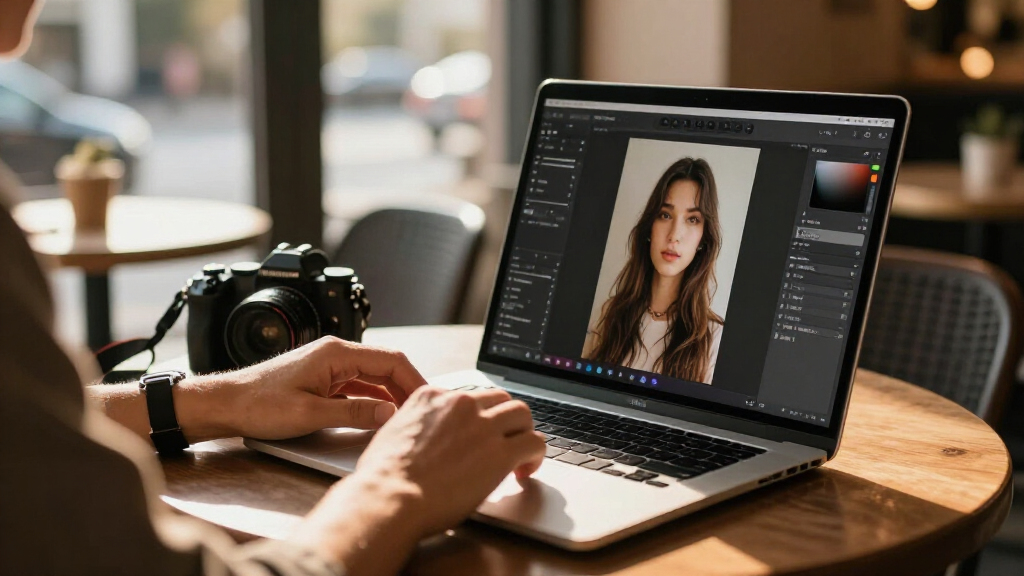
I judged each product through one lens: how well does its AI actually save time for a photo editor, and at what total cost of ownership? That meant scoring the quality and reliability of AI tools (subject masking, sky replacement, object removal, portrait enhancement), RAW file handling and speed on large libraries, ease of learning for non-professionals, platform compatibility, and licensing model — perpetual versus subscription — projected over two to three years. A polished interface could not outweigh weak AI results, and cheap one-time licenses were penalized when they forced manual workarounds the AI was supposed to eliminate.
The ranking order reflects a simple buyer logic: versatile mid-priced tools first, subscription ecosystems for photographers who need cloud sync next, and budget or niche picks last. Where two listings cover the same software — the two Lightroom terms and the standalone-versus-bundled CyberLink options — I treated them as a single decision split by buyer type rather than as independent products. Every product here has real drawbacks, and I state them plainly, because a roundup that praises everything helps no one choose.
| AI photo editing software | Platform | AI features |
|---|---|---|
| CyberLink PhotoDirector 2026 P | Windows | Object removal, wire removal, image enhancement, face and body retouching |
| CyberLink PowerDirector 2026 a | — | Object masking, object removal, image enhancement, batch editing |
| Adobe Photoshop Elements & Pre | — | — |
| Adobe Lightroom 1TB | — | Generative Remove, Lens Blur, generative upscale |
| Photo Suite Photo Editing Soft | — | AI-powered retouching |
| CyberLink PhotoDirector 2026 P | Windows | Object removal, image enhancement, wire removal, background removal, color enhancement, generative AI tools |
| Corel PaintShop Pro 2023 Photo | PC | — |
| Adobe Lightroom 1TB | — | — |
| PhotoPad Photo Editing and Ima | PC | — |
| Luminar AI Photo Editing Softw | Mac and Windows 10 | — |
Factors to Consider When Choosing AI Photo Editing Software
Before picking a specific product, it helps to understand the forces shaping this category in 2026. AI editing tools have become the main differentiator between price tiers, and licensing structures now influence your workflow as much as features do. These are the factors I weighed — and the ones most buyers get wrong.Perpetual License vs. Subscription: The Real Cost Math
The single biggest decision is not features — it is how you pay. Subscription tools like Lightroom spread costs out but quietly become the most expensive option over three years, and your photos’ editing history can become hostage to continued payments if edits live in the cloud. Perpetual licenses like PhotoDirector, PaintShop Pro, and Luminar cost more upfront but keep working forever, with the tradeoff that major AI feature updates usually require paying for the next annual version. A useful rule: if you edit photos weekly, a subscription’s constant updates pay for themselves; if you edit monthly, a perpetual license almost always wins. Many buyers forget to multiply a subscription across two devices or family members, which can double the math. Decide your editing frequency honestly before comparing sticker prices at all.
AI Feature Quality — Not Feature Count
Nearly every product here claims “AI-powered” editing, but the gap between marketing and results is wide. Subject and sky masking is the acid test: strong tools like Lightroom’s AI masks handle hair, fur, and fine edges cleanly, while budget tools produce halos and smeared boundaries that need manual cleanup — defeating the point. One-click enhancement is similarly uneven; Luminar’s scene-aware adjustments often produce dramatic results with no artifacts, while cheaper alternatives simply raise contrast and saturation and call it intelligence. Before buying, check whether the AI tools are non-destructive and adjustable, meaning you can dial back or refine what the AI decided. The most common buyer mistake is choosing software based on a long AI feature list rather than the two or three tools they will actually use weekly.
RAW Support and Performance at Scale
If you shoot RAW, this factor eliminates more options than any other. Editors like Lightroom and PhotoDirector handle RAW files natively with fast batch processing across thousands of images, while Photoshop Elements treats RAW as a secondary add-on and budget suites like PhotoPad can crawl or drop color fidelity on large files. Performance matters even for JPEG shooters with big libraries — catalog speed, batch exports, and preview generation determine whether editing feels fluid or frustrating. Check RAM requirements realistically: many AI features now rely on GPU acceleration, so an older machine may render the headline features unusably slow. Buyers frequently discover too late that their laptop, not their software, is the bottleneck. Match the software’s demands to your actual hardware before committing.
Platform and Ecosystem Lock-In
Several of these products are Windows-only — PhotoDirector, Photo Suite, and PaintShop Pro — which matters if you share a household with Mac users or plan to switch platforms. Cloud-centric tools create a different kind of lock-in: Lightroom’s catalogs, AI masks, and 1TB of storage live in Adobe’s ecosystem, and migrating years of edits to another editor later is genuinely painful. Perpetual-license desktop tools keep files local and standard, making them easier to leave. The 2-seat Luminar license shows a middle path worth looking for: multi-device flexibility without a subscription. Think about where your photos will live in five years, not just where they live now. The cheapest software is rarely the cheapest once switching costs are counted.
Learning Curve and Who Will Actually Use It
AI editing promises to flatten the learning curve, but the interfaces around the AI still vary enormously. PhotoDirector and Photoshop Elements use guided modes that walk beginners through common fixes, while PaintShop Pro exposes professional-grade depth that can overwhelm a casual hobbyist — power that goes unused is money wasted. If the software is for a parent, student, or occasional photographer, prioritize guided edits and one-click presets over layer-based control. If you are building toward professional work, the reverse applies: start with a tool whose skills transfer. Lightroom’s editing model, for example, is an industry standard worth learning even if you later switch. The best software for you is the one you will still be opening in month six.
Bundled Software: Value or Bloat?
Several listings here are bundles — video plus photo editors, or photo plus design tools — and bundles deserve skepticism. The CyberLink PowerDirector + PhotoDirector combo is genuinely worthwhile only for creators who produce both video and stills; otherwise you are paying for an app you will never open. Adobe’s Elements duo follows the same logic. A related trap is the Student and Teacher editions: they carry the lowest cost per year of any Adobe product, but eligibility verification is strict, licenses are non-transferable, and upgrading to full versions later means starting over financially. Evaluate bundles by the one component you actually need, then compare that price against the standalone competitor. Extra software you do not use is not a bonus — it is clutter on your drive.
Frequently Asked Questions
Is the 24-month Lightroom plan a better deal than the 12-month plan?
The software is identical — same AI masking tools, same 1TB of cloud storage, same cross-device syncing — so this is purely a commitment decision. The 24-month plan works out cheaper per month and suits anyone already confident they will stay in Adobe’s ecosystem, such as photographers who depend on Lightroom’s catalog system professionally. The 12-month plan makes more sense if you are new to subscriptions, want to evaluate whether cloud-centric editing fits your workflow, or anticipate a platform change within the year. One caution: if your editing is occasional rather than weekly, either plan may cost more over time than a perpetual license like PhotoDirector or Luminar. Do the two-year math against a one-time purchase before committing to either term.
Do I need Lightroom if I only shoot JPEGs and phone photos?
Probably not, and this is one of the most common overspending patterns in the category. Lightroom’s core strengths — RAW processing, large catalog management, and professional AI masking — mainly reward photographers with high volumes of camera files. For JPEG and smartphone images, PhotoDirector 2026 covers nearly the same AI tools (sky replacement, object removal, portrait retouching) with a perpetual license and no ongoing fees. Luminar is another strong fit if you prefer bold, one-click enhancements over careful manual refinement. Lightroom only earns its subscription for JPEG shooters who deeply value cloud syncing across phone, tablet, and desktop. Otherwise, the money is better spent on a tool you own outright.
Can budget AI editors like PhotoPad really replace premium software?
For light editing, yes — and for anything beyond that, no. PhotoPad and Photo Suite handle the basics well: cropping, exposure correction, simple object removal, and filter-based enhancement on standard-resolution images. The ceiling appears quickly with large files, where rendering slows noticeably, and with complex selections like hair against detailed backgrounds, where the AI cleanup leaves visible artifacts. Neither offers true non-destructive, layer-based editing, which limits how much you can refine an AI edit after the fact. If your edits are casual social posts and family albums, a budget editor saves real money. If you ever expect to print large, work with RAW, or do portrait retouching, the mid-tier tools will repay the difference quickly.
Is Photoshop Elements good enough, or should I pay more for full Photoshop?
For most hobbyists, Elements is genuinely enough — it includes Adobe Sensei AI features for subject selection, skin smoothing, and object removal, plus guided edits that teach technique as you go. What you give up versus full Photoshop is layer-based professional compositing, advanced retouching tools, and native RAW workflow; Elements treats RAW as a secondary function rather than a core strength. The Student and Teacher 3-year edition is the cheapest legitimate route into Adobe’s AI, but expect eligibility verification and understand the license is tied to that status. Choose Elements if you are learning or editing for personal use; choose the Lightroom plan or full Creative Cloud if you shoot professionally. The middle ground — buying Elements hoping it grows into Photoshop — usually ends in an upgrade purchase anyway.
Which of these works best for portrait and people photography?
Two tools stand out for faces. Luminar AI was built around portrait work — its face recognition, skin AI, and eye enhancement produce natural results with minimal effort, making it the pick for headshots and family portraits. PhotoDirector 2026 is close behind, adding body reshaping and effective object removal at a lower total cost, and it handles broader editing tasks better if portraits are only part of your work. Lightroom’s AI subject and skin masking is more precise but requires more manual skill to get flattering results. Budget editors handle skin smoothing passably but struggle with fine details like hair and teeth. If people are your main subject, Luminar or PhotoDirector will save the most time per photo.
Conclusion
The right pick depends less on which software is “best” and more on how you edit. For the best overall choice, I recommend CyberLink PhotoDirector 2026 — it delivers subscription-grade AI tools under a perpetual license and scales from beginner fixes to advanced layered edits. For best value, the Adobe Photoshop Elements Student and Teacher 3-year edition offers the lowest annual cost of any Adobe AI tool, provided you qualify; PhotoPad is the alternative value pick for casual JPEG editing. For the best premium option, Adobe Lightroom with 1TB is unmatched for RAW workflow, AI masking precision, and multi-device syncing — commit to the 24-month plan only if you are certain about the ecosystem. Beginners should start with PhotoDirector’s guided modes or Elements’ step-by-step edits rather than a professional tool they will abandon. For specific needs: choose the CyberLink bundle if you edit video too, Luminar AI for fast portrait and landscape enhancement, and PaintShop Pro if you want professional depth on Windows without any subscription. Whatever you choose, match the tool to your editing frequency and file types first — that single decision eliminates more mistakes than any feature comparison.
Halloween Picks
halloween
As an affiliate, we earn on qualifying purchases.