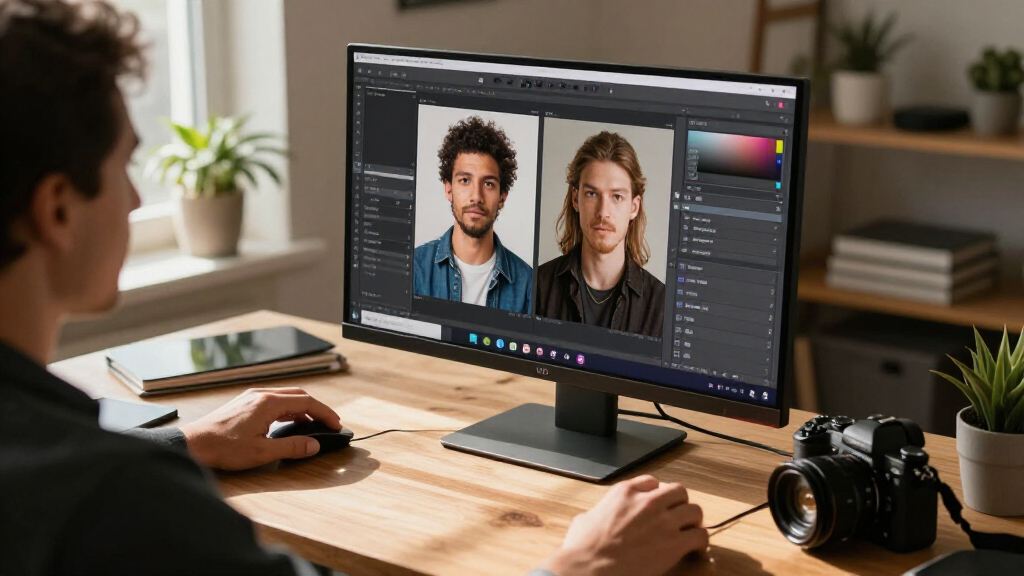

AI photo editing software now spans everything from one-click enhancement tools to full RAW workflow suites, and the right choice depends on how much control you want over the process. For most buyers, Adobe Lightroom stands out as the best overall pick because its AI masking and subject-selection tools work alongside a full organizing system rather than replacing one. Luminar AI makes the most sense for anyone who wants dramatic, automated edits with minimal manual work, while CyberLink PhotoDirector 2026 strikes a middle ground with strong AI features at a one-time price. The main tradeoff in this category is subscription versus perpetual licenses, and a second one is automatic AI editing versus hands-on manual control. Keep reading for the full breakdown of all 13 options and which one fits your workflow.

Get business pricing on tech for your team
- Business-only prices and quantity discounts
- Tax-exempt purchasing
- Multiple users, one account, clear invoices
Key Takeaways
- Subscription products (Lightroom) delivered the most advanced and frequently updated AI features, but perpetual-license options like PhotoDirector 2026 and PaintShop Pro keep costs predictable over three or more years.
- True AI-driven editing lives in only a few products here — Luminar AI and PhotoDirector lead in automated subject detection, sky replacement, and skin retouching, while budget editors like PhotoPad offer mostly manual tools with light AI assistance.
- RAW support separated the serious editors from the casual ones: AfterShot Pro 3 and Lightroom handle RAW natively, whereas entry-level picks like Photo Suite work best with JPEGs.
- Duplicate listings in this category are common — PhotoDirector 2026 and PhotoPad each appear twice with slightly different bundles, so checking exactly what each listing includes before buying prevents paying twice for the same tool.
- Photo-plus-video bundles (PowerDirector + PhotoDirector, Photoshop Elements + Premiere Elements) only make sense if you edit video too; photo-only buyers get better value from standalone editors.
| Photo Suite Photo Editing Software for Windows 11 and 10 |  | Best for Batch Retouching | Compatibility: Windows 10 and Windows 11 | Included: Product key card with download link and license key | Editing features: Photo editing and AI-powered retouching | VIEW LATEST PRICE | See Our Full Breakdown |
| PhotoPad Photo Editing and Image Editor for PC |  | Best for Basic PC Editing | Platform: PC | Delivery format: Digital download | Adjustments: Color balance, crop, rotate, and resize | VIEW LATEST PRICE | See Our Full Breakdown |
| CyberLink PhotoDirector 2026 Photo Editor for Windows |  | Best for AI-Assisted Fixes | Software: Photo editing | Platform: Windows | Version: 2026 | VIEW LATEST PRICE | See Our Full Breakdown |
| Corel AfterShot 3 Photo Editing and Management Software for PC and Mac |  | Best for RAW Libraries and Batch Work | Platforms: Windows and Mac | Windows compatibility: Windows 7, 8, 8.1, 10, or 11 (64-bit) | Mac compatibility: macOS X 10.9 or later (64-bit) | VIEW LATEST PRICE | See Our Full Breakdown |
| Adobe Photoshop Elements & Premiere Elements 2026 Student and Teacher Edition, 3-Year License for PC and Mac |  | Best for Guided Photo and Video Projects | Software: Photo and video editing | Edition: Student and Teacher | License term: 3 years from redemption | VIEW LATEST PRICE | See Our Full Breakdown |
| PhotoPad Photo Editing Software |  | Best for Beginners | Product type: Photo editing software | Format: Download | Editing tools: Crop, rotate, resize, flip, touch-up, and color adjustments | VIEW LATEST PRICE | See Our Full Breakdown |
| Corel AfterShot Pro 3 RAW Photo Editing and Management Software for PC and Mac |  | Best for RAW Workflows | Software type: RAW photo editing and management | Compatibility: PC and Mac | License model: Subscription-free, one-time purchase | VIEW LATEST PRICE | See Our Full Breakdown |
| CyberLink PowerDirector 2026 and PhotoDirector 2026 for Windows |  | Best for Video and Photo Creators | Included software: CyberLink PowerDirector 2026 and PhotoDirector 2026 | License: Lifetime license for both applications | Operating system: Windows 10/11 (64-bit) | VIEW LATEST PRICE | See Our Full Breakdown |
| Adobe Lightroom 1TB, 12-Month Subscription for PC and Mac |  | Best Cloud-Based Workflow | Subscription term: 12 months | Cloud storage: 1TB | Included apps: Lightroom and Lightroom Classic | VIEW LATEST PRICE | See Our Full Breakdown |
| Adobe Lightroom 1TB, 24-Month Subscription for PC and Mac |  | Best Long-Term Subscription Value | Subscription length: 24 months | Compatibility: PC and Mac | Platforms: Desktop, mobile, and web | VIEW LATEST PRICE | See Our Full Breakdown |
| Corel PaintShop Pro 2023 Photo Editing and Graphic Design Software for PC |  | Best Subscription-Free Pick | Platform: PC | Operating system: Windows 10 (64-bit) or Windows 11 | Minimum RAM: 4 GB | VIEW LATEST PRICE | See Our Full Breakdown |
| CyberLink PhotoDirector 2026 Photo Editing Software for Windows |  | Best for AI Retouching Workflows | Platform: Windows | Edition: 2026 | Format: Box with download code | VIEW LATEST PRICE | See Our Full Breakdown |
| Luminar AI Photo Editing Software for Mac and Windows, 2 Seats |  | Easiest AI Editing for Beginners | Platform: Mac and Windows 10 | License: 2 seats | AI tools: SkyAI, FaceAI, SkinAI, BodyAI, AtmosphereAI | VIEW LATEST PRICE | See Our Full Breakdown |
More Details on Our Top Picks
Photo Suite Photo Editing Software for Windows 11 and 10
Photo Suite suits Windows users who want to clean up a set of photos and turn selected images into print projects. Its AI-powered retouching and batch editing can speed up repeated fixes across multiple pictures, while collage, clipart, text, and print templates add a creative step beyond basic adjustments. Compared with PhotoPad, which centers on individual adjustments and touch-ups, Photo Suite puts more emphasis on applying edits in batches and assembling finished projects. That broader workflow makes it a better fit for people handling groups of event or family photos. Its tradeoff is platform reach: the listed compatibility is limited to Windows 10 and 11, and the product details do not identify specific AI controls or their limits. Buyers who need Mac support or a clearly described advanced editing workflow should look elsewhere.
Pros:- AI-powered retouching is included
- Batch editing can apply changes across multiple photos
- Collage, text, and clipart tools support creative projects
- Print templates help prepare images for printed projects
Cons:- Compatible only with Windows 10 and Windows 11
- Product details do not specify which AI retouching controls are available
- Included project formats and template range are not described
Best for: Windows 10 or 11 users who want batch retouching plus templates for family, event, or print projects
Not ideal for: Mac users and photographers who need clearly documented advanced editing controls or cross-platform support
- Compatibility:Windows 10 and Windows 11
- Included:Product key card with download link and license key
- Editing features:Photo editing and AI-powered retouching
- Batch editing:Supports editing multiple photos at once
- Creative tools:Collages, text, and clipart
- Project features:Print templates
Our verdict“Choose Photo Suite if you use Windows and want batch retouching alongside collage and print project tools.”
PhotoPad Photo Editing and Image Editor for PC
PhotoPad is a straightforward choice for PC users whose photo editing needs start with color balance, cropping, rotation, and resizing. Its red-eye and blemish tools handle common touch-ups, while filters, frames, text, and clipart let users add simple decorative touches. Compared with Photo Suite, PhotoPad’s listed feature set is more focused on individual adjustments and creative effects than batch editing, collages, and print templates. That narrower scope may suit someone who wants familiar editing tasks without a project-making workflow. The AI case is weak, though: the supplied product details do not identify AI-powered features, and they do not describe advanced editing capabilities. Buyers specifically seeking AI object removal, automated image analysis, or a detailed retouching workflow should compare it with CyberLink PhotoDirector 2026 instead.
Pros:- Covers color balance, cropping, rotation, and resizing
- Includes red-eye and blemish touch-up tools
- Filters, frames, text, and clipart support basic creative edits
Cons:- Product details do not specify AI-powered editing features
- Advanced editing capabilities are not described
- The listed platform is PC, with no specific operating system compatibility provided
Best for: PC users who mainly need cropping, color adjustments, basic touch-ups, and simple decorative effects
Not ideal for: Buyers prioritizing documented AI editing, batch workflows, or advanced layer and object-removal tools
- Platform:PC
- Delivery format:Digital download
- Adjustments:Color balance, crop, rotate, and resize
- Touch-up tools:Red-eye and blemish removal
- Creative features:Text, frames, clipart, and creative filters
Our verdict“Pick PhotoPad for routine PC edits and simple effects, but choose a more clearly AI-focused editor for automated enhancements.”
CyberLink PhotoDirector 2026 Photo Editor for Windows
CyberLink PhotoDirector 2026 makes the strongest AI-specific case among these Windows picks: its tools target object and power-line removal, image clarity, and face and body retouching. Quick Actions analyze a photo and suggest edits, which can help users move from a problem image to a polished result without adjusting every control manually. Layer editing and creative effects add room for more hands-on work than the supplied details describe for Photo Suite or PhotoPad. The tradeoff is that this feature set is explicitly for Windows, and the product data does not give hardware requirements or explain how much control users have over AI suggestions. Photo Suite may be a better fit for batch edits and print templates; PhotoDirector is the more focused pick when the priority is AI-guided cleanup of individual images.
Pros:- AI tools remove unwanted objects and power lines
- Image clarity enhancement includes denoising and deblurring
- Face and body retouching tools address portrait edits
- Quick Actions analyze photos and suggest edits
Cons:- Listed for Windows only
- Hardware requirements are not provided in the product data
- The product details do not explain the level of control over suggested edits
Best for: Windows users who want AI-assisted object removal, photo enhancement, and portrait retouching
Not ideal for: Mac users or buyers who prioritize batch editing and print templates over AI cleanup tools
- Software:Photo editing
- Platform:Windows
- Version:2026
- AI cleanup:Object removal and power-line removal
- Image enhancement:Denoising, deblurring, and clarity enhancement
- Retouching:Face and body retouching
- Editing tools:Layer editing and creative effects
- Quick Actions:Analyzes photos and suggests edits
Our verdict“Choose PhotoDirector 2026 if AI-assisted cleanup and portrait correction matter more than cross-platform access or print-project tools.”
Corel AfterShot 3 Photo Editing and Management Software for PC and Mac
Corel AfterShot 3 is the lineup’s library-first option: it combines photo management, support for many camera RAW formats, and batch processing for photographers working through large collections. Highlight recovery and color and distortion corrections address image-quality work, while portrait retouching offers a narrower personal-editing toolset. Compared with CyberLink PhotoDirector 2026, AfterShot’s supplied feature list gives more weight to organizing and processing collections than to AI object removal or suggested edits. That makes it a better match for a RAW workflow than for buyers seeking conspicuous AI automation. The tradeoff is its older listed operating-system support, including macOS X 10.9 or later, and a requirement for a 64-bit system. The description names no AI-powered tools, so buyers seeking AI-led edits should look at PhotoDirector instead.
Pros:- Organizes large photo collections
- Batch processing handles edits across one or many photos
- Supports RAW formats from many camera manufacturers
- Includes highlight recovery, color correction, and portrait retouching
Cons:- Requires a 64-bit system
- The supplied feature list does not identify AI-powered editing tools
- Online help and updates require an internet connection
Best for: Photographers managing large RAW collections on a 64-bit Windows or Mac system who value batch processing
Not ideal for: Buyers seeking explicit AI tools such as automated object removal or suggested edits
- Platforms:Windows and Mac
- Windows compatibility:Windows 7, 8, 8.1, 10, or 11 (64-bit)
- Mac compatibility:macOS X 10.9 or later (64-bit)
- Minimum RAM:2 GB
- Recommended RAM for HDR:4 GB
- Disk space:400 MB for Windows; 250 MB for Mac
- Minimum display resolution:1024 × 768
- Supported image formats:JPG, TIFF, and RAW formats including ARW, CR2, CRW, DCR, DNG, MRW, NEF, NRW, ORF, PEF, RAW, RW2, RWL, and SR2
- License format:Key card
Our verdict“Choose AfterShot 3 for managing and batch-editing RAW libraries, and look to PhotoDirector if AI automation is your priority.”
Adobe Photoshop Elements & Premiere Elements 2026 Student and Teacher Edition, 3-Year License for PC and Mac
Adobe Photoshop Elements & Premiere Elements 2026 pairs photo editing with video tools, so it suits students and teachers who want one set of apps for still images, reels, slideshows, and other social content. Its Quick, Guided, and Advanced modes give newcomers a path into editing while leaving room for more hands-on adjustments. Generative AI and automated tools, along with automatic tagging, sorting, and face recognition, also make it broader than PhotoPad, whose supplied details focus on basic image adjustments and decorative effects. That breadth comes with a clear limit: access lasts three years from redemption, and activation is required. Buyers focused only on AI photo editing may find the video suite and project features unnecessary; those seeking a longer-running photo library workflow should compare the separate Lightroom options in this roundup.
Pros:- Combines photo and video editing tools
- Generative AI and automated editing features are included
- Quick, Guided, and Advanced modes accommodate different editing experience levels
- Automatic tagging, sorting, and face recognition help organize media
Cons:- Access is limited to three years from redemption
- Activation is required
- Video and social-content features may add little value for photo-only buyers
Best for: Students and teachers on PC or Mac who want guided photo editing plus video and social-content tools
Not ideal for: Buyers who want photo editing only or prefer access without a fixed three-year license term
- Software:Photo and video editing
- Edition:Student and Teacher
- License term:3 years from redemption
- Renewal:No automatic renewal
- Compatibility:PC and Mac
- Activation:Required
- Delivery:Online code
- Editing modes:Quick, Guided, and Advanced
Our verdict“Choose this edition if you are a student or teacher who wants guided AI photo editing and video projects in one PC or Mac package.”
PhotoPad Photo Editing Software
PhotoPad earns its place as the simplest entry point in this lineup. Where Corel AfterShot Pro 3 assumes you already shoot RAW and understand camera profiles, PhotoPad keeps everything plain: crop, rotate, resize, red-eye removal, blemish touch-ups, and color adjustments are all laid out for someone who just wants a photo to look better. Compared with Adobe Lightroom, there’s no cloud syncing, subscription account, or generative AI credits to manage — you edit, you save, you’re done. The tradeoff is depth. There are no AI masking tools like CyberLink PhotoDirector offers, and photographers with large libraries will hit its organizational limits quickly. Collage and panorama tools add casual value that heavier editors don’t bother including. This pick makes the most sense for straightforward photo fixes rather than serious retouching work.
Pros:- Covers all the common fixes — crop, rotate, resize, and color adjustments — in one simple package
- Built-in touch-up tools for red-eye, blemishes, and noise handle everyday imperfections
- Collage and panorama creation adds creative options most editors at this level skip
- Simple enough that beginners can start editing without tutorials
Cons:- No AI-powered features like object removal or generative editing found in newer rivals
- Lacks RAW workflow tools, so serious photographers will outgrow it fast
- No photo organization or cloud syncing for managing large libraries
Best for: Casual home users and hobbyists who want basic fixes like red-eye, blemish removal, and cropping without a learning curve or subscription
Not ideal for: Enthusiast or professional photographers who need RAW editing, AI masking, or serious catalog management — PhotoPad doesn’t scale to that workload
- Product type:Photo editing software
- Format:Download
- Editing tools:Crop, rotate, resize, flip, touch-up, and color adjustments
- Touch-up features:Red-eye, blemish, and noise removal
- Additional features:Create collages and panoramas
- AI features:None
- License model:One-time purchase
Our verdict“A no-frills editor for people who want quick, understandable photo fixes and nothing more complicated than that.”
Corel AfterShot Pro 3 RAW Photo Editing and Management Software for PC and Mac
AfterShot Pro 3 stands out for photographers whose priority is processing large batches of RAW files without paying a subscription. That last point is the sharpest contrast in this roundup: while Adobe Lightroom bills you monthly or annually and includes cloud storage, AfterShot is a one-time purchase with batch processing, highlight recovery, and camera profiles built in. Compared with PhotoPad, it operates in an entirely different league — this is software for people who shoot in RAW deliberately and need non-destructive correction at volume. The tradeoffs are real, though. Its AI feature set is minimal next to CyberLink PhotoDirector 2026, so anyone wanting generative object removal should look elsewhere. Camera support also varies, which means checking compatibility before buying is a genuine step, not a formality. This option suits workflow-driven shooters who value ownership over novelty.
Pros:- Full RAW editing and photo management in a single application
- Batch processing makes correcting large shoots practical rather than tedious
- Highlight recovery and blemish removal handle common RAW correction tasks
- Subscription-free license avoids recurring costs entirely
Cons:- Supported camera list varies, so compatibility must be verified before purchase
- PC and Mac only — no mobile or web editing unlike Adobe Lightroom
- Minimal AI toolset compared with newer editors in this lineup
Best for: RAW shooters and event photographers who process hundreds of images in batches and want a one-time purchase instead of a subscription
Not ideal for: Creators chasing AI-driven editing like generative removal or auto-masking — AfterShot’s toolset is traditional, not AI-forward
- Software type:RAW photo editing and management
- Compatibility:PC and Mac
- License model:Subscription-free, one-time purchase
- Key features:Batch processing, camera profiles, highlight recovery
- Correction tools:Blemish removal and highlight recovery
- Output options:Watermarking and image presets
- AI features:Minimal — traditional editing tools only
Our verdict“The strongest choice for volume RAW shooters who would rather own their software outright than rent it.”
CyberLink PowerDirector 2026 and PhotoDirector 2026 for Windows
This bundle is the only option in the roundup that treats photo editing as half of a content-creation workflow rather than an isolated task. Pairing PowerDirector 2026 with PhotoDirector 2026 means one purchase covers video editing, AI object masking and removal, image enhancement, batch editing, and even screen and webcam recording. Compared with Adobe Lightroom, the lifetime license model is the headline — no auto-renewal, no storage meter ticking in the cloud. The catch is the generative AI credit system: the tools are there, but pushing them beyond included limits means buying credits separately, which quietly erodes the ‘no subscription’ appeal. It’s also Windows 10/11 64-bit only, so Mac users are excluded entirely — Corel AfterShot Pro 3 or Lightroom would serve them better. For YouTubers, streamers, and social creators, this pairing makes the most sense.
Pros:- Two full applications in one bundle covering video and photo editing end to end
- AI tools for object masking, removal, and image enhancement are genuinely useful for quick content turnaround
- Lifetime licenses for both apps with no recurring subscription fees
- Batch photo editing plus screen and webcam recording supports a complete creator workflow
Cons:- Generative AI features require separately purchased credits
- Windows 10/11 64-bit only — no Mac or mobile support
- Buyers who only need photo editing are paying for video software they won’t touch
Best for: Content creators and streamers on Windows who edit both video and photos and want a one-time purchase instead of monthly fees
Not ideal for: Mac users and photographers who only edit stills — the video half goes unused and the platform support is Windows-only
- Included software:CyberLink PowerDirector 2026 and PhotoDirector 2026
- License:Lifetime license for both applications
- Operating system:Windows 10/11 (64-bit)
- AI features:Object masking, object removal, image enhancement
- Generative AI:Requires separately purchased AI credits
- Additional tools:Batch editing, screen and webcam recording
- Delivery format:Box with printed download code; no physical disc
Our verdict“The obvious pick for Windows-based creators whose photo and video work are two halves of the same job.”
Adobe Lightroom 1TB, 12-Month Subscription for PC and Mac
This 12-month plan is the most complete ecosystem play in the roundup. Desktop, mobile, and web access plus automatic syncing across all of them means an edit started on a laptop can be finished on a phone — something Corel AfterShot Pro 3 and PhotoPad simply cannot do. The inclusion of Lightroom Classic alongside the modern app also preserves the deep desktop workflow veterans expect, and 250 monthly generative AI credits put AI editing at the center rather than the margins. The 1TB of cloud storage is the real differentiator: your library lives in Adobe’s infrastructure, not on one machine. The tradeoff is structural — auto-renewal means the cost continues unless you actively cancel, and unlike the CyberLink bundle’s lifetime license, you never own anything here. This plan fits multi-device photographers whose library needs to follow them everywhere.
Pros:- Full access on desktop, mobile, and web from a single subscription
- 1TB of cloud storage with automatic syncing keeps every device current
- AI-powered editing tools plus 250 generative AI credits every month
- Includes both Lightroom and Lightroom Classic for modern and traditional workflows
Cons:- Subscription auto-renews, so costs continue unless manually cancelled
- Cloud storage depends on Adobe’s ecosystem — leaving means migrating your library
- No perpetual license option, unlike one-time-purchase rivals in this lineup
Best for: Photographers who edit across multiple devices and want their entire library synced to the cloud with AI tools included
Not ideal for: Buyers who dislike ongoing subscription costs or work mainly on one machine — a one-time purchase like AfterShot Pro 3 or the CyberLink bundle costs less over time
- Subscription term:12 months
- Cloud storage:1TB
- Included apps:Lightroom and Lightroom Classic
- Platforms:PC, Mac, mobile, and web
- Generative AI credits:250 per month
- Syncing:Automatic photo syncing across devices
- Renewal:Auto-renewal
Our verdict“The right choice for photographers who want their photos, edits, and AI tools available on every screen they own.”
Adobe Lightroom 1TB, 24-Month Subscription for PC and Mac
Think of this as the committed photographer’s version of the 12-month Lightroom plan. The feature set is the same — desktop, mobile, and web access, 1TB of cloud storage, and 250 monthly generative AI credits — but locking in for 24 months makes sense for anyone already certain Lightroom is their home. It also lists the newer AI features explicitly: Generative Remove, Lens Blur, and generative upscale, which push it ahead of Corel AfterShot Pro 3 for anyone whose editing leans on AI assistance. Compared with the CyberLink PowerDirector and PhotoDirector bundle, you’re trading a lifetime license for an ecosystem — ongoing cost, but continuous feature updates and true cross-device sync instead of a fixed Windows-only toolset. The drawback mirrors the shorter plan: when the term ends, so does access, storage included. This pick makes the most sense for two-year planners, not tentative newcomers.
Pros:- 24-month term locks in access for photographers settled on their workflow
- Generative Remove, Lens Blur, and generative upscale are genuinely capable AI editing tools
- 1TB cloud storage with syncing across desktop, mobile, and web
- 250 generative AI credits refresh every month across the full term
Cons:- Access ends when the 24-month term expires — nothing is owned permanently
- Represent a large upfront commitment compared with the flexible 12-month plan
- Windows and Mac desktops supported, but ecosystem lock-in makes switching costly later
Best for: Photographers already committed to the Adobe ecosystem who want the longest prepaid term and full AI feature access
Not ideal for: Anyone unsure about long-term subscription commitments — if you might switch tools within a year, the 12-month plan or a one-time purchase is safer
- Subscription length:24 months
- Compatibility:PC and Mac
- Platforms:Desktop, mobile, and web
- Cloud storage:1TB
- Generative AI credits:250 per month
- AI features:Generative Remove, Lens Blur, generative upscale
- Delivery format:Digital download
Our verdict“A two-year bet on Adobe that rewards committed multi-device photographers and punishes the undecided.”
Corel PaintShop Pro 2023 Photo Editing and Graphic Design Software for PC
PaintShop Pro 2023 stands out as the strongest option here for buyers who resent monthly fees. Unlike Adobe Lightroom, which locks you into a recurring plan, this is a one-time purchase that keeps working indefinitely. It also covers more ground than Luminar AI: beyond photo correction and AI tools, it handles RAW and HDR editing, layers, masks, and full graphic design, making it a two-in-one package for hobbyists who also make flyers or logos. The tradeoff is that the AI assistance feels less automated than Luminar’s one-click approach — you get AI features embedded in a traditional editor rather than an AI-first workflow. It’s also Windows-only, and the 8 GB RAM recommendation for AI features means older budget PCs may struggle.
Pros:- One-time purchase with no ongoing subscription costs
- Combines photo editing and graphic design in a single package
- Supports RAW, HDR, PSD files, third-party plug-ins, and graphics tablets
- Customizable workspaces suit both beginner and advanced workflows
Cons:- Windows-only, with no Mac version available
- AI features require 8 GB of RAM, so low-spec machines may lag
- Internet connection needed for installation and authentication
Best for: Windows hobbyists and small-business owners who want pro-level editing and design tools without a subscription
Not ideal for: Mac users and anyone who wants hands-off, fully automated AI editing — this is a hands-on editor at heart
- Platform:PC
- Operating system:Windows 10 (64-bit) or Windows 11
- Minimum RAM:4 GB
- Recommended RAM:8 GB for AI features
- Storage required:3 GB minimum; 4 GB recommended
- Minimum display resolution:1366 × 768
- Languages:English, French, German, Italian, Spanish, Dutch, Traditional Chinese, Japanese
- Internet connection:Required for installation, authentication, online features, and tutorials
Our verdict“This pick makes the most sense for Windows users who want a permanent, subscription-free alternative to Adobe’s ecosystem with room to grow into advanced editing.”
CyberLink PhotoDirector 2026 Photo Editing Software for Windows
PhotoDirector 2026 earns its place as the most AI-saturated editor in this lineup. Compared with PaintShop Pro 2023, which treats AI as one feature among many, PhotoDirector puts it front and center: object removal, wire removal, background replacement, face and body retouching, and generative AI tools are all core to the experience. The batch editing support also sets it apart from Luminar AI, making it far better suited to photographers processing entire shoots rather than single hero images. The catch is the credit system — generative features depend on separately purchased AI credits, so the true cost of the most impressive tools isn’t reflected in the sticker. Layer editing gives it depth beyond pure automation, but Windows-only support and the pay-as-you-go AI model mean costs can climb for heavy users.
Pros:- Broad AI toolkit including object, wire, and background removal
- Face and body retouching tools rival dedicated portrait editors
- Batch editing handles large photo sets efficiently
- Layer editing provides depth for composite work
Cons:- Generative AI features require separately purchased credits
- Windows-only, excluding Mac users
- The most advanced tools carry hidden ongoing costs
Best for: Portrait and event photographers on Windows who need fast batch retouching and object removal across large photo sets
Not ideal for: Budget-conscious editors who want predictable costs — generative AI credits add up, and there’s no Mac version
- Platform:Windows
- Edition:2026
- Format:Box with download code
- AI features:Object removal, image enhancement, wire removal, background removal, color enhancement, generative AI tools
- Editing features:Batch editing, face and body retouching, layer editing, effects, and design tools
- AI credits:Purchasable separately
Our verdict“This option suits Windows-based portrait and event shooters who want aggressive AI retouching at volume and don’t mind paying extra credits for generative features.”
Luminar AI Photo Editing Software for Mac and Windows, 2 Seats
Luminar AI is the pick for people who want results without learning curves. Where PaintShop Pro 2023 rewards time spent mastering layers and masks, Luminar flips the model: its SkyAI, FaceAI, SkinAI, BodyAI, and AtmosphereAI tools detect subjects and apply enhancements with minimal input. The template system is the other differentiator — pick a style, and the software adapts it to your image, which is something neither PhotoDirector 2026 nor PaintShop Pro offers in such a streamlined form. The two-seat license also covers a desktop and laptop, a nice touch for hobbyists. The tradeoff is depth: once you outgrow automated edits, there’s no layer-based workflow to graduate into, and it’s an older release with no batch editing to match PhotoDirector’s set-level tools.
Pros:- AI subject detection handles skies, faces, skin, and bodies automatically
- Templates create polished photo styles in seconds
- Cross-platform support for both Mac and Windows
- Two-seat license covers two machines at once
Cons:- Limited manual editing depth with no layer-based workflow
- No batch editing for processing multiple photos at once
- Older release, so newer AI features from rivals aren’t included
Best for: Casual shooters and social media creators on Mac or Windows who want one-click AI improvements and no learning curve
Not ideal for: Enthusiasts and professionals who need layer editing, batch processing, or fine manual control — the automation ceiling arrives quickly
- Platform:Mac and Windows 10
- License:2 seats
- AI tools:SkyAI, FaceAI, SkinAI, BodyAI, AtmosphereAI
- Style tools:Templates for creating photo styles
- Developer:Skylum
- Design focus:Ease of use with automated AI enhancement
Our verdict“This model is better suited to beginners and casual creators who value speed and simplicity over the manual control serious editors will eventually want.”
How We Picked
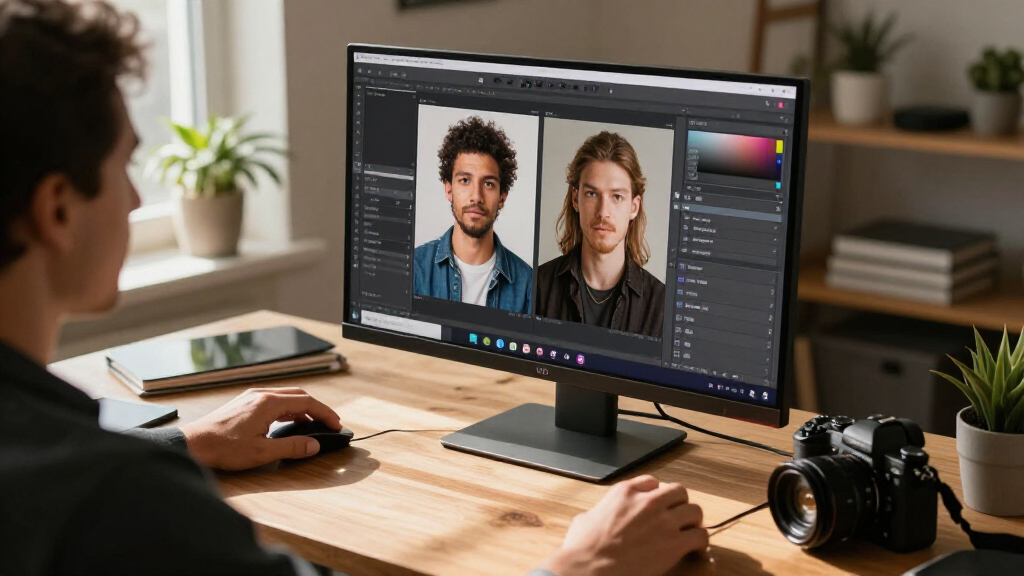
My ranking logic starts with one question: how well does the AI actually reduce editing work? I weighted tools that automate genuinely tedious tasks — subject masking, sky replacement, batch RAW processing, noise removal — higher than apps that simply include an auto-enhance button. From there, I judged each option on editing depth (layers, masks, RAW support), ease of learning for beginners, platform flexibility across Windows and Mac, and long-term cost structure, since a subscription and a perpetual license can differ by hundreds of dollars over three years.
The order also reflects audience fit rather than raw feature count. Lightroom earned the top spot for pairing capable AI with professional-grade organizing. PhotoDirector 2026 follows as the strongest perpetual-license alternative, Luminar AI represents pure automation, and the AfterShot versions cover RAW specialists. Entry-level picks like PhotoPad and Photo Suite sit lower because their AI is thinner, but they remain legitimate choices for casual JPEG editing — a role the buying guide explains in more detail.
Factors to Consider When Choosing AI Photo Editing Software
Beyond the individual products, a few category-wide realities shape whether you’ll be happy with your purchase months from now. These are the factors that most often catch buyers off guard.Subscription or Perpetual License
The single biggest financial decision here isn’t which features you get — it’s how you pay for them. Subscriptions like Lightroom keep AI models current, which matters because AI editing tools improve fast and a two-year-old version can feel dated next to a current one. Perpetual licenses from CyberLink, Corel, and Skylum cost more upfront but never expire, which suits hobbyists who edit occasionally and don’t want a monthly bill. A common mistake is buying a subscription for light, seasonal editing; if you edit fewer than a handful of photos per month, a perpetual license almost always costs less over three years. Also note that some perpetual licenses are version-locked, so the 2026 edition you buy won’t gain new AI features — you’d upgrade by purchasing the next release.
Real AI Capability vs. AI Branding
Nearly every product in this category now uses the word AI somewhere on the box, but the depth varies enormously. Genuine AI editing means the software detects subjects, skies, faces, or objects and applies localized adjustments automatically — you see this in Lightroom’s AI masks, Luminar’s one-click tools, and PhotoDirector’s sky replacement. Weaker implementations amount to an auto-tone slider with a new name, which you can replicate manually in any editor. Before buying, check whether the AI features apply to selective edits or only global adjustments; selective AI is what actually saves time. This distinction explains much of the ranking above: products with real automated selection beat those with branded auto-buttons.
RAW Support and File Handling
If you shoot in RAW, this factor outranks everything else. RAW files carry far more color and detail data than JPEGs, and editors without proper RAW engines either can’t open these files or process them poorly, losing the advantage your camera gave you. Lightroom and AfterShot Pro 3 are built around RAW workflows, with lens corrections and batch processing designed for large shoots. Casual editors shooting phone photos or JPEGs can safely ignore this and save money on a lighter tool. A frequent buyer error is assuming every “photo editor” handles RAW equally — the entry-level options in this list are genuinely weaker here, and no AI feature compensates for a missing RAW pipeline.
Learning Curve and Interface Design
Software with professional depth often comes with professional complexity, and mismatched expectations are the most common reason buyers abandon an editor within a month. Photoshop Elements and Luminar AI deliberately hide complexity behind guided modes, which keeps beginners moving. Lightroom and PaintShop Pro expose far more controls, which rewards patience with finer results. My advice: be honest about how many hours you’ll invest learning. A simpler tool you actually use beats a powerful one you open twice. Also consider whether the software offers in-app tutorials — guided edits in the Elements line are among the best for building skills without external courses.
Platform and Device Limits
Check platform support before anything else, because several options here are Windows-only, including Photo Suite, PaintShop Pro, and both standalone PhotoDirector listings. Mac users should filter those out immediately and focus on Lightroom, Luminar, AfterShot, and Photoshop Elements. License seat counts matter too — Luminar’s two-seat license covers a laptop and desktop, while some single-seat products require a second purchase for a second machine. Students should also note that the Adobe Student and Teacher Edition requires eligibility verification, so factor in that step if buying for school. These details rarely appear prominently in listings and are the most common source of returns.
Bundles: When They Help and When They Waste Money
Two products in this lineup are bundles — PowerDirector with PhotoDirector, and Photoshop Elements with Premiere Elements — and bundles only pay off when you’ll genuinely use both halves. If you produce video for social media or family archives, a photo-plus-video bundle often costs less than buying each separately. If you only edit stills, you’re paying for a video editor that will sit unused, and a standalone photo editor at the same price will usually offer deeper photo features. The same logic applies to the 12-month versus 24-month Lightroom subscriptions: the longer term only wins if you’re confident you’ll stick with the workflow, since it trades flexibility for a lower effective monthly cost.
Frequently Asked Questions
Is AI photo editing software good enough to replace manual editing?
For common tasks — exposure correction, subject masking, sky replacement, and skin retouching — AI now matches what most people could achieve manually in a fraction of the time. Where it still falls short is creative judgment: AI optimizes toward technically correct images, not necessarily the moody or stylized look you may want. The strongest workflow uses AI for the repetitive groundwork and manual sliders for final refinement. Products like Lightroom and PhotoDirector support exactly this hybrid approach, while pure-AI tools like Luminar lean harder on automation. If you sell photography or print large formats, expect to keep some manual control in your process.
Do I need to pay a subscription, or is a one-time purchase enough?
It depends on editing volume and how much you value staying current. Subscriptions make sense for frequent editors because AI features improve continuously and cloud storage (Lightroom includes 1TB) adds real value. One-time purchases from Corel, CyberLink, and Skylum suit hobbyists and budget-conscious buyers who edit sporadically — over three years, the cost difference can be substantial. The catch is that perpetual licenses freeze in time: your 2026 edition won’t receive new AI capabilities unless you pay for an upgrade. If you’re unsure, start with a perpetual license; switching to a subscription later costs you nothing, while canceling an unused subscription wastes money monthly.
Which of these products work best for beginners with no editing experience?
Photoshop Elements and Luminar AI are the friendliest starting points, for different reasons. Elements uses guided edits that walk you through techniques step by step, which quietly teaches you editing fundamentals while producing results. Luminar skips the teaching and simply delivers dramatic one-click transformations, which is satisfying but teaches less. PhotoDirector 2026 sits in between, with a clean interface but a steeper feature curve. I’d steer beginners away from Lightroom and AfterShot Pro initially — both are excellent, but their depth can overwhelm someone who just wants holiday photos to look better.
Why do some products appear twice in this list with different names?
Duplicate or near-duplicate listings are a real quirk of this category, and it’s easy to buy the wrong one. PhotoDirector 2026 appears both as a standalone photo editor and inside a bundle with PowerDirector 2026; the standalone is the right choice for photo-only buyers. PhotoPad similarly appears in multiple listings with slightly different packaging. Corel splits AfterShot into standard and Pro versions, where the Pro edition adds RAW handling and batch tools that justify the step up for serious shooters. Always read exactly what’s included — seats, platforms, and bundled apps — before checkout, because return policies on software are often restrictive.
What computer specs do I need for AI photo editing?
AI features are computationally heavier than traditional editing, so older machines feel the strain first. For smooth operation, aim for at least 16GB of RAM, a recent multi-core processor, and ideally a dedicated graphics card — AI masking and sky replacement lean on GPU acceleration in products like Lightroom and PhotoDirector. You’ll also want 10–20GB of free disk space per application, plus room for your photo library, which is where cloud-storage subscriptions can help. A laptop with 8GB of RAM and integrated graphics will still run lighter tools like PhotoPad, but expect slower AI processing and occasional lag with large RAW files. Check minimum specs against your machine before buying anything in this list.
Conclusion
The right pick here comes down to how you edit, not which box has the longest feature list. For best overall, Adobe Lightroom pairs the category’s strongest AI masking with professional organizing and RAW processing — it’s the pick for anyone serious about photography. For best value, CyberLink PhotoDirector 2026 delivers genuine AI tools like sky replacement and subject detection under a perpetual license, avoiding subscription costs entirely. Best for beginners goes to Photoshop Elements 2026, whose guided edits build real skills while producing polished results, with Luminar AI as the alternative for people who want maximum impact with minimum effort.
For specific needs: AfterShot Pro 3 serves RAW specialists and batch-heavy shooters who want a one-time purchase; the PowerDirector + PhotoDirector bundle fits creators producing both photo and video content; and budget-conscious casual editors are well served by PhotoPad or Photo Suite for basic JPEG touch-ups. Whatever you choose, match the tool to your actual editing habits — an editor you enjoy using weekly beats a more powerful one that stays unopened.
Fall Picks
fall essentials
As an affiliate, we earn on qualifying purchases.