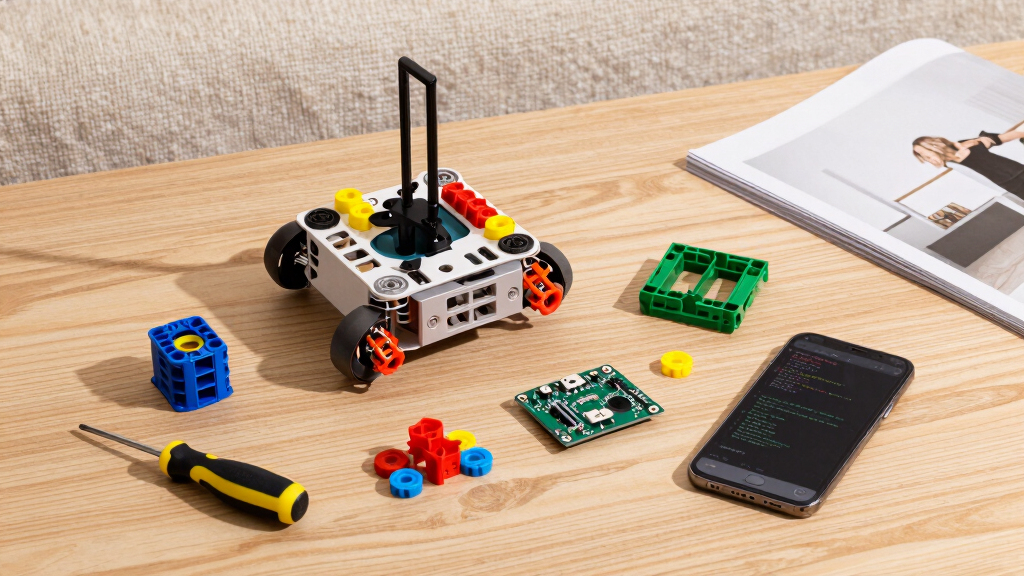

Finding the best robotics kit for AI learning can be challenging with so many options tailored to different skill levels and interests. The top pick, SunFounder AI Robot Kit, stands out for its powerful Raspberry Pi integration and AI capabilities. The Makeblock mBot2 offers an accessible coding experience with support for Scratch and Python, making it ideal for beginners. Meanwhile, the AI Robotic Arm Kit Hiwonder SO-ARM101 caters to advanced users interested in embodied imitation learning. The main tradeoffs involve balancing ease of use, hardware versatility, and AI features. Keep reading for a detailed comparison to find the best fit for your learning journey.
Key Takeaways
- The top kits balance AI features with ease of use, making complex concepts accessible to learners of different ages.
- More advanced kits like the Hiwonder robotic arm require prior knowledge but offer deeper AI integration and customization.
- Raspberry Pi-based kits generally provide more powerful AI capabilities compared to Arduino-only options.
- Support for popular programming languages like Python and Scratch enhances learning flexibility and engagement.
- Cost and complexity increase with advanced features; choose a kit aligned with your current skill level and goals.


More Details on Our Top Picks
ELEGOO UNO R3 Smart Robot Car Kit V4 for Arduino Robotics for Kids Ages 8-12 12-16 STEM Science Kits Coding Gifts for 8 9 10 11 12 13 14 15 16 Year Old Boys Girls Teens Cool Engineering Building Toys
This ELEGOO kit stands out for its approachable design, making it ideal for kids aged 8-12 who are new to robotics. Compared with the Makeblock mBot2, it offers a more straightforward assembly process but lacks advanced sensors and IoT capabilities. The kit includes 24 modules, such as obstacle avoidance and line tracing, which help beginners grasp basic programming and electronics. Its compatibility with phone and tablet control is a plus, though it requires some basic electronic knowledge, so supervision is recommended for younger users. The HD tutorials and modular design make it accessible, but the limited sensor variety means it’s less suited for more complex AI projects. If you want an easy-start kit that emphasizes core robotics skills, this makes an excellent choice.
Pros:- Includes 24 diverse modules for comprehensive basic robotics learning
- Control via phone and tablets enhances accessibility
- Detailed HD tutorials simplify assembly and coding
Cons:- Requires some basic electronic knowledge, limiting absolute beginners
- Lacks advanced sensors and IoT features needed for complex AI applications
Best for: Kids age 8-12 just starting with robotics and programming, especially those who prefer simple, hands-on learning.
Not ideal for: Older teens or advanced learners seeking IoT integration or sophisticated AI functionalities, as this kit is geared toward beginners.
- Control Compatibility:Android and iOS
- Modules Included:Obstacle avoidance, line tracing, IR remote
- Assembly Required:Yes
- Age Range:8+
- Number of Modules:24
- Power Source:Included batteries
Bottom line: This kit is best for young, beginner-minded students focusing on foundational robotics skills.
Makeblock mBot2 Coding Robot for Kids, Code Learning Support Scratch & Python Programming, Robotics Kit for Kids Ages 8-14 and up, Building STEM Robot Toys Gifts for Boys Girls
The Makeblock mBot2 makes a strong impression for its versatility, supporting both Scratch and Python, and its expandable modules supporting IoT applications. Compared with the ELEGOO kit, it offers more sensors (over 10) like obstacle avoidance and color detection, making it suitable for more advanced projects. Its 8+ modes, including voice control and WiFi connectivity, enable learners to explore diverse applications, from simple drive commands to complex data science. The build process takes about 30 minutes, making it accessible for children with some mechanical skills, but its complexity might be overwhelming for absolute beginners. The extensive curriculum and modular expansion options make it ideal for learners aiming to deepen AI and IoT skills. For those wanting an adaptable, classroom-ready robot, this is a top pick.
Pros:- Supports Scratch and Python for flexible coding learning
- Expandable with 30+ modules for IoT and AI projects
- Includes multiple control options: Bluetooth, USB, WiFi
Cons:- Assembly may be slightly more complex for younger kids
- Higher cost compared to basic beginner kits
Best for: Kids and teens aged 8-14 with some basic coding experience who want to explore IoT and advanced AI projects.
Not ideal for: Absolute beginners or younger children who need a simpler, more guided introduction to robotics, as its features can be complex.
- Supported Languages:Scratch, Python
- Sensors Included:Obstacle avoidance, color detection
- Control Methods:Bluetooth, USB, WiFi
- Modules Expandable:30+
- Assembly Required:Yes
- Age Range:8-14+
Bottom line: Ideal for motivated learners seeking a versatile, expandable platform for advanced robotics and AI projects.
SunFounder AI Robot Kit with Raspberry Pi Zero 2 W+32G TF Card, ChatGPT-4o Enabled with Voice Command & Video Recognition, App Control, FPV, 12 Servos, Gyroscope, Camera, Mic
This SunFounder kit is tailored for those interested in cutting-edge AI and deep learning, integrating ChatGPT-4o for natural language interactions. Unlike the previous kits, it leverages Raspberry Pi Zero 2 W and supports Python programming with extensive sensors like camera, gyroscope, and ultrasonic, making it suitable for complex AI projects. Its 12 servos enable realistic movements, and the FPV camera allows real-time video control, ideal for advanced AI visual recognition. The setup is more technical, requiring familiarity with Raspberry Pi and Linux, so it’s less accessible for absolute beginners. The comprehensive features make it perfect for intermediate to advanced users aiming to explore AI research applications. If your focus is on AI-driven robotics with video and voice recognition, this kit delivers impressive capabilities.
Pros:- Includes ChatGPT-4o for advanced conversational AI
- Supports Python and Linux for deep customization
- Real-time FPV video and multi-sensor suite for complex AI projects
Cons:- Requires familiarity with Raspberry Pi and Linux systems
- Higher complexity and cost, not suited for absolute beginners
Best for: Intermediate to advanced learners and hobbyists interested in AI, video recognition, and robotics with Raspberry Pi.
Not ideal for: Beginners or younger students seeking simple, educational robotics without complex AI features.
- Controller:Raspberry Pi Zero 2 W
- Memory:32 GB TF Card
- Servos:12 high-torque
- Features:Voice command, video recognition, FPV
- Programming:Python, Linux
- Includes:Camera, gyroscope, ultrasonic sensors
Bottom line: Best suited for users with some technical background aiming to develop advanced AI robotics.
AI Robotic Arm Kit Hiwonder SO-ARM101 Embodied Imitation Learning Open Source 6-Axis Robot Arm 12 High-Torque Bus Servo Motors AI Vision Recognition (Advanced Kit, Included 3D Printed Part, Assembled)
The Hiwonder SO-ARM101 is crafted for serious robotics enthusiasts and researchers, featuring 12 high-torque bus servo motors and a dual-camera vision system. Unlike the simpler kits, it supports embodied imitation learning and is compatible with open-source frameworks, making it suitable for AI research and advanced experimentation. It comes pre-assembled with 3D printed parts, which speeds up setup but limits customization for beginners. The professional control & debugging interface via PC software makes it ideal for in-depth study and precise calibration, although it may be too complex for casual learners or young students. If your goal is to delve into AI research, robotics, and imitation learning, this arm offers the necessary sophistication and expandability.
Pros:- Supports embodied imitation learning frameworks
- Dual-camera system enables environmental and object recognition
- Includes 12 high-torque bus servo motors for precise motion
Cons:- Pre-assembled, limiting hands-on building for beginners
- Higher price point and complexity for casual users
Best for: Researchers, advanced hobbyists, and university students focused on robotics, AI, and imitation learning.
Not ideal for: Beginners or casual learners seeking an affordable, easy-to-assemble robot kit, as it requires technical expertise.
- Motors:12 high-torque bus servo
- Control Interface:PC software with debugging
- Vision System:Dual-camera for vision recognition
- Assembly:Pre-assembled
- Material:Plastic and metals
- Dimensions:20 x 9 x 9 inches
Bottom line: A perfect choice for those pursuing advanced robotics research and AI experimentation in a professional or academic setting.
Smart Video Car Robot for Arduino, WiFi & Bluetooth RC Car with Camera, 6-Way IR & Ultrasonic Sensors, Programmable Arduino Robotics Kit for Adults STEM Education & AI Learning (UNO-6 Way IR Sensor)
This Arduino-based smart video car excels in providing real-time FPV via WiFi, making it ideal for learners interested in combining video, sensors, and programming. Compared with the Raspberry Pi-based SunFounder kit, it offers a more straightforward setup with a focus on Arduino coding, which is more beginner-friendly but less powerful for deep AI applications. Its 6-way IR sensors and ultrasonic obstacle avoidance are practical for basic AI and robotics projects, especially for those who want to learn about sensor integration and control via mobile apps. The inclusion of camera and programmable features makes it suitable for intermediate hobbyists, though it lacks the extensive AI processing capabilities of the Raspberry Pi or AI-specific kits. For a hands-on, camera-equipped robot with good control options, this is a solid choice.
Pros:- Real-time FPV with a 480P USB camera
- Supports Arduino IDE and graphical programming (Scratch-based)
- Includes 6-Way IR sensors and ultrasonic obstacle avoidance
Cons:- Requires some familiarity with Arduino and basic electronics
- Limited AI processing power compared to Raspberry Pi kits
Best for: DIY enthusiasts and STEM students aged 12+ interested in Arduino programming and camera-based robotics.
Not ideal for: Absolute beginners or those seeking fully autonomous AI systems, as it still requires manual control and basic coding skills.
- Camera:480P USB
- Sensors:6-Way IR, Ultrasonic
- Control:WiFi, Bluetooth, App
- Battery:7.4V 2200mAh
- Programming:Arduino IDE, Scratch
- Assembly:Easy to assemble
Bottom line: A versatile, camera-equipped Arduino robot suitable for intermediate learners exploring STEM and AI basics.
SunFounder Picar-X AI Video Robot Car Kit for Raspberry Pi 5/4/3B+/Zero 2w, LLMs ChatGPT-4o/Gemini/Grok, Voice&Video Recognition, Python, Scratch, Camera, Batterry (RPI NOT Included)
This robot stands out for its impressive integration of multiple large language models (LLMs) like ChatGPT-4o, Gemini, and Grok, which enable advanced voice and visual recognition capabilities. Compared with the AI Robotic Arm Kit Hiwonder SO-ARM101, PiCar-X offers more interactive AI features, making it ideal for users interested in AI vision and conversation. Its support for both Python and Scratch expands accessibility for learners of different skill levels, but the complexity of multi-LLM setup can be daunting for beginners. The modular design with sensors and camera allows for creative customization, though Raspberry Pi (not included) and assembly may challenge less experienced users. Overall, this kit makes the most sense for students or educators eager to explore AI-driven robotics on a Raspberry Pi platform, willing to handle a steeper learning curve for extensive AI capabilities.
Pros:- Supports multiple advanced LLMs for rich AI interactions
- Features visual and voice recognition with OpenCV and MediaPipe
- Supports programming in both Python and Scratch for flexible learning
- Includes a camera and various sensors for diverse projects
Cons:- Requires a Raspberry Pi (sold separately), increasing overall cost and setup complexity
- Assembly and configuration can be challenging for those unfamiliar with Linux or AI frameworks
- Higher price point relative to simpler robotic kits
Best for: Tech-savvy students and educators who want to experiment with multi-platform AI and robotics on Raspberry Pi.
Not ideal for: Complete beginners or young children who lack experience with Linux-based systems and assembly complexities.
- Platform Compatibility:Raspberry Pi 5/4/3B+/Zero 2W (Raspberry Pi not included)
- Supported AI Platforms:ChatGPT-4o, Gemini, Grok, DeepSeek, Qwen, Doubao, Ollama
- Programming Languages:Python, Scratch
- Features:Voice recognition, Video recognition, Camera, Sensors
- Assembly Required:Yes
- Size:6.5 x 10 x 4 inches
Bottom line: This kit is perfect for motivated learners and educators seeking deep AI integration on Raspberry Pi, despite its complexity.
Nous AI Robot for Kids Ages 12+, STEM Coding Robot for Boys and Girls with Scratch & Python Programming, Robot Building Kit for Kids to Build Your Own AI Robot
This robot is designed to simplify AI and robotics education with an emphasis on coding and creative assembly, making it ideal for primary and secondary school students. Unlike the SunFounder PiCar-X, which offers advanced AI features, the Nous AI Robot provides a more structured and beginner-friendly approach to AI development using a dedicated online platform supporting Scratch and Python. Its modular metal structure and detailed instructions facilitate easy construction and foster understanding of electronics and mechanics. However, its focus on education means it lacks the real-time voice and vision recognition capabilities of PiCar-X, limiting its use for more interactive AI projects. This kit makes the most sense for students aged 12+ who want to learn AI fundamentals and coding in a manageable, guided way, but less suitable for those seeking advanced AI experimentation.
Pros:- Supports both Scratch and Python programming for versatile learning
- Includes detailed instructions for easy assembly
- Modular design encourages creativity and mechanical understanding
- Provides a structured platform for AI training and deployment
Cons:- Limited real-time AI interaction capabilities compared to PiCar-X
- Less suitable for very young children due to complexity of assembly
- Higher cost than basic robot kits without AI features
Best for: Middle school and early high school students interested in foundational AI concepts and robotics construction.
Not ideal for: Advanced users or those seeking real-time voice and video AI features like ChatGPT-4o integration.
- Age Range:12+
- Programming Support:Scratch, Python
- Build Type:Modular metal structure
- AI Technologies:Machine learning, neural networks, speech recognition
- Application:Educational, coding, creative projects
- Includes:Electronic modules, detailed instructions
Bottom line: This kit offers a solid foundation in AI and robotics for students serious about coding and mechanical assembly, with less emphasis on real-time AI interactions.

How We Picked
I evaluated these kits based on several key factors: AI capabilities, ease of use, build quality, versatility, and value for money. Kits that integrate popular microcontrollers like Raspberry Pi or Arduino were prioritized for their expandability. I also considered the educational potential—whether the kit supports beginner-friendly coding or more advanced AI functions. Durability and user support played roles in ranking, as well as how well the kit balances complexity with accessibility. The top picks stand out for their ability to deliver real AI learning experiences while remaining manageable for learners with different backgrounds.Factors to Consider When Choosing Best Robotics Kit For Ai Learning
Choosing the right robotics kit for AI learning depends on your current skill level, learning objectives, and budget. It’s important to focus on how well the kit supports your growth, whether you’re a beginner or an advanced user seeking more customization. Beyond features, consider ease of assembly, available learning resources, and compatibility with popular programming languages. Avoid kits that are overly complex for your experience, as frustration can hinder learning. A clear understanding of these factors helps ensure you get a kit that motivates and educates effectively.AI Capabilities and Programming Support
Look for kits that include built-in AI features like voice recognition, computer vision, or machine learning. Support for programming languages such as Python or Scratch significantly impacts how easily you can experiment and extend AI functions. Kits with prebuilt AI modules tend to be easier for beginners, while those requiring manual coding offer deeper learning opportunities for advanced users.
Ease of Assembly and Use
Consider how straightforward the setup process is. Kits with clear instructions, modular designs, and minimal hardware prerequisites tend to reduce frustration and accelerate learning. Overly complex kits might be better suited for experienced hobbyists, but they can overwhelm beginners and slow down progress.
Hardware Quality and Expandability
Durable, high-quality components contribute to a positive learning experience and longevity of the kit. Also, check whether the system supports additional sensors or modules, which can expand your AI capabilities over time. Kits based on widely used platforms like Raspberry Pi or Arduino typically offer more upgrade options.
Educational Resources and Community Support
Robust tutorials, active user communities, and responsive customer support enhance the learning process. Kits with comprehensive guides, coding examples, and online forums make troubleshooting easier and help sustain motivation. Opt for brands that invest in educational content and community engagement.
Price and Value
While more expensive kits often include advanced features and better components, they aren’t necessarily the best value for everyone. Balance your budget with your learning goals, ensuring the kit provides enough features to challenge you without overwhelming or underwhelming your experience. Consider ongoing costs like sensors or software subscriptions as well.
Frequently Asked Questions
Can a beginner successfully use an AI robotics kit without prior programming experience?
Yes, many kits are designed with beginners in mind, offering visual programming interfaces like Scratch or guided tutorials that simplify complex concepts. These kits focus on foundational AI principles and often include step-by-step instructions, making them accessible even without prior coding knowledge. As confidence grows, users can transition to more advanced languages like Python for deeper learning.
Are Raspberry Pi-based kits significantly better for AI learning than Arduino-only options?
Raspberry Pi kits generally provide more processing power and flexibility for AI applications, such as computer vision and voice recognition. They support full-fledged operating systems, enabling complex AI models and multimedia integration. However, they tend to be more complex to set up and may have a steeper learning curve compared to Arduino-based systems, which are better suited for basic robotics and sensor integration.
What should I prioritize if I want a kit that grows with my skills?
Focus on kits that offer modular components and support for advanced programming languages like Python. Look for options that include expandability, such as additional sensors or AI modules, so you can deepen your projects over time. A strong community and good documentation are also vital for continuous learning and troubleshooting as your skills develop.
Is it worth investing in an advanced AI robot kit if I am a beginner?
While it might seem tempting, investing in highly advanced kits without prior experience can lead to frustration. Beginners often benefit more from kits designed with simplicity and guided learning, which build foundational skills first. As confidence and knowledge grow, transitioning to more sophisticated systems becomes easier and more rewarding.
How important is software support and online resources when choosing an AI robotics kit?
Software support and educational resources are critical for effective learning, especially in complex fields like AI. Well-supported kits come with tutorials, sample projects, and active user communities that help resolve issues quickly. These resources can significantly accelerate your understanding and keep you motivated during challenging phases of your learning journey.
Conclusion
The best overall choice for most learners is the SunFounder AI Robot Kit because of its powerful Raspberry Pi AI integration combined with user-friendly features. If you are just starting out, the Makeblock mBot2 offers a straightforward, engaging introduction to coding and robotics. For users seeking advanced AI capabilities, the Hiwonder robotic arm provides a deep, hands-on experience. Budget-conscious beginners should consider kits with solid basic features and strong community support, while experienced hobbyists may prioritize expandability and raw AI power to push their projects further.